45
nN
Using Your VAIO Computer >
Using "Memory Stick"
Inserting and Removing "Memory Stick"
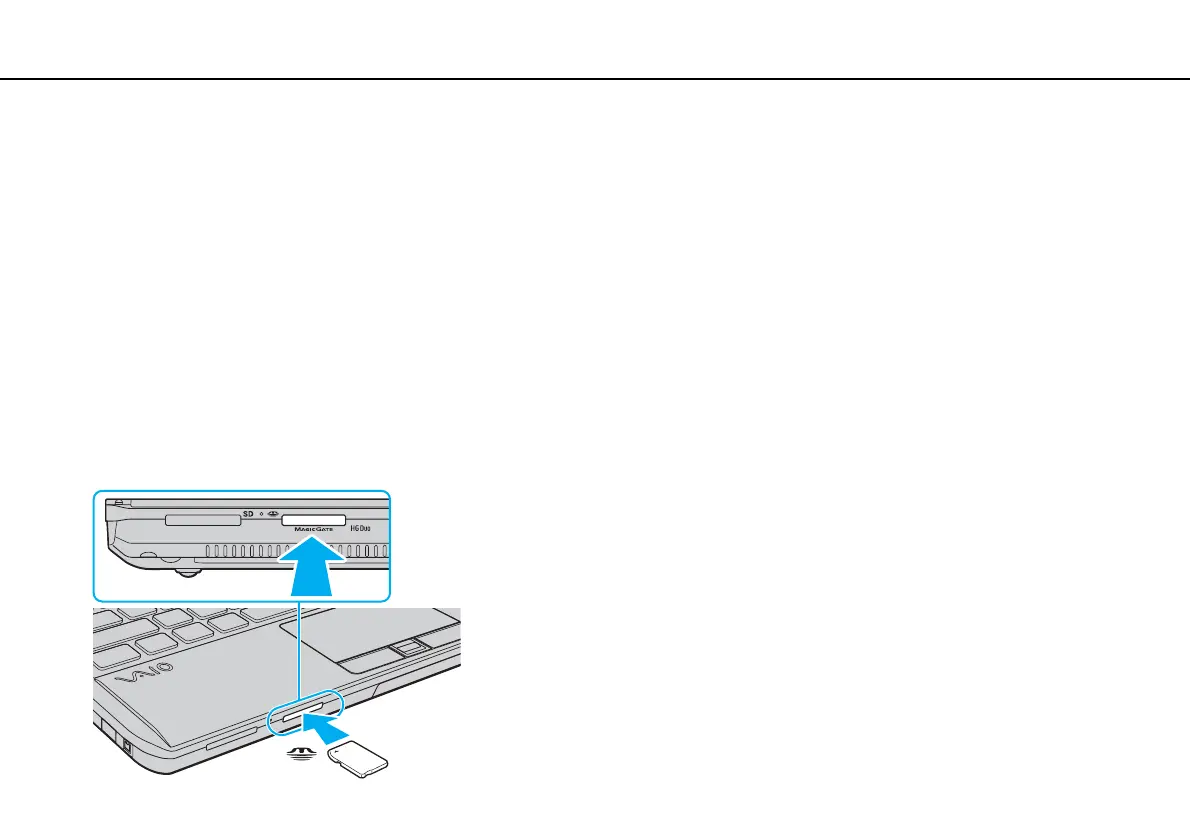
To insert "Memory Stick"
1 Locate the "Memory Stick Duo" slot.
2 Hold "Memory Stick" with the arrow facing upward and pointing toward the slot.
3 Carefully slide "Memory Stick" into the slot until it clicks into place.
Do not force the media into the slot.
✍
If "Memory Stick" does not go into the slot easily, remove it gently and verify you are inserting it in the proper direction.
"Memory Stick" is automatically detected by your system and the contents of "Memory Stick" are displayed. If nothing appears on the desktop, click
Start, Computer, and double-click the "Memory Stick" icon.
The "Memory Stick" icon will appear in the Computer window after you insert "Memory Stick" into the slot.










 To Next Page