EasyManua.ls Logo

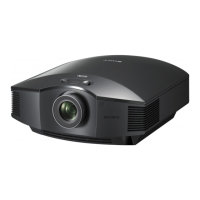
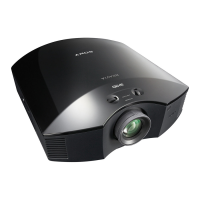
Sony VPL-HS51 - User Manual

Sony VPL-HS51
68 pages
Print Icon
To Next Page IconTo Next Page
Loading...
© 2004 Sony Corporation
2-188-141-11 (1)
Video Projector
Operating Instructions
VPL-HS50
VPL-HS51

Other manuals for Sony VPL-HS51

Questions and Answers

  • J
    Jeremy PriceSep 3, 2025
    How do I fix 'Frequency is out of range!' on my Sony Projector?
    • B
      bdunnSep 3, 2025
      To resolve the 'Frequency is out of range!' message on your Sony Projector, input a signal that falls within the projector's acceptable frequency range. You can also set the output signal on the connected computer's external monitor to SVGA. Additionally, ensure that “Input-A Signal Sel.” in the Setup menu is set to “Computer.”
  • S
    Shelly ClarkeSep 1, 2025
    How to brighten the picture on my Sony Projector?
    • J
      jessicahowardSep 2, 2025
      If the picture on your Sony Projector is too dark, adjust the contrast or brightness in the “Adjust Picture” settings of the Picture menu.
  • M
    morgankarenAug 31, 2025
    What does it mean when the LAMP/COVER light is on my Sony Projector?
    • S
      Samantha PorterAug 31, 2025
      If the LAMP/COVER light is illuminated on your Sony Projector, it means you should replace the lamp. Alternatively, you can wait until the lamp cools down, and then try turning the power on again.
  • J
    Jessica WardAug 29, 2025
    How to make the picture clearer on my Sony VPL-HS51 Projector?
    • B
      Bruce WalkerAug 29, 2025
      To improve picture clarity on your Sony Projector, adjust the focus using the focus ring. If that doesn't fully resolve the issue, leave the projector powered on for about two hours.
  • W
    Wendy ChanAug 27, 2025
    What to do if the remote control for my Sony VPL-HS51 does not work?
    • R
      reyestiffanyAug 27, 2025
      If the remote control for your Sony Projector isn't working, try replacing the batteries with new ones. Ensure that you insert the batteries with the correct polarities.
  • J
    Jamie RobertsAug 26, 2025
    Why is there no picture on my Sony VPL-HS51?
    • P
      Peggy LopezAug 27, 2025
      If you're not seeing a picture on your Sony Projector, first, verify that all connections are properly made. Next, make sure you've selected the correct input source using the INPUT button. If you're using a computer, ensure the computer signal is set to output from an external monitor, or only to an external monitor. Also, check the Setup menu and select the appropriate option (“Computer,” “Component” or “Video GBR”) for “Input-A Signal Sel.” based on your input signal.
  • J
    Joseph NunezAug 25, 2025
    Why is the picture from the INPUT A connector colored strange on my Sony Projector?
    • N
      Nancy JacobsonAug 25, 2025
      If the picture from the INPUT A connector is displaying strange colors on your Sony Projector, select the appropriate option (“Computer,” “Component” or “Video GBR”) for “Input-A Signal Sel.” in the Setup menu according to the input signal.
  • S
    shannonnelsonAug 22, 2025
    Why does the picture from the VIDEO or S VIDEO INPUT connector look strange on my Sony VPL-HS51?
    • B
      Barbara ManningAug 22, 2025
      If the picture from the VIDEO or S VIDEO INPUT connector appears colored strangely on your Sony Projector, try adjusting the picture settings in the “Adjust Picture” section of the Picture menu. Also, ensure that the “Color System” setting in the Setup menu matches the color system being input.

Sony VPL-HS51 Specifications

General IconGeneral
BrandSony
ModelVPL-HS51
CategoryProjector
LanguageEnglish

Related product manuals