20
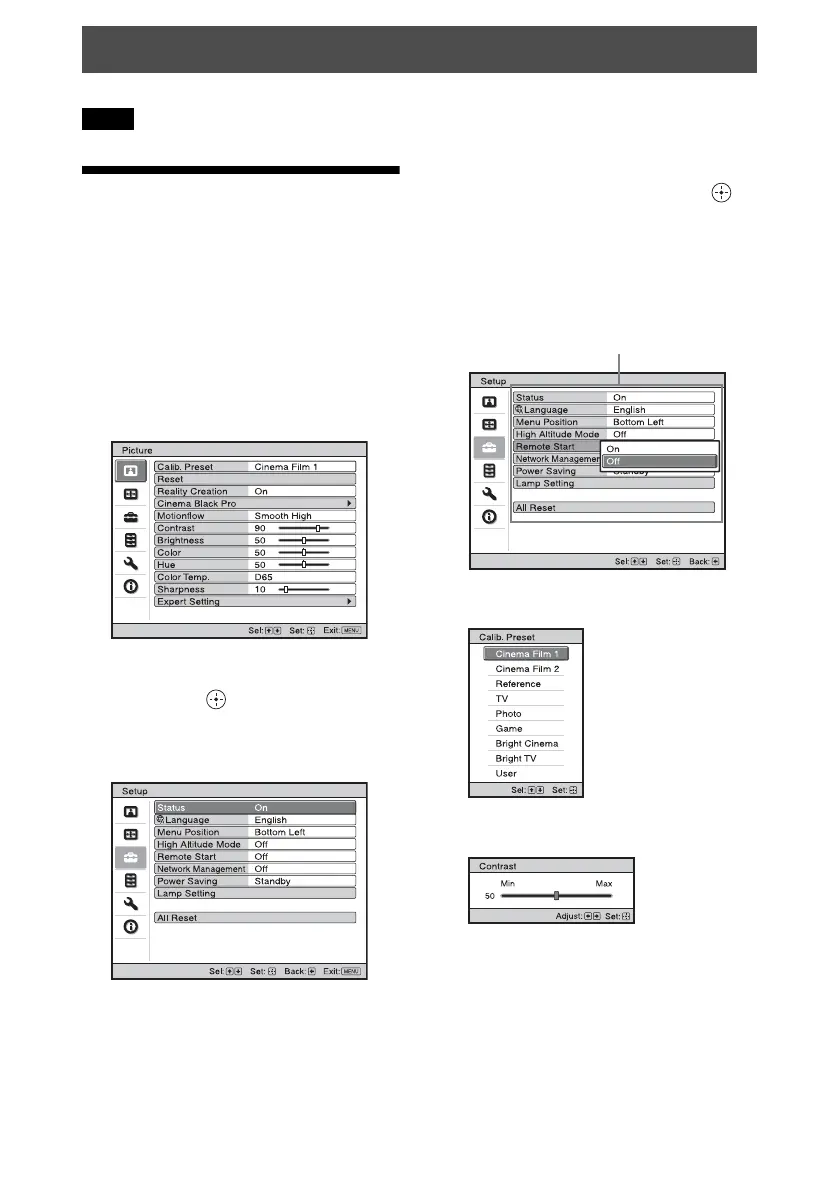
The menu displays used for the explanation may be different from the actual menu display.
Operation through
the Menus
The unit is equipped with an on-screen menu
for making various adjustments and settings.
If you select an item name followed by an
arrow (B), the next menu window with
setting items appears.
1 Press MENU.
The menu window appears.
2 Press M/m to select a menu item, and
press , or .
The items that can be set or adjusted
with the selected menu appear. The item
presently selected is shown in white.
3 Press M/m to select an item you want
to set or adjust and press , or .
The setting items are displayed in a pop-
up menu, in a setting menu, in an
adjustment menu or in the next menu
window.
Pop-up menu
Setting menu
Adjustment menu
Using the Menus
Note
Setting items


 To Next Page