48
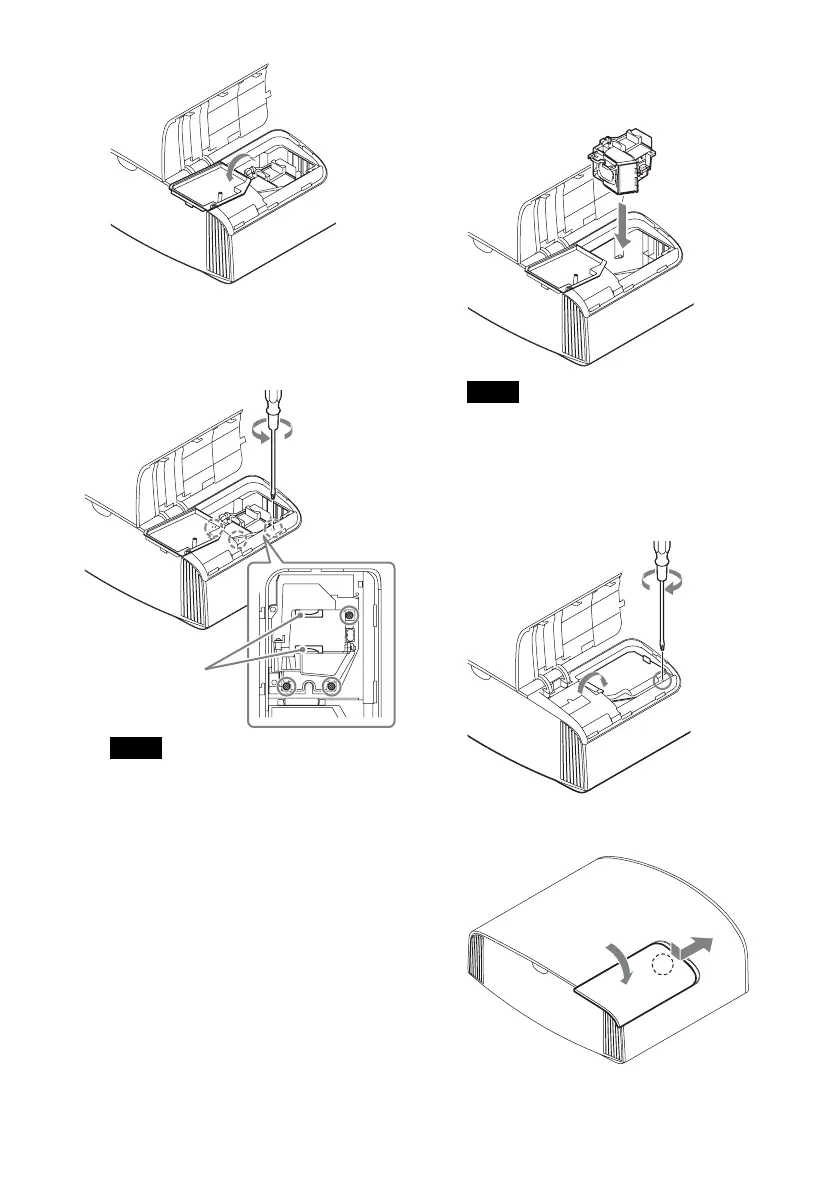
5 Loosen the 3 screws on the lamp with
the Phillips screwdriver. Hold up the
handle, then pull the lamp straight out.
• Do not loosen other screws except the 3
specified screws.
• Hold the lamp by the handle to remove
and attach it.
6 Push in the new lamp by the handle
securely until it reaches the end, and
then tighten the 3 screws.
Be careful not to touch the optical block
inside the unit.
7 Close the lamp door (inner cover), and
then tighten the screw.
8 Close the lamp cover.
Notes
Handle
Note


 To Next Page