Help Guide
Wireless Stereo Headset
WF-SP900
One-touch connections with a smartphone (NFC)
When you touch an NFC-compatible smartphone to the charging case, the player pairs with the smartphone. You can
establish or terminate a Bluetooth connection through a simple operation.
Compatible smartphones
NFC-compatible smartphones with Android 4.1 or later
NFC
NFC (Near Field Communication) technology enables short-range wireless communication between various devices
(such as smartphones and IC tags).
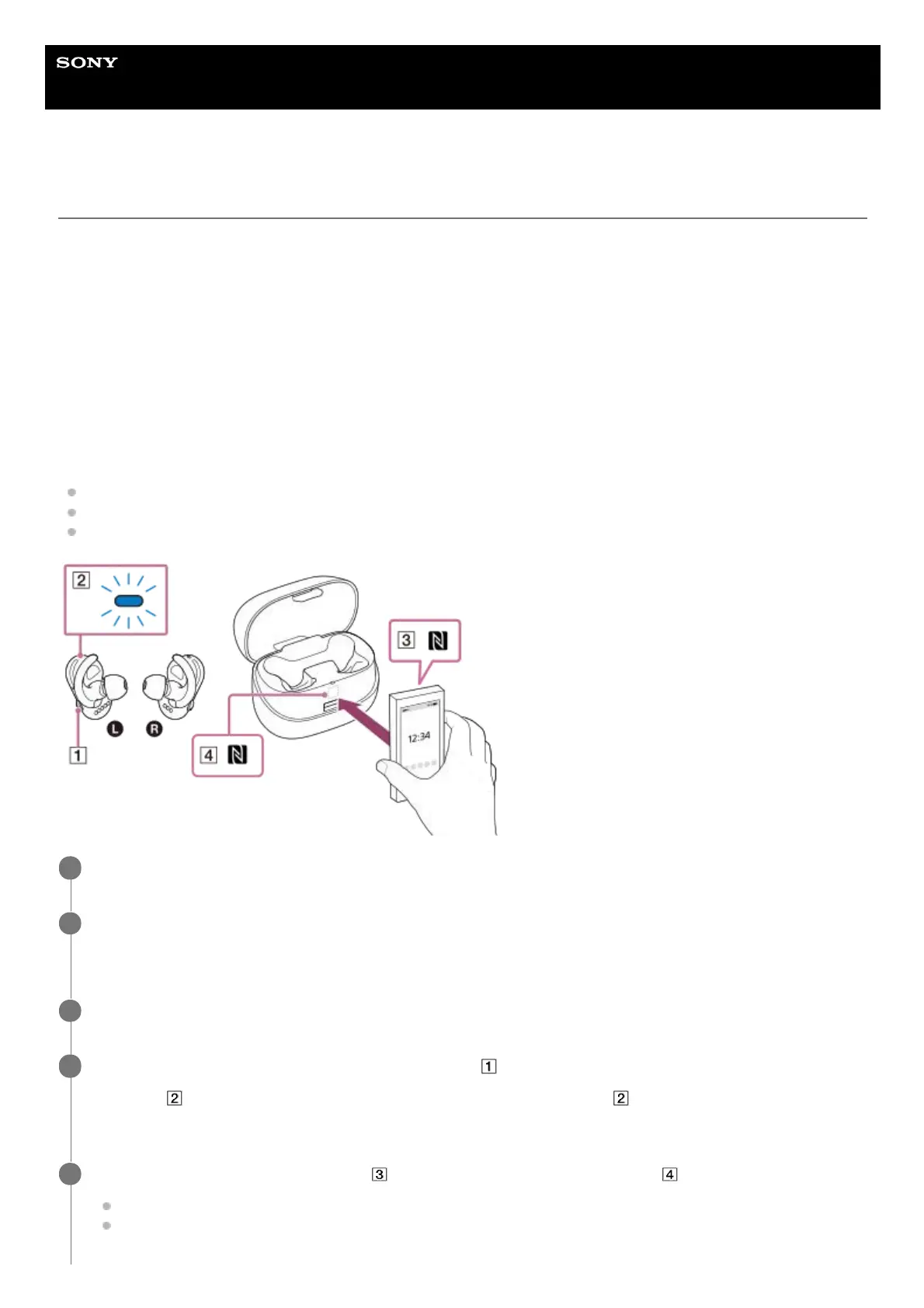
You can perform the following operations by touching an NFC-compatible smartphone to the N-mark on the charging
case.
Pairing the player with the smartphone.
Establishing a Bluetooth connection.
Terminating a Bluetooth connection.
Unlock the smartphone screen.
1
Turn on the NFC function on the smartphone.
For details, refer to the operating manual for the smartphone.
2
Remove the player from the charging case to turn the player on.
3
If the Bluetooth function is off, hold down the button (
) for 2 seconds to turn on the Bluetooth function.
The lamp (
) will flash slowly. If the player is on both of your ears, the lamp ( ) will not light up. You will hear
voice guidance instead.
4
Touch the N-mark on the smartphone ( ) to the N-mark on the charging case ( ).
Hold the charging case and the smartphone together until the smartphone responds.
If you cannot find the N-Mark on the smartphone, refer to the operating manual for the smartphone.
5


 To Next Page
 Loading...











