Problem
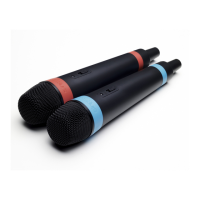
No audio output through the speakers from the Wireless SingStar® Microphones.
Possible cause
• The in-game vocal volume may be too low.
Possible solution
• Turn the in-game vocal volume up. For more information on turning the vocal volume up, please refer to the appropriate
software manual.
Possible cause
• If the LED indicator on the Wireless SingStar® Microphones is off, the batteries may have run out of power or they may not
be inserted correctly.
Possible solutions
• Check the diagram in the Wireless SingStar® Microphones instruction manual to ensure that the batteries are inserted
correctly.
• Insert new batteries
Possible cause
• If the LED indicator on the Wireless SingStar® Microphones glows red, you may be experiencing connection difculties.
Possible solutions
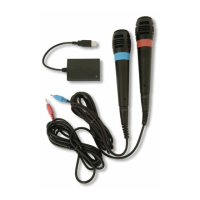
• Check that the USB receiver is securely connected to your PlayStation®2 console or PLAYSTATION®3 system via a USB
Cable with a Mini-B connector.
• Disconnect the USB receiver from your PlayStation®2 console or PLAYSTATION®3 system, then reconnect the USB
receiver.
• Check that the Wireless SingStar® Microphones are paired with the USB receiver. For more information, please refer to the
“Pairing the Wireless® SingStar Microphones” section in the Wireless SingStar® Microphones instruction manual.
Problem
Sound quality from the Wireless SingStar® Microphones is poor.
Possible cause
• If the LED indicator on the Wireless SingStar® Microphones is dim, battery power may be running low.
Possible solution
• Insert new batteries.
Possible cause
• If the LED indicators on the USB receiver or the Wireless SingStar® Microphones ash amber during play, you may be
experiencing reception difculties.
Possible solutions – USB receiver
• To improve reception, ensure that the LED indicator on the USB receiver faces the Wireless SingStar® Microphones.
• Position the USB receiver away from other wireless devices. When the USB receiver is in a position with good reception, its
LED indicator will glow bright green. It may help to connect the USB receiver to your system using a longer USB Cable, such
as that supplied with a DUALSHOCK®3 Wireless Controller.
Possible solutions – other wireless devices
• Turn off any wireless devices in the close vicinity and pause any downloads currently taking place on your PLAYSTATION®3
system, as these may interfere with the reception of the Wireless SingStar® Microphones.
• If you connect to the Internet via a wireless router, try using a wired connection instead. Alternatively, position the router as far
as possible from your PlayStation®2 console or PLAYSTATION®3 system, the Wireless SingStar® Microphones and the USB
receiver. This can reduce the chance of wireless signal interference.
NOTE: For more information on connecting your PS3™ system to the Internet via a wired connection, please refer to the Quick
Reference Manual supplied with your PS3™ system.


 To Next Page
 Loading...