EasyManua.ls Logo

Sony WRT-807A - User Manual

Sony WRT-807A
18 pages
Print Icon
To Next Page IconTo Next Page
Loading...
3-866-377-11 (1)
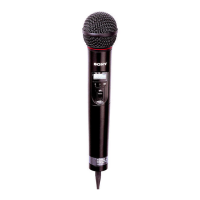
WRT-807A
UHF Synthesized
Wireless Microphone
Operating Instructions
Manual de instrucciones
Mode d’emploi
Wireless Channel Lists
Listas de canales inalámbricos
Listes des canaux sans fil
1999 by Sony Corporation
[U64] [U66] [U68]
US
EN
FR

Questions and Answers

  • J
    John MooreAug 19, 2025
    What to do if there is no sound from my Sony WRT-807A Microphone?
    • C
      Christy MaldonadoAug 19, 2025
      If there is no sound, try the following: * If the LCD is flashing, turn the power off, then on again. * Ensure that the channel setting on the microphone matches the one on the tuner. * Confirm that both the microphone and tuner are turned on, and that the AF or RF indicator is lit.
  • D
    David MosesAug 21, 2025
    Why is there sound interruption or noise with my Sony WRT-807A?
    • L
      Laurie StevensAug 21, 2025
      Sound interruption or noise may occur due to: * Incorrectly connected receiver antenna. Connect the antenna correctly according to the tuner's or antenna divider's manual. * The antenna divider being turned off. Turn the antenna divider on. * The RF indicator lighting even when the tuner is off. Determine usable channels (where the RF indicator on the tuner does not light) and set both the tuner and microphone to the same usable channel. * Two or more microphones set to the same channel. Ensure each microphone is set to a different channel.
  • X
    xwardAug 23, 2025
    How to fix a Sony WRT-807A that does not turn on?
    • C
      Connie HensonAug 23, 2025
      If your microphone doesn't turn on, check the following: * Ensure the battery is inserted correctly, matching the + and – poles with those in the battery compartment. * The battery may be exhausted; replace it with a new one. * The battery terminals in the microphone might be dirty. Clean the + and – terminals with a cotton swab.
  • A
    Adam CookAug 26, 2025
    What to do if the sound is weak on my Sony Microphone?
    • L
      Latasha ArmstrongAug 26, 2025
      If the sound from your microphone is weak: * The attenuation level setting might be too high. Lower the attenuation level by pressing the – button in attenuation level setting mode. * The volume on the amplifier, mixer, or tuner might be low. Adjust the volume accordingly.
  • C
    Chad HoltAug 27, 2025
    What to do if the sound from my Sony WRT-807A is weak?
    • G
      Gabrielle SimpsonAug 28, 2025
      If the sound from your Sony Microphone is weak, try these solutions: * The attenuation level setting might be too high. Lower the attenuation level by pressing the – button in attenuation level setting mode. * The volume on the amplifier, mixer, or tuner could be set too low. Adjust the volume accordingly.
  • V
    vaughncynthiaAug 30, 2025
    Why does my Sony Microphone battery run down quickly?
    • R
      Robert SimmonsAug 30, 2025
      The battery might be running down quickly because: * The battery is exhausted, so replace it with a new one. * A manganese battery is being used. Use an alkaline battery instead, as they last more than twice as long. * The microphone is being used under cold conditions.
  • T
    Thomas CareySep 1, 2025
    What causes distortion in the sound of my Sony Microphone and how to fix it?
    • B
      Bryan AdamsSep 2, 2025
      If there is distortion in the sound, the attenuation level setting might be too low. Try raising the attenuation level by pressing the + button in attenuation level setting mode.
  • J
    Jonathan SullivanSep 4, 2025
    How to change the channel on a Sony WRT-807A Microphone?
    • T
      Tiffany JacksonSep 4, 2025
      To change the channel: Turn the microphone off, then turn it on again while holding down the SET button. Then change the channel using the + and – buttons.
  • K
    kirstenrodriguezSep 6, 2025
    What to do if my Sony WRT-807A Microphone cannot be turned off?
    • K
      Kimberly BatesSep 6, 2025
      If the microphone cannot be turned off, the HOLD switch might be in the locked position. Change the HOLD switch to the unlocked position.
  • J
    Joshua SmithSep 8, 2025
    Why does the battery of my Sony WRT-807A Microphone run down so quickly?
    • D
      Danielle McdonaldSep 9, 2025
      If the battery in your Sony Microphone is draining rapidly, here’s what might be happening: * The battery may be old and exhausted. Replace it with a new one. * You might be using a manganese battery. Switch to an alkaline battery for longer life. * Using the microphone in cold conditions can also cause the battery to drain faster.

Summary

Precautions for Safe Operation

Environmental Precautions

Avoid extreme temperatures, heat sources, direct sunlight, and moisture. Clean with dry cloth; avoid solvents.

Battery Safety

Do not tamper with internal parts. Do not recharge, disassemble, or short-circuit batteries.

Key Features and Capabilities

Parts Identification

Settings and Configuration

Entering Setting Mode

How to enter Setting mode by holding SET and turning POWER ON to adjust parameters.

Changing Transmission Channel

Procedure to select channel number or frequency using SET and +/- buttons.

Troubleshooting Common Issues

Power and Channel Issues

Troubleshooting for microphone not turning on or channel not changing.

Sound and Interference Issues

Solutions for no sound, weak sound, distortion, or interruption due to settings or interference.

Error Messages and Solutions

Error Codes and Solutions

Explains error messages (11, 21, 31, 41, 51, 61) and their remedies.

Sony WRT-807A Specifications

General IconGeneral
BrandSony
ModelWRT-807A
CategoryMicrophone
LanguageEnglish

Related product manuals