EasyManua.ls Logo

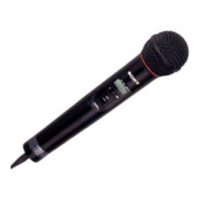
Sony WRT-807B - User Manual

Sony WRT-807B
72 pages
Print Icon
To Next Page IconTo Next Page
Loading...
2001 Sony Corporation
3-205-808-12(1)
Operating Instructions
Mode d’emploi
Bedienungsanletung
Manual de instrucciones
WRT-807B
UHF Synthesized
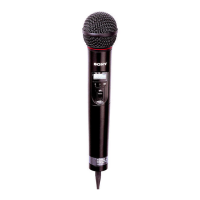
Wireless Microphone
FR
DE
GB
ES
[U62] [U66]
[CE62][CE57] [CE67]

Other manuals for Sony WRT-807B

Questions and Answers

  • M
    Mark HartAug 8, 2025
    Why is there sound interruption or noise with my Sony WRT-807B Microphone?
    • S
      Sharon YangAug 8, 2025
      Sound interruption or noise can occur due to several reasons: * The receiver's antenna might be incorrectly connected. Ensure it's correctly connected as per the tuner or antenna divider's manual. * The antenna divider might be off. Turn it on. * The RF indicator might light up even when the microphone is off. Find usable channels (where the RF indicator on the tuner doesn't light) and set both the tuner and microphone to the same channel. * Two or more microphones might be on the same channel. Ensure each microphone is set to a different channel.
  • J
    jadamsAug 12, 2025
    What to do if there is no sound from my Sony WRT-807B Microphone?
    • M
      Michael NewmanAug 12, 2025
      If you're experiencing a lack of sound, consider these possibilities: * The LCD indication might be flashing. Try turning the power off and then on again. * The channel setting on the microphone could be different from the tuner. Make sure to use the same channel setting for both. * The AF or RF indicator might not be on. Verify that both the microphone and tuner are turned on.
  • T
    Travis HuffAug 16, 2025
    Why does the battery run down so quickly on my Sony WRT-807B Microphone?
    • E
      Erica OliverAug 16, 2025
      A Sony Microphone battery might drain quickly due to: * The battery being exhausted. Replace it with a new one. * Using a manganese battery. Switch to an alkaline battery. * Using the microphone in cold conditions. Unfortunately, there is no solution mentioned in the manual for this cause.
  • J
    jameswilliamsAug 21, 2025
    How to fix a Sony WRT-807B that does not turn on?
    • J
      Jason BrooksAug 21, 2025
      If your Sony Microphone isn't turning on, check the following: * Ensure the battery's + and – poles match those of the battery compartment. If they don't, insert the battery correctly. * The battery might be exhausted. Replace it with a new one. * The battery terminals in the microphone might be dirty. Clean the + and – terminals with a cotton swab.
  • S
    samantha32Aug 26, 2025
    What to do if the sound is weak on my Sony WRT-807B?
    • A
      Angela TuckerAug 26, 2025
      If the sound from your Sony Microphone is weak: * The attenuation level setting might be too high. Lower the attenuation level by pressing the – button in attenuation level setting mode. * The volume on the amplifier, mixer, or tuner might be low. Adjust the volume accordingly.
  • A
    Amanda LeeAug 30, 2025
    Why is there distortion in the sound from my Sony WRT-807B Microphone?
    • L
      Linda BarrettAug 30, 2025
      If you're experiencing distortion in the sound, the attenuation level setting might be too low. Try raising the attenuation level by pressing the + button in attenuation level setting mode.
  • W
    willie61Sep 3, 2025
    What to do if my Sony WRT-807B Microphone cannot be turned off?
    • D
      davisandrewSep 3, 2025
      If your Sony Microphone cannot be turned off, the HOLD switch might be in the locked position. Change the HOLD switch to the unlocked position.

Sony WRT-807B Specifications

General IconGeneral
BrandSony
ModelWRT-807B
CategoryMicrophone
LanguageEnglish

Related product manuals