Need help?
Do you have a question about the Sony XAV-60 and is the answer not in the manual?
Prevent fire or shock hazard by avoiding rain, moisture, or opening the cabinet.
Avoid eye hazard from laser beam; do not disassemble the unit.
Set Auto Off function if car has no ACC position to prevent battery drain.
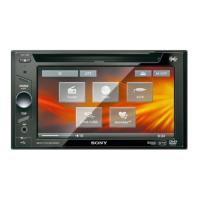
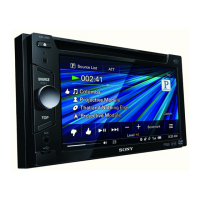
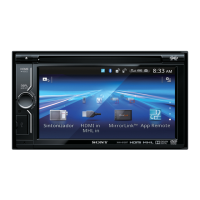
Details on the buttons and features of the main AV Center unit.
Explains the operation of each button on the card remote commander.
Procedure to reset the unit before first use or after battery replacement.
Guide to initial setup after resetting the unit.
Instructions for preparing the card remote commander for use.
Guide to storing and recalling radio stations using BTM and manual methods.
Activating, deactivating, changing password, setting area/rating levels.
Connecting and playing back content from a USB device.
Steps to install software, register USB device, and transfer tracks for SensMe™.
Process to register a USB device for SensMe™ functionality.
Moving analyzed tracks to a USB device using Content Transfer.
How to select and play music grouped into SensMe™ channels.
How to select music based on mood by touching points on the map.
Connecting and playing music or videos from an iPod.
How to activate and control iPod playback from the unit.
Steps to disable passenger control and return to resuming mode.
Choosing from 7 preset equalizer curves for different music genres.
Adjusting speaker delays to improve sound localization based on listening position.
Fine-tuning speaker distances for optimal sound delay and localization.
Setting up and managing the unit's security code.
Setting listening position and subwoofer position for optimal sound.
Setting up parental controls, ratings, and area restrictions for DVDs.
Setting a 4-digit security code to protect the unit from theft.
Unlocking the unit by entering the security code.
List of compatible iPod and iPhone models and related notes.
Resolving problems related to unit power, beep sounds, and antenna extension.
Resolving issues with display disappearance, touch response, and monitor operation.
Addressing problems with receiving stations, sound quality, and tuning.
Resolving issues with picture display, noise, and screen fit.
Resolving issues with no sound, skips, cracks, noise, and incorrect audio settings.
Troubleshooting problems with disc loading, playback, file formats, and resume playback.
Resolving problems with USB hub recognition, playback errors, and slow playback.
Troubleshooting errors related to reading discs, including disc corruption and compatibility.
Resolving errors related to USB device recognition, SensMe™ data, and connection.
 General
| Brand | Sony |
|---|---|
| Model | XAV-60 |
| Category | Car Video System |
| Language | English |

 To Next Page