Need help?
Do you have a question about the Sony XAV-AX5600 and is the answer not in the manual?
Record the model and serial numbers for future reference and dealer inquiries.
Unit installation safety, avoiding moisture, and servicing by qualified personnel.
Information on compliance with FCC Rules and Innovation, Science and Economic Development Canada regulations.
Warnings about ingesting batteries and safe handling of lithium batteries.
Caution against installing without ACC position to prevent battery drain.
Covers Sony's liability, transmitter info, and reliance on electronic devices for emergency calls.
Notes on Bluetooth interference with medical devices and data security.
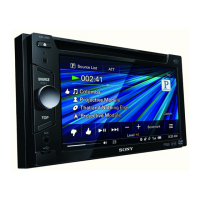
Description of the main display and touch screen interface for operation.
Explains the HOME, Volume, ATT, and navigation buttons on the main unit.
Details the function of each button on the RM-X170 remote commander.
Explains status indicators, source options, application area, and clock on the playback screen.
Describes the keys used to change sources and access settings on the unit.
Step-by-step guide to pair a Bluetooth device with the unit for the first time.
Instructions for connecting rear camera and canceling demonstration mode.
Instructions on how to update the unit's firmware via the support site.
Key safety guidelines for operating the unit while driving and general precautions.
Guidelines for cleaning and handling the LCD panel to prevent damage or malfunction.
Information on using the touch screen, including supported touch types and precautions.
Instructions for replacing the lithium battery in the remote commander.
Detailed specifications for audio, monitor, radio, USB, HDMI, and wireless communication.
Details on power amplifier, general requirements, dimensions, mass, and package contents.
Information on copyrights, trademarks, and registered logos for various brands and technologies.
Important warnings and advice for installing the unit in a vehicle, including location and power connections.
Lists the components included for installation, such as power leads, screws, microphone, and cables.
Diagrams for connecting audio outputs, camera, microphone, remote, USB, SiriusXM, HDMI, and antenna.
Details the main wire harness connections for power, ground, illumination, and control signals.
Step-by-step guide for connecting power, ground, antenna, amplifier remote, illumination, and parking brake wires.
Instructions for installing the microphone and connecting speakers with impedance and power considerations.
Instructions for enabling and registering the steering wheel remote control.
Steps for connecting and using HDMI devices and the rear view camera.
Specific advice for mounting the unit in certain Japanese car models.
Guidance on how to safely replace a blown fuse with the correct rating.
Steps for troubleshooting and contact information for customer support in the USA.
 General
| Display Size | 6.95 inches |
|---|---|
| Resolution | 800 x 480 pixels |
| Apple CarPlay | Yes |
| Android Auto | Yes |
| Bluetooth | Yes |
| Preamp Outputs | 3 (Front, Rear, Sub) |
| Screen Size | 6.95 inches |
| Rear View Camera Input | Yes |
| WebLink | Yes |
| DAB+ | No |
| Steering Wheel Control Compatibility | Yes |
| Power Output | 55W x 4 |
| Display Type | TFT |
| Dimensions (W x H x D) | 178 mm x 100 mm x 139 mm |

 To Next Page