Need help?
Do you have a question about the Sony XVM-862 and is the answer not in the manual?
Section for recording model and serial numbers for future reference when contacting a dealer.
Information on proper disposal of mercury-containing lamp and environmental considerations.
Procedure to turn off the unit when the car ignition lacks ACC position to prevent battery drain.
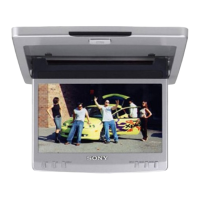
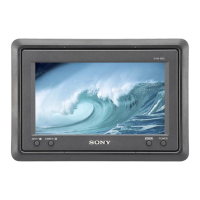
Lists features like PAL/NTSC compatibility, screen modes, low reflection panel, adjustable brightness, dimmer, and video inputs.
Comply with traffic rules; driver must not watch monitor while driving. Park safely.
Video plays only when parked; disappears when car moves. Do not operate while driving.
Requires technical expertise, potential fire/shock risk if improper. Turn ignition off, avoid damaging vehicle parts.
Do not install where it obstructs driver's view, airbag system, vehicle operation, or may cause injury.
Used to select the desired input source, VIDEO 1 or VIDEO 2.
Used to toggle the dimmer function On or Off.
Button for accessing and navigating menu settings.
Button used to turn the monitor on or off.
Guide to adjusting display settings like Picture, Brightness, Color, Hue, Video Adjust, Mode, Blue Back, and NTSC/PAL.
Illustrates the placement of the Mobile Monitor and other audio components within a vehicle.
Details the wiring connections for the monitor, including power, video inputs, and parking brake switch.
Instructions for safely removing the monitor from its collar and attaching it securely.
Guidance on replacing blown fuses, emphasizing correct amperage rating and potential internal malfunctions.
Instructions for cleaning the LCD panel and notes on potential bright spots and operating temperature limits.
Technical details including system, drive system, picture size, segments, power, dimensions, temperature, and mass.
Lists included accessories like collar and cables, and optional accessories like video players.
Check power/battery and fuse for 'No picture'. Keep wireless equipment away for 'Picture noise'.
Ensure cords are securely connected for 'No picture when connecting optional equipment'.
Details labor and parts warranty periods, what is covered, and limitations for the Sony Mobile Monitor.
Instructions on how to get warranty service, including contact information and required documentation.
States limitations on incidental/consequential damages and duration of implied warranties.
 General
| Brand | Sony |
|---|---|
| Model | XVM-862 |
| Category | Car Video System |
| Language | English |

 To Next Page