EasyManua.ls Logo

Sony XVM-862 - Maintenance; Fuse Replacement; LCD Panel Care

Sony XVM-862
15 pages
Print Icon
To Next Page IconTo Next Page
To Previous Page IconTo Previous Page
Loading...
Maintenance
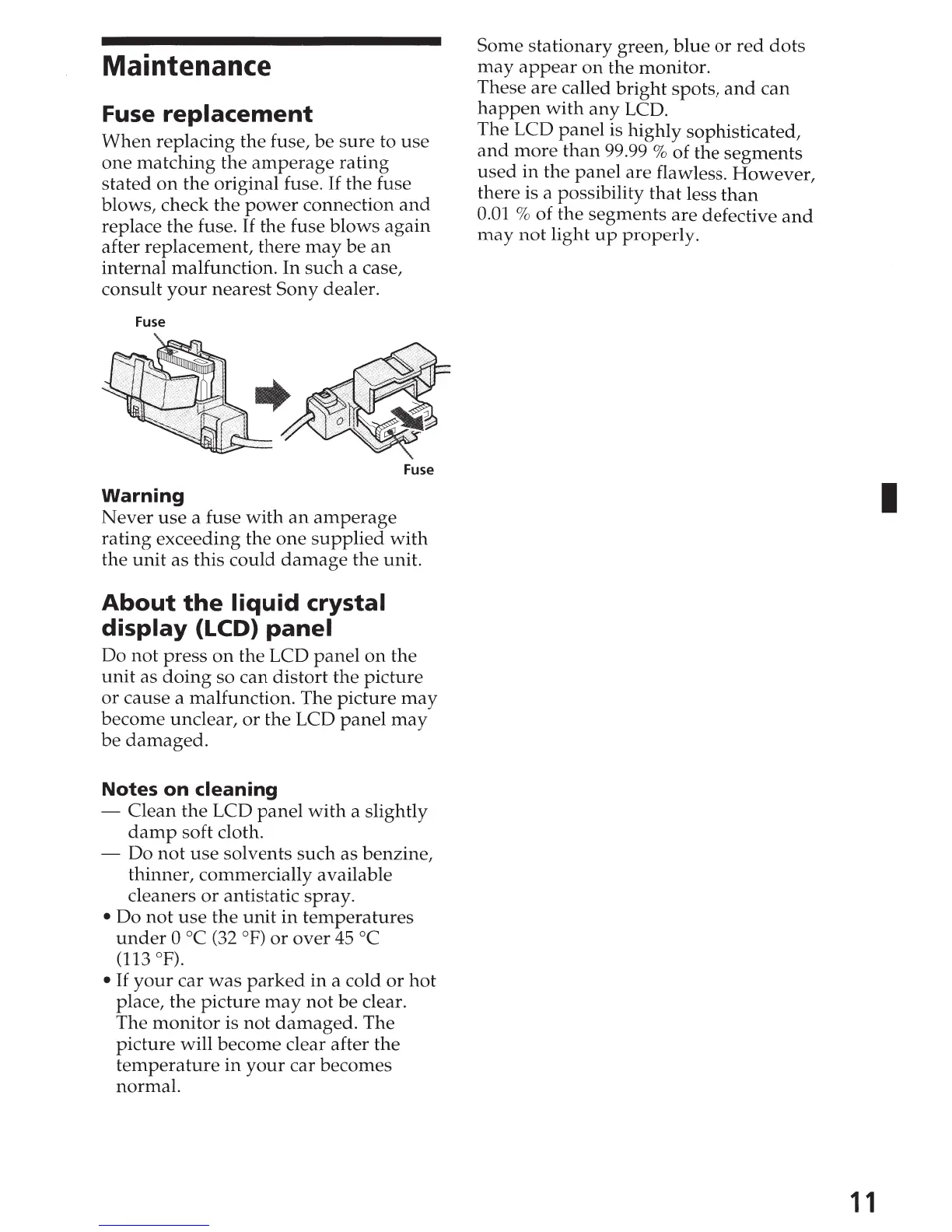
Fuse
replacement
When
replacing the fuse,
be
sure
to
use
one
matching
the
amperage
rating
stated
on
the
original fuse. If
the
fuse
blows, check
the
power
connection
and
replace
the
fuse. If
the
fuse
blows
again
after replacement,
there
may
be
an
internal malfunction.
In
such
a case,
consult
your
nearest
Sony dealer.
Fuse
Fuse
Warning
Never
use
a fuse
with
an
amperage
rating exceeding
the
one
supplied
w~th
the
unit
as this
could
damage
the
un1
t.
About
the
liquid
crystal
display
{LCD)
panel
Do
not
press
on
the LCD
panel
on
the
unit
as
doing
so
can
distort
the
picture
or
cause a malfunction. The
picture
may
become unclear,
or
the
LCD
panel
may
be
damaged.
Notes
on
cleaning
-
Clean
the
LCD
panel
with
a slightly
damp
soft cloth.
- Do
not
use
solvents
such
as benzine,
thinner, commercially available
cleaners
or
antistatic spray.
Do
not
use
the
unit
in
temperatures
under
0
oc
(32
°F)
or
over
45
oc
(113 °F).
If
your
car
was
par
ked
in
a cold
or
hot
place,
the
picture
may
not
be
clear.
The
monitor
is
not
damaged.
The
picture
will
become
clear after the
temperature
in
your
car becomes
normal.
Some
stationary
green,
blue
or
red
dots
may
appear
on
the monitor.
These
are
called
bright
spots,
and
can
happen
with
any
LCD.
The LCD
panel
is highly sophisticated,
and
more
than
99.99% of the
segments
used
in
the
panel
are flawless.
However,
there is a possibility
that
less
than
0.01 % of
the
segments
are defective
and
may
not
light
up
properly.
I
11

Related product manuals