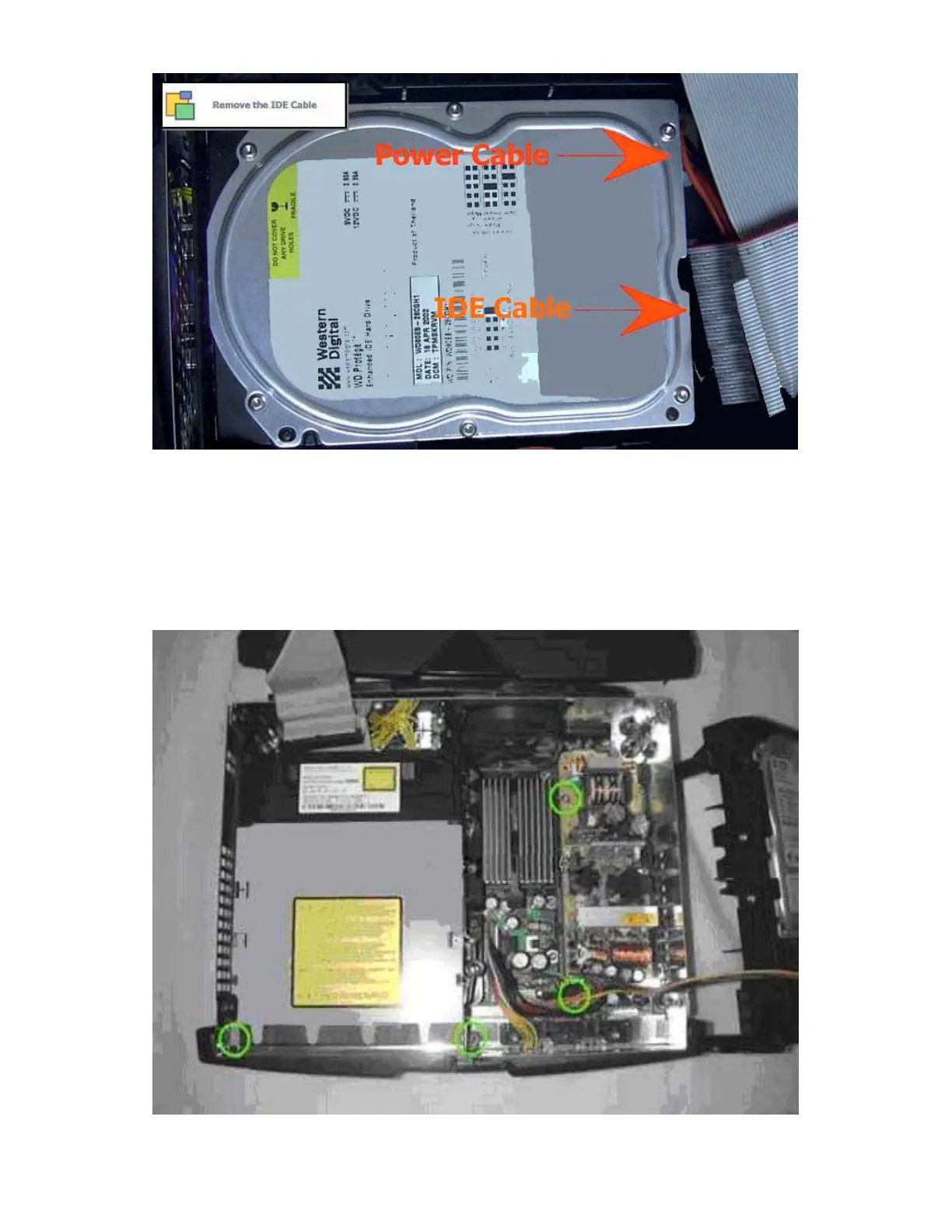
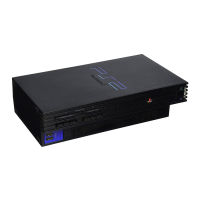
Step 5 - With the Hard drive out of the way we get a good shot of the
mounting screws for the power supply and DVD drive. Get those two screws
at the front of the DVD drive after removing the IDE cable and Yellow cord
from the motherboard. You may have a little difficulty removing the DVD
drive, it does not slip out easily but as long as you have the two screws in the
front and the two cables in the rear removed it can come out, again the trick is
to go straight up.
Now with the drives gone it is starting to look like a normal PC.








 To Next Page