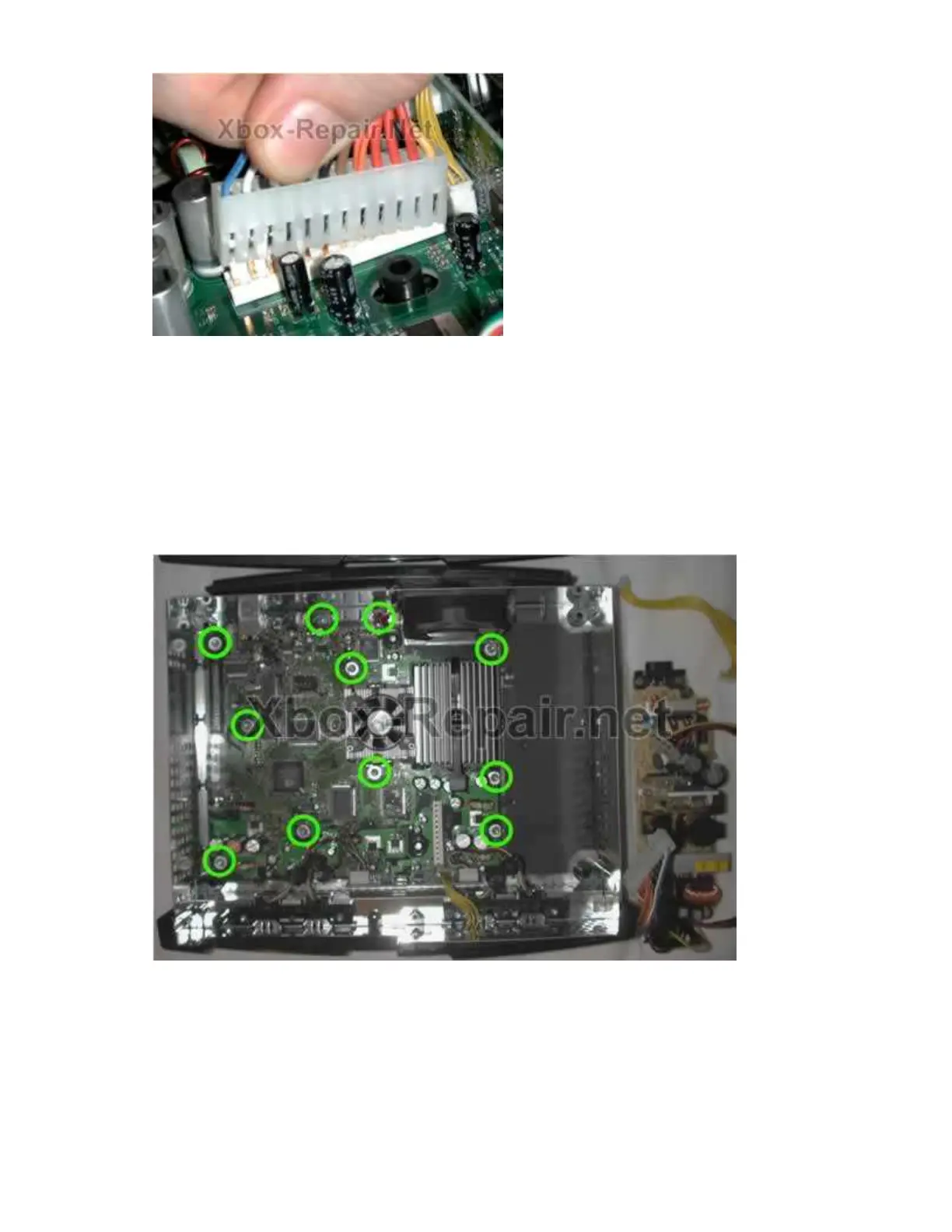
Once the power cord is removed from the motherboard and the two mounting
screws are off the power supply, grasp the heat sink on the power supply or
use the cord that was going to the motherboard to move it about a quarter
inch forward, this releases the power supply from the plastic tabs that hold it
down on the side opposite the screws. Now the front of the power supply can
be raised to allow the leading edge to clear the front of the case and it can
safely be pulled forward and removed.
Step 6 - Eleven screws on the motherboard
Remove them all and be careful not to scratch the surface of the board with
the driver.
Step 7 - Board removal
You will need to disconnect the yellow wires coming from the fan, power and
reset switches and also the connections to the USB game controller ports, the
USB daughter board itself can be left in place or removed. To remove the








 To Next Page