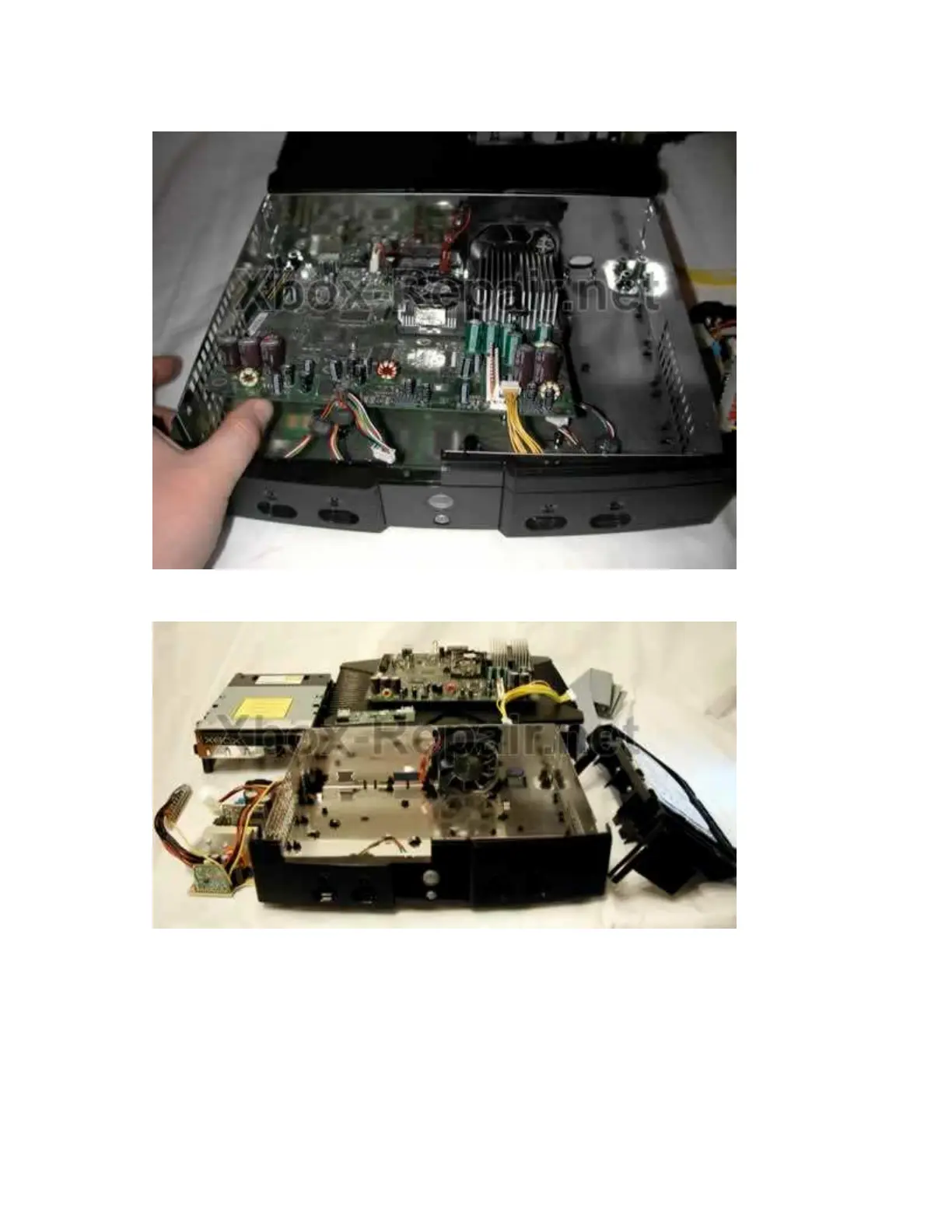
motherboard lift the front to a 25-degree angle as shown in the picture it can
then be pulled forward and removed.
You should now have a pile of parts like this
To get to the power and reset buttons you will need to remove the front
faceplate. I have only done this by completely disassembling the case
including the fan and inner tray. By doing this bottom of the case becomes
flexible and you will have an easier time popping off the front. You will find
three tabs inside the case that are holding it, careful these are fragile. To get
the plate off you will need to loosen the three and both sides of the front plate
where it clips to the sides of the case (the side clips are the most difficult), all
three inside tabs need to be loosened simultaneously while popping off one
side or the other of the front plate. I think there is a possibility of doing this









 To Next Page