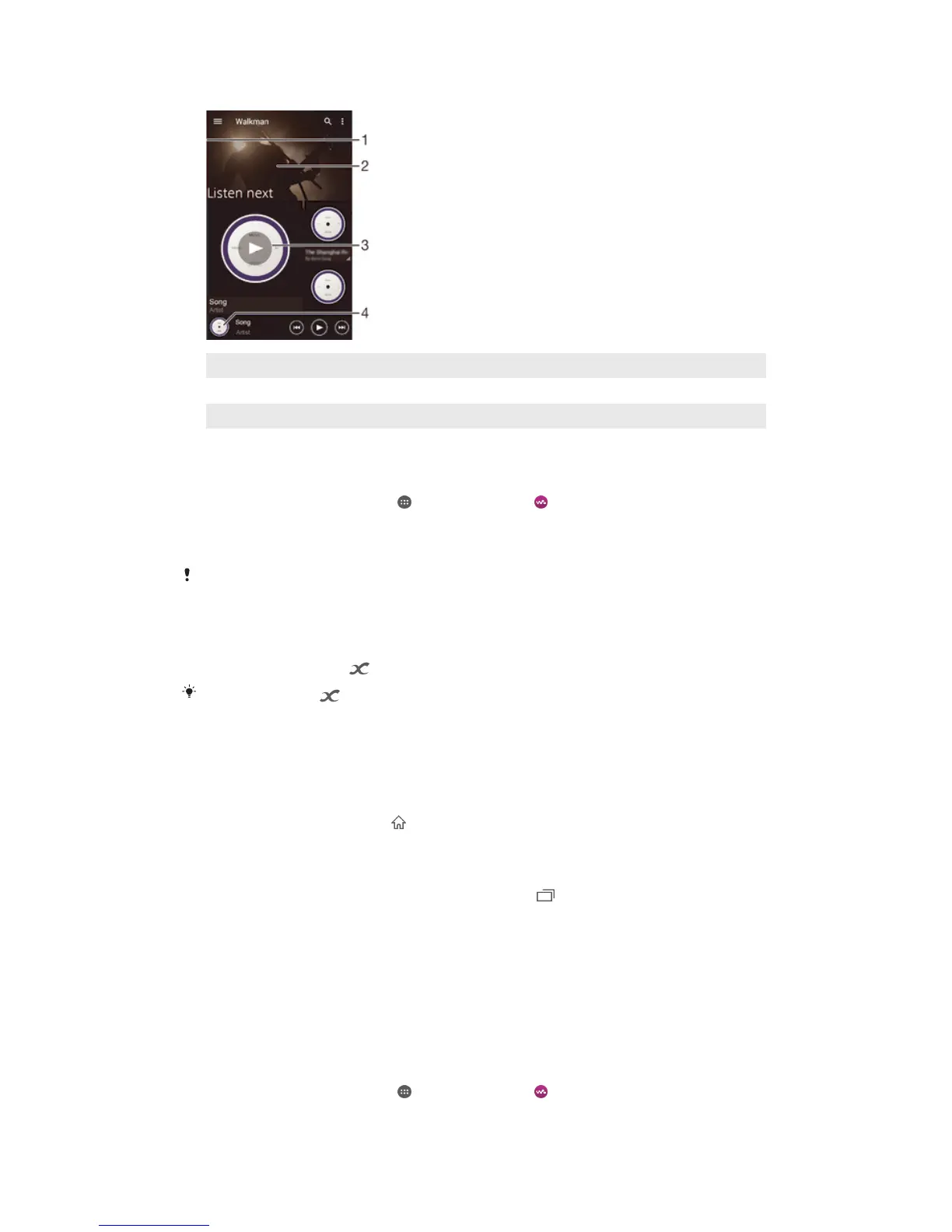
Walkman® home screen
1 Drag the left edge of the screen to the right to open the Walkman® home screen menu
2 Scroll up or down to view content
3 Play a song using the Walkman® application
4 Return to the Walkman® music player screen
To play a song using the Walkman® application
1
From your Home screen, tap , then find and tap .
2
Drag the left edge of the screen to the right.
3
Select a music category.
4
Tap a song to play it.
You might not be able to play copyright-protected items. Please verify that you have
necessary rights in material that you intend to share.
To find song-related information online
•
While a song is playing in the Walkman® application, tap Album art and then
tap the infinite button .
The infinite button
gives you access to online resources related to the song, such as
videos on YouTube™, song lyrics, and artist information on Wikipedia.
To adjust the audio volume
•
Press the volume key.
To minimise the Walkman® application
•
When a song is playing, tap to go to the Home screen. The Walkman®
application stays playing in the background.
To open the Walkman® application when it is playing in the background
1
While a song is playing in the background, tap the to open the recently used
applications window.
2
Tap the Walkman® application.
Walkman® home screen menu
The Walkman® home screen menu gives you an overview of all the songs on your
device . From here you can manage your albums and playlists, and you can organise
your music by mood and tempo using SensMe™ channels.
To open the Walkman® home screen menu
1
From your Home screen, tap , then find and tap .
2
Drag the left edge of the screen to the right.
68
This is an Internet version of this publication. © Print only for private use.










 To Next Page