•
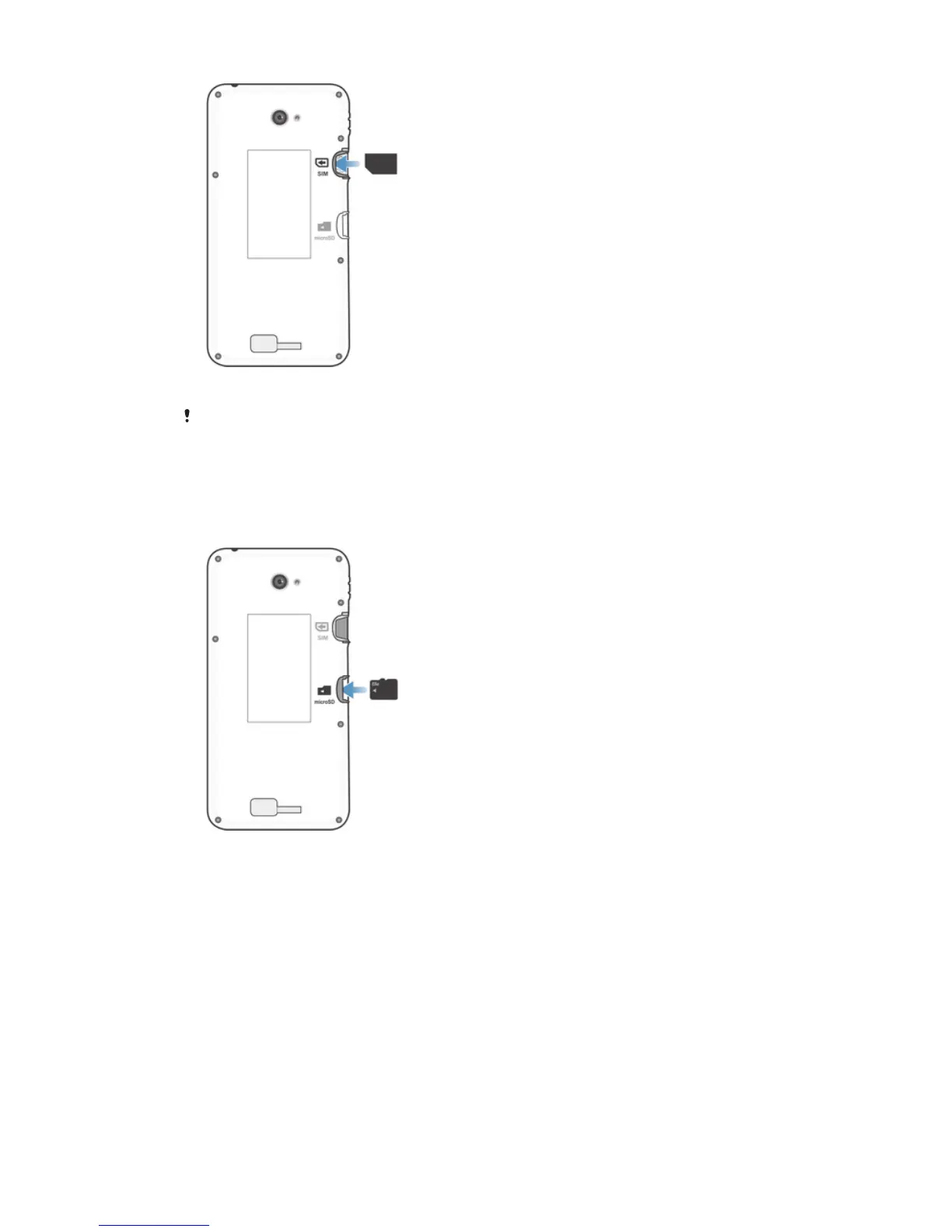
Remove the back cover, then insert the micro SIM card into its slot with the
gold-coloured contacts facing down.
You must use a micro SIM card for your device to work correctly. Some standard-sized SIM
cards allow you to detach an integrated micro SIM card. Once you detach the micro SIM card
from the standard-sized SIM card, you cannot reattach it and use the standard-sized SIM card
again. If you do not have a micro SIM card, or if your current SIM card does not contain a
detachable micro SIM card, contact your network operator for information on how to collect or
exchange your SIM card.
To insert a memory card
1
Remove the back cover.
2
Insert the memory card into the memory card slot, with the gold-coloured
contacts facing down.
8
This is an Internet version of this publication. © Print only for private use.










 To Next Page