5
2 Press (SHIFT).
The clock starts.
3 Press (SHIFT).
After the clock setting is complete, the
display returns to normal playback mode.
Note
If the POWER SELECT switch on the bottom of the
unit is set to the B position, turn the power on
first, then set the clock.
Setting the clock
The clock uses a 12-hour digital indication.
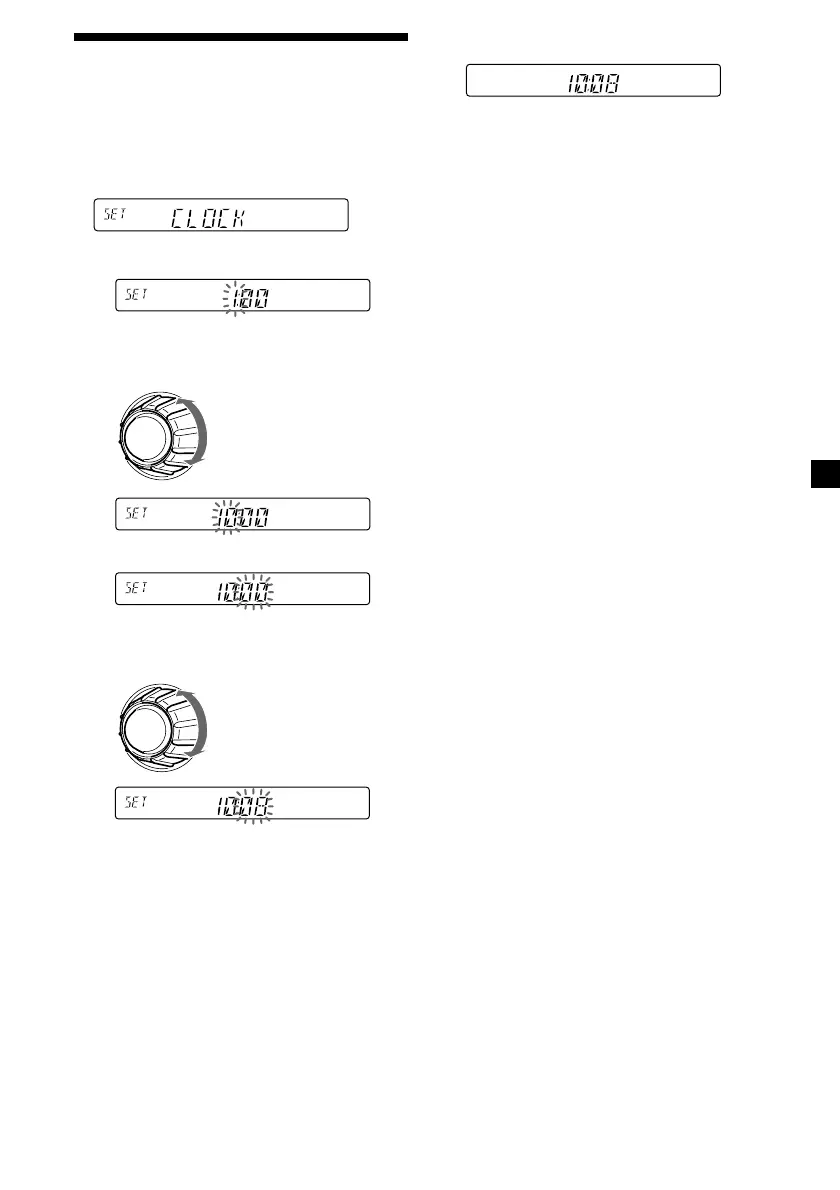
Example: To set the clock to 10:08
1 Press (SHIFT), then press (2) (SET UP)
repeatedly until “CLOCK” appears.
1 Press (4) (n).
The hour indication flashes.
2 Set the hour.
3 Press (4) (n).
The minute indication flashes.
4 Set the minute.
to go forward
to go backward
to go forward
to go backward


 To Next Page
 Loading...