Help Guide
Wireless Noise Canceling Stereo Headset
WF-1000XM4
Using the voice assist function (Siri)
By using the Siri feature that comes with iPhone, you can speak to the headset’s microphones to operate the iPhone.
Note
Turn Siri on.
On iPhone, select [Settings] - [Siri & Search] to turn [Press Home for Siri] and [Allow Siri When Locked] on.
The operation above is an example. For details, refer to the operating instructions of the iPhone.
Note: For details on Siri, refer to the operating instructions or support website of the iPhone.
1
Put the headset units into your ears and connect the headset to the iPhone via Bluetooth connection.
2
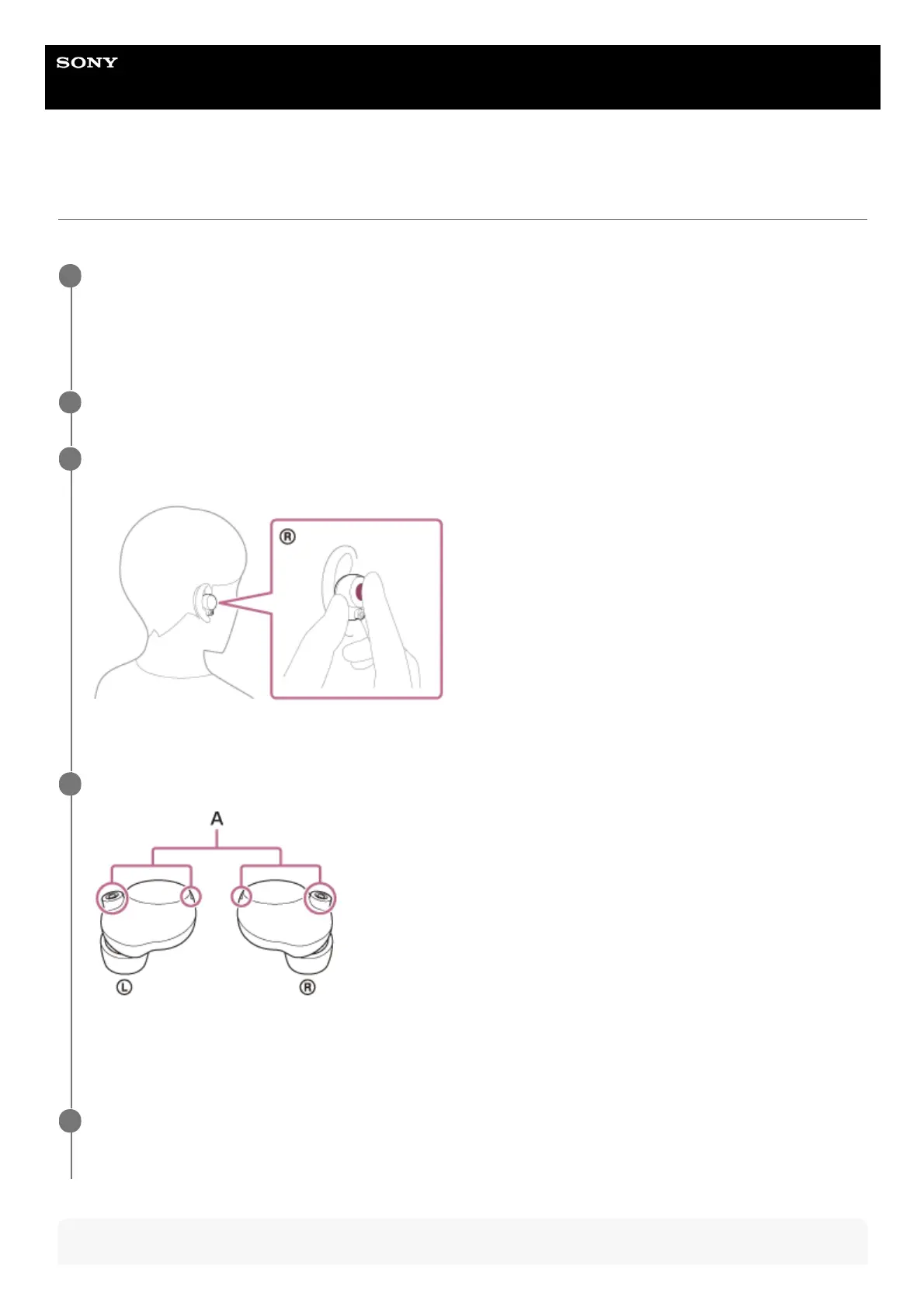
When the iPhone is in standby or playing music, hold your finger to the touch sensor on the right unit for
about 2 seconds.
Siri is activated.
3
Make a request to Siri through the headset’s microphones.
A: Microphones (left, right)
For details on the apps which work with Siri, refer to the operating instructions of the iPhone.
4
To continue to request, tap the touch sensor on the right unit before Siri is deactivated.
After activating Siri, when a certain time has passed without requests, Siri will be deactivated.
5



 To Next Page