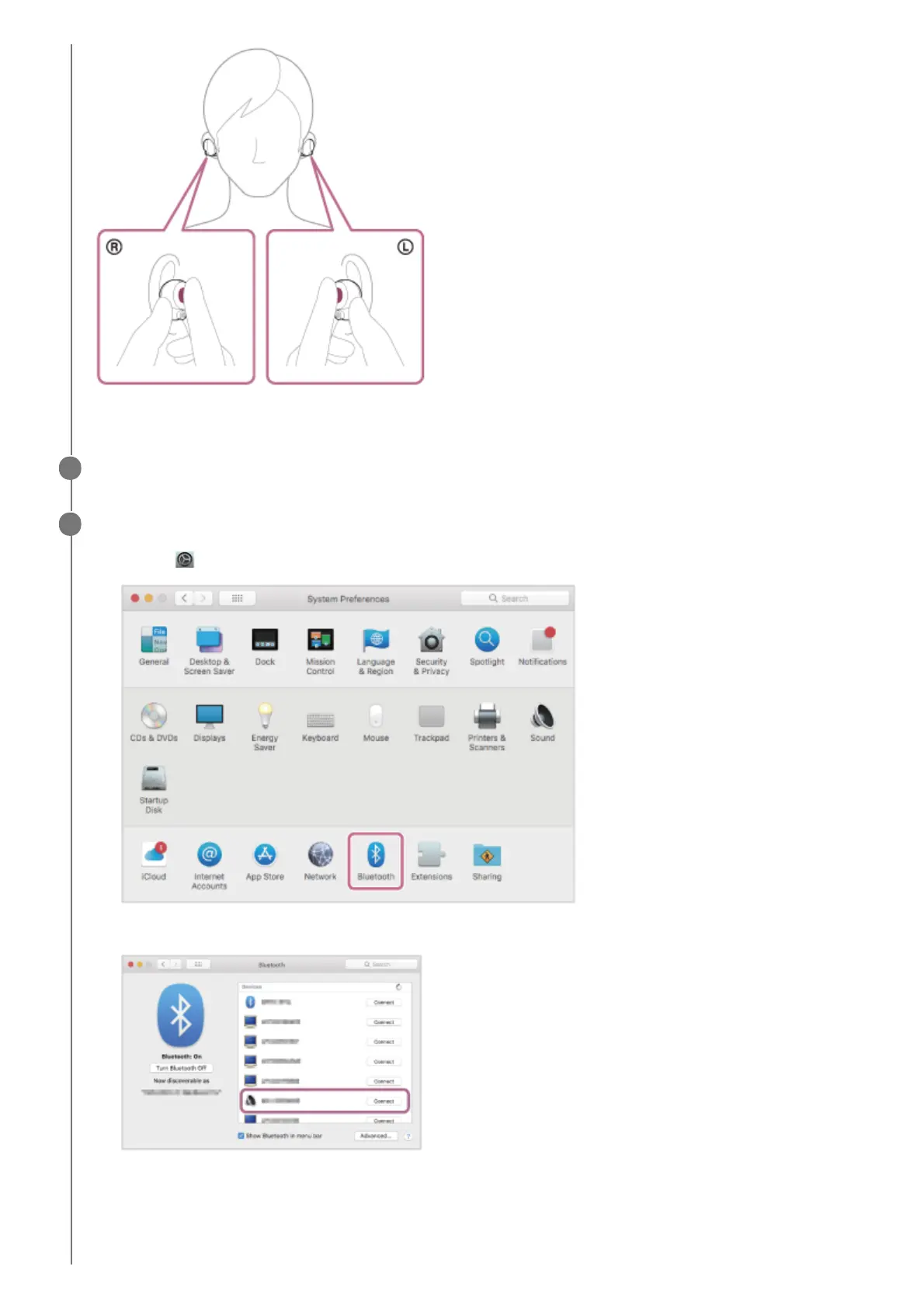
You will hear the voice guidance say, “Bluetooth pairing”, from both headset units.
Wake the computer up if the computer is in standby (sleep) or hibernation mode.
3
Register the headset using the computer.
If Passkey (*) input is required, input “0000”.
The headset and computer are paired and connected with each other.
You will hear the voice guidance say, “Bluetooth connected”, from both headset units.
If they are not connected, see “Connecting to a paired computer (Mac)”.
4
Select [
(System Preferences)] - [Bluetooth] from the task bar in the lower right part of the screen.
1.
Select [WF-1000XM4] of the [Bluetooth] screen and click [Connect].
2.



 To Next Page