EasyManua.ls Logo

Sony ZS-H10CP - User Manual

Sony ZS-H10CP
10 pages
Print Icon
To Next Page IconTo Next Page
Loading...
SON~
Personal
Audio
System
_Operating
Instructions-
2-672-606-11 (1)
-.
Owner's
Record
The model number and the serial number are located at the bottom
of
the unit.
Record the serial number in the space provided below. Refer
to
them whenever you call upon your Sony dealer
regarding this product.
Model No. ZS-HlOCP Serial No. _
ZS-H10CP
© 2006 Sony Corporation
Printed
in
China
http://www.sony.netl
Printed on 100% recycled paper
using VOC (Volatile Organic
Compound)-free vegetable oil .
based ink.
WARNING
To
reduce the risk of fire or electric
shock, do not expose this apparatus to
rain or moisture.
To
avoid electric shock, do not open
the cabinet. Refer servicing to qualified
personnel only.
To
reduce the risk
of
fire, do not cover the ventilation
of
the apparatus with newspapers, tablecloths, curtains, etc.
And
do
not place lighted candles on the apparatus.
To
reduce the risk
of
fire or electric shock, do not
place objects filled with liquids, such
as
vases, on the
apparatus.
Connect the
AC
power adaptor
to
an easily accessible
AC
outlet. Should you notice
an
abnormality in the
AC
power adaptor, disconnect it from the
AC
outlet
immediately.
Do not install the appliance in a confined space, such
as
a bookcase or built-in cabinet.
CAUTION
The use
of
optical instruments with this product will
increase eye hazard.

Other manuals for Sony ZS-H10CP

Question and Answer IconNeed help?

Do you have a question about the Sony ZS-H10CP and is the answer not in the manual?

Summary

Safety Warnings and Cautions

Fire and Electric Shock Prevention

Instructions to prevent fire or electric shock by avoiding moisture, covering ventilation, and not opening the cabinet.

Environmental and Usage Guidelines

Advice on placement, ventilation, liquid handling, and AC power adaptor usage for safe operation.

Eye Hazard from Optical Instruments

Caution regarding increased eye hazard when using optical instruments with the product.

Power Source Options

Connecting AC Power and Batteries

Guide to connecting the AC power adaptor or inserting batteries for power supply.

Product Information and Compliance

FCC Compliance for US Customers

Details on FCC rules compliance for Class B digital devices and potential interference.

Product Registration and Updates

Instructions for registering the product online for updates and notifications.

Disc Compatibility Notes

Information on DualDiscs and music discs with copyright protection technologies.

Basic Operations Guide

Initial Unit Setup and Features

Covers turning the unit on/off, adjusting volume, using headphones, and activating Mega Bass.

CD and MP3 Disc Playback

Step-by-step guide for playing CDs and MP3 discs, including disc handling and playback controls.

Radio Tuning and Reception

Instructions for selecting radio bands, tuning stations, and optimizing reception for FM and AM.

Advanced Operations and Features

Display Information and File Details

How to check CD/MP3 disc information and file details on the unit's display.

Playback Customization Modes

Guides on Repeat, Shuffle, and Program Play modes for customized audio playback.

Radio Station Presets

Instructions for storing and recalling preset radio stations for quick access.

Connecting External Audio Sources

Details on connecting external components like PCs, TVs, or music players via the Audio In jack.

Precautions and Troubleshooting

Disc Handling and Unit Safety

Guidelines on disc compatibility, unit operation, power sources, placement, and general safety.

Troubleshooting Common Problems

Solutions for power, audio, noise, CD/MP3 player, and radio reception issues.

Technical Specifications

Audio Power Output

Detailed specifications for audio power output and total harmonic distortion.

CD Player and Radio Performance

Technical details on CD player system, laser properties, radio frequency ranges, and antennas.

General Unit Features and Power

Information on speakers, inputs, outputs, power requirements, and battery life.

Physical Dimensions and Accessories

Specifications for unit dimensions, mass, supplied, and optional accessories.

Important Safeguards

Installation Safety Guidelines

Precautions regarding water, moisture, heat, ventilation, accessories, and mounting.

Operational Safety and Power

Instructions for safe power source usage, grounding, polarization, overloading, and unplugging.

Preventing Object;Liquid Entry

Warnings against inserting objects or spilling liquids into the unit to prevent shock or fire.

Safety, Installation, and Service

Power Cord, Attachments, and Lightning

Safety tips for power cord management, attachments, and protection during lightning storms.

Antenna System Grounding

Instructions for safely grounding outdoor antenna systems according to electrical codes.

Service and Maintenance Guidelines

Conditions requiring professional servicing, replacement parts, and safety checks.

Limited Warranty Information

Warranty Coverage and Terms

Details on labor and parts warranty coverage, exclusions, and validity.

Obtaining Warranty Service

Instructions for service requests, including proof of purchase and authorized facilities.

Consumer Rights and Contact

Information on consumer rights, limitations, and contact details for customer support.

Summary

Safety Warnings and Cautions

Fire and Electric Shock Prevention

Instructions to prevent fire or electric shock by avoiding moisture, covering ventilation, and not opening the cabinet.

Environmental and Usage Guidelines

Advice on placement, ventilation, liquid handling, and AC power adaptor usage for safe operation.

Eye Hazard from Optical Instruments

Caution regarding increased eye hazard when using optical instruments with the product.

Power Source Options

Connecting AC Power and Batteries

Guide to connecting the AC power adaptor or inserting batteries for power supply.

Product Information and Compliance

FCC Compliance for US Customers

Details on FCC rules compliance for Class B digital devices and potential interference.

Product Registration and Updates

Instructions for registering the product online for updates and notifications.

Disc Compatibility Notes

Information on DualDiscs and music discs with copyright protection technologies.

Basic Operations Guide

Initial Unit Setup and Features

Covers turning the unit on/off, adjusting volume, using headphones, and activating Mega Bass.

CD and MP3 Disc Playback

Step-by-step guide for playing CDs and MP3 discs, including disc handling and playback controls.

Radio Tuning and Reception

Instructions for selecting radio bands, tuning stations, and optimizing reception for FM and AM.

Advanced Operations and Features

Display Information and File Details

How to check CD/MP3 disc information and file details on the unit's display.

Playback Customization Modes

Guides on Repeat, Shuffle, and Program Play modes for customized audio playback.

Radio Station Presets

Instructions for storing and recalling preset radio stations for quick access.

Connecting External Audio Sources

Details on connecting external components like PCs, TVs, or music players via the Audio In jack.

Precautions and Troubleshooting

Disc Handling and Unit Safety

Guidelines on disc compatibility, unit operation, power sources, placement, and general safety.

Troubleshooting Common Problems

Solutions for power, audio, noise, CD/MP3 player, and radio reception issues.

Technical Specifications

Audio Power Output

Detailed specifications for audio power output and total harmonic distortion.

CD Player and Radio Performance

Technical details on CD player system, laser properties, radio frequency ranges, and antennas.

General Unit Features and Power

Information on speakers, inputs, outputs, power requirements, and battery life.

Physical Dimensions and Accessories

Specifications for unit dimensions, mass, supplied, and optional accessories.

Important Safeguards

Installation Safety Guidelines

Precautions regarding water, moisture, heat, ventilation, accessories, and mounting.

Operational Safety and Power

Instructions for safe power source usage, grounding, polarization, overloading, and unplugging.

Preventing Object;Liquid Entry

Warnings against inserting objects or spilling liquids into the unit to prevent shock or fire.

Safety, Installation, and Service

Power Cord, Attachments, and Lightning

Safety tips for power cord management, attachments, and protection during lightning storms.

Antenna System Grounding

Instructions for safely grounding outdoor antenna systems according to electrical codes.

Service and Maintenance Guidelines

Conditions requiring professional servicing, replacement parts, and safety checks.

Limited Warranty Information

Warranty Coverage and Terms

Details on labor and parts warranty coverage, exclusions, and validity.

Obtaining Warranty Service

Instructions for service requests, including proof of purchase and authorized facilities.

Consumer Rights and Contact

Information on consumer rights, limitations, and contact details for customer support.

Overview

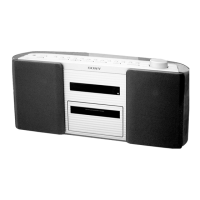
This document describes the Sony Personal Audio System, model ZS-H10CP, a portable audio device designed for playing CDs and MP3 discs, as well as receiving AM/FM radio broadcasts. It can be powered by an AC adaptor or batteries, offering flexibility for both home and on-the-go use.

Function Description

The ZS-H10CP serves as a versatile audio player with the following core functions:

  • CD/MP3 Playback: It supports playback of standard audio CDs and MP3 files recorded on CD-R/CD-RW discs. The unit can navigate through folders and files on MP3 discs, displaying track/file numbers, titles, and artist names. It also features a resume play function, allowing playback to continue from where it was last stopped.
  • Radio Reception: The device includes an AM/FM radio tuner, allowing users to listen to their favorite radio stations. It features an auto-preset function to easily find and store stations.
  • Bass Reinforcement: A MEGA BASS feature is included to enhance the bass sound, providing a richer audio experience.
  • Headphone Output: A dedicated headphone jack allows for private listening.
  • Audio Input: An AUDIO IN jack enables connection of external audio devices, expanding its utility as a speaker system.

Usage Features

The ZS-H10CP is designed for straightforward operation with several user-friendly features:

  • Powering the Unit: It can be powered by the supplied AC power adaptor connected to a wall outlet or by six R20 (size D) batteries (not supplied). When operating on batteries, the AC adaptor must be disconnected. The OPR/BATT indicator dims when batteries need replacement.
  • Volume Control: A rotary VOLUME knob allows for easy adjustment of the audio output level.
  • CD/MP3 Playback Controls:
    • Opening/Closing the CD Compartment: The PULL OPEN mechanism allows for easy access to the CD compartment.
    • Basic Playback: Pressing the play button (►II) starts playback.
    • Pause/Stop: Dedicated buttons for pausing (►II) and stopping (■) playback are provided.
    • Track/File Navigation: Buttons for skipping to the next or previous track/MP3 file (►►I/I◄◄) are available.
    • Fast Forward/Rewind: Holding down the track navigation buttons allows for fast forwarding or rewinding within a track/file.
    • Folder Selection (MP3): On MP3 discs, users can select specific folders using the TUNE/FOLDER (+/-) buttons and then initiate playback of that folder.
    • Playback Modes: The unit offers various playback modes for CDs and MP3s, including:
      • Single Track/File Playback: Plays a single track/file repeatedly.
      • All Tracks/Files Playback: Plays all tracks/files on the disc repeatedly.
      • Folder Playback: Plays all tracks/files within a selected folder repeatedly (for MP3 discs).
      • Random Playback (Shuffle): Plays tracks/files in a random order.
      • Program Play: Allows users to create a custom playback sequence of up to 25 tracks/MP3 files.
    • Display Information: The display shows relevant information such as track/file number, playing time, folder name, song title, and artist name (for MP3s with ID3 tag information).
  • Radio Operation:
    • Band Selection: The RADIO BAND AUTO PRESET button cycles through FM and AM bands.
    • Tuning: Holding down the TUNE/FOLDER (+/-) buttons initiates automatic scanning for clear stations. Individual frequency steps can also be adjusted by repeatedly pressing these buttons.
    • FM Stereo/Mono: The MODE button allows switching to monaural reception for FM broadcasts if noise is present.
  • DualDisc Compatibility: While the unit can play the digital audio material side of DualDiscs, playback is not guaranteed as this side does not conform to the Compact Disc (CD) standard.
  • Copyright Protection Technologies: Some music discs encoded with copyright protection technologies may not be playable if they do not conform to the CD standard.

Maintenance Features

Proper care and maintenance are essential for the longevity and optimal performance of the ZS-H10CP:

  • Disc Handling and Cleaning:
    • Always handle discs by their edges to avoid fingerprints and scratches.
    • Clean discs with a soft cleaning cloth, wiping from the center outwards.
    • Avoid using solvents (benzine, thinner), commercial cleaners, or anti-static sprays on discs.
    • Do not expose discs to direct sunlight, heat sources, or extreme temperatures (e.g., inside a parked car).
    • Store discs in their cases after use.
  • Unit Placement:
    • Avoid placing the unit near heat sources, in direct sunlight, or in dusty/vibrating environments.
    • Do not place the unit on an inclined or unstable surface.
    • Keep personal credit cards and spring-wound watches away from the speakers due to strong magnets.
    • Do not place objects on top of the handle.
  • Moisture Condensation: If the unit is moved from a cold to a warm environment or placed in a very damp room, moisture may condense on the CD player lens. If this occurs, remove the CD and allow the unit to sit for about an hour to evaporate the moisture before use.
  • Cleaning the Cabinet: Clean the unit's cabinet, panel, and controls with a soft cloth slightly moistened with a mild detergent solution. Avoid abrasive pads, scouring powder, alcohol, or benzine.
  • Power Source Precautions:
    • Use only the supplied AC power adaptor.
    • Unplug the unit from the wall outlet when not in use for extended periods.
    • Remove batteries if the unit will not be used for a long time to prevent leakage and corrosion.
    • Ensure the AC power adaptor is connected securely.
  • Safety Precautions:
    • Do not attempt to disassemble the casing, as the laser beam is harmful to the eyes. Refer servicing to qualified personnel.
    • Avoid spilling liquids or dropping solid objects into the unit.
    • Do not use non-standard shaped discs (e.g., heart, square, star) as they may damage the unit.
    • Ensure the CD compartment is fully closed until it clicks to prevent the CD from popping out.
    • The unit is not waterproof; avoid immersing it in water or continuous contact with water. Wipe off any water, dust, or sand from the exterior before opening compartments.
    • The supplied AC power adaptor is not water resistant; avoid using the unit near water during AC operation.
    • The storage space on the back of the unit is not waterproof.
  • Troubleshooting: The manual provides a troubleshooting guide for common issues such as no power, no audio, noise, CD/MP3 playback problems, and poor radio reception, offering solutions like checking connections, cleaning discs, replacing batteries, or reorienting antennas.

Sony ZS-H10CP Specifications

General IconGeneral
AM band range530 - 1710 kHz
FM band range87.5 - 108 MHz
Auto digital tuningYes
Supported radio bandsAM, FM
Preset stations quantity30
Playback modesRepeat, Shuffle
Optical drive typePlayer
Disc types supportedCD, CD-R, CD-RW
Product colorBlack, Red
Cassette deckNo
RMS rated power4.6 W
Subwoofer driver diameter (imperial)4 \
Display typeLCD
Power sourceAC/Battery
AC input voltage120 V
AC input frequency60 Hz
Number of batteries supported6
Weight and Dimensions IconWeight and Dimensions
Depth275 mm
Width558 mm
Height292 mm
Weight3200 g

Related product manuals