Help Guide
Digital Camera
ZV-1M2
Creative Look (still image/movie)
“Look” is a term referring to the looks and impressions of images generated by various factors, such as color, sharpness,
brightness, etc. With [
Creative Look], you can choose the finish of an image by selecting a preferred look from
among preinstalled looks. In addition, you can fine-tune the contrast, highlights, shadows, fade, saturation, sharpness,
and clarity for each “Look.”
Menu item details
ST:
Standard finish for a wide range of subjects and scenes.
PT:
For capturing skin in a soft tone, ideally suited for shooting portraits.
NT:
The saturation and sharpness are lowered for shooting images in subdued tones. This is also suitable for capturing
image material to be modified with a computer.
VV:
The saturation and contrast are heightened for shooting striking images of colorful scenes and subjects such as flowers,
spring greenery, blue sky, or ocean views.
VV2:
Creates an image with bright and vivid colors with rich clarity.
FL:
Creates an image with moody finish by applying sharp contrast to the calm coloring as well as the impressive sky and
colors of the greens.
IN:
Creates an image with matte textures by suppressing the contrast and saturation.
SH:
MENU →
(Exposure/Color) → [Color/Tone] → [ Creative Look].
1
Select the desired “Look” using the top/bottom of the control wheel.
2
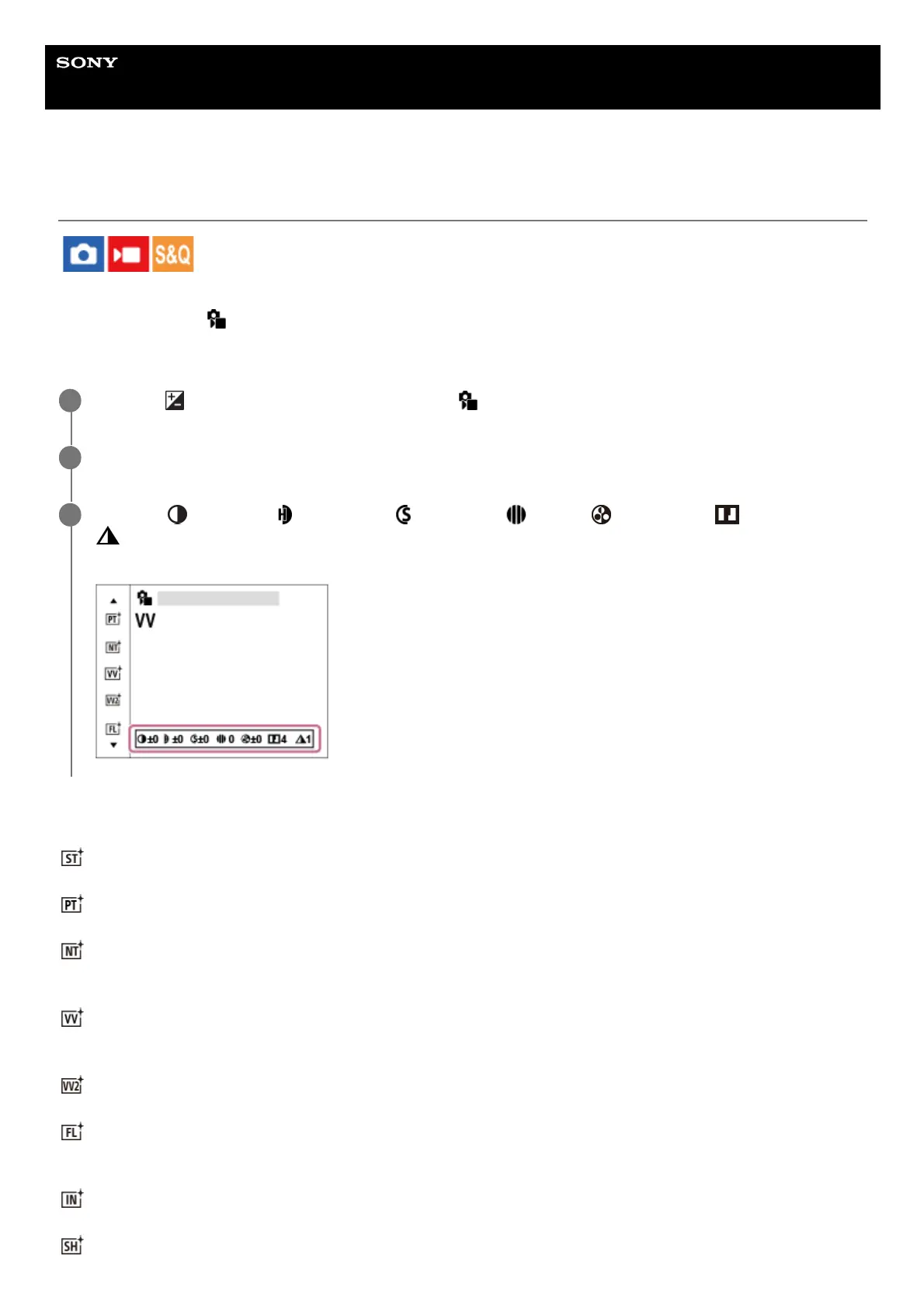
To adjust
(Contrast), (Highlights), (Shadows), (Fade), (Saturation), (Sharpness) and
(Clarity), move to the right using the right side of the control wheel. Select the desired item using the
right/left sides, and then select the value using the top/bottom sides.
3


 To Next Page