Help Guide
Digital Camera
ZV-1M2
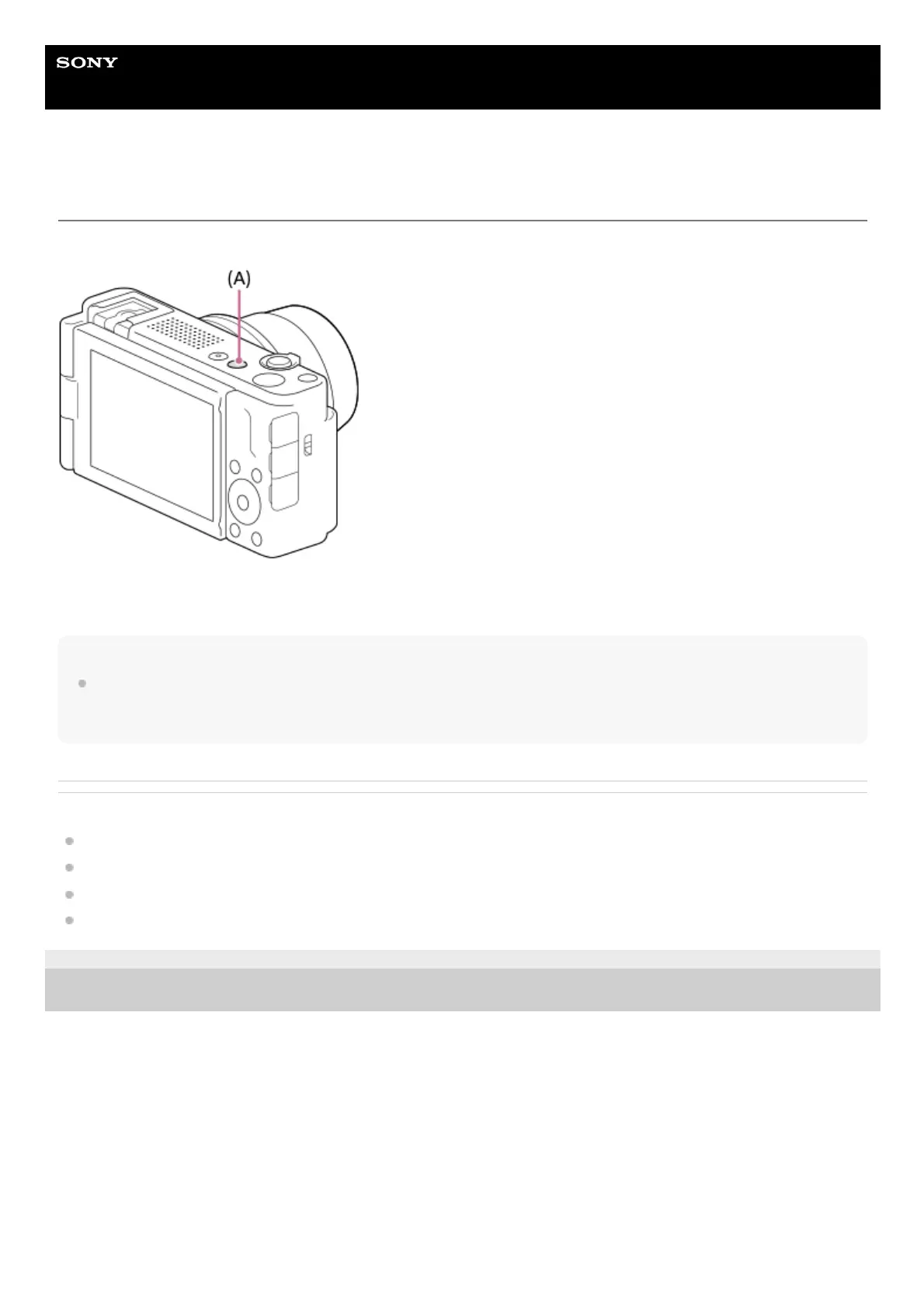
Still/Movie/S&Q button
You can use the Still/Movie/S&Q button (A) to select a shooting mode.
Each time you press the Still/Movie/S&Q button, the shooting mode switches in the order of still image shooting mode,
movie recording mode, and slow-motion/quick-motion recording mode.
Hint
The menu items displayed in the [Shooting], [Exposure/Color], and [Focus] tabs of the menu screen vary depending on the
shooting mode (still image/movie/S&Q). Before you adjust these settings, select the desired shooting mode with the
Still/Movie/S&Q button.
Related Topic
MENU button
Shooting movies (Intelligent Auto)
Shooting still images (Intelligent Auto)
S&Q Settings
5-049-603-11(1) Copyright 2023 Sony Corporation


 To Next Page