Operating Instructions
Operating Elements and Connections
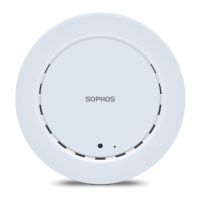
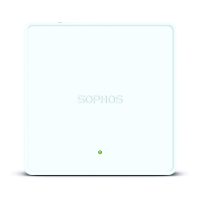
APX 120
LED
Kensington Lock
Power connector
LAN (PoE) Port
15/16" T-bar &
flat ceiling bracket
connectors
Wallmount
keyholes
Reset
button
Component Descriptions
Component Description
Status LED The Status LED indicates the operational state of your access point such as boot
status, firmware updates and error states. For details, see table “LED Status” below.
Eth0 (PoE) Eth0 is the Ethernet port to connect your access point to your network. This port
can also be connected to a PoE capable source (PoE Injector or PoE switch) to
power your access point. Alternatively, you can power the access point using an
APX 120 Power Supply (available as an accessory from your Sophos partner).
Power
Connector
If you are not using PoE as a power source you can connect
an optionally available APX 120 Power supply here.
Reset button The reset button allows you to reboot the device and reset its configuration
to the factory default. For details, please see section “Reboot & Reset”
Kensington
Lock
You can physically secure the AP by attaching a lock and cable (such
as a Kensington® notebook lock) to the device lock slot.
LED Status
LED on Front
Off Off AP is off or reboot started
Green Solid Normal operation
Flashing AP is booting & connecting to wireless controller
*
Red Solid Error, no wireless controller found. AP will reboot (if not yet claimed
by a controller). Check network connection if error persists.
If reset button pressed: AP preparing configuration reset
Flashing
slowly
Configuration reset in progress
*
Flashing
fast
Firmware update in progress
*
Note: Do not disconnect from power
* Your AP should recover from this state after a maximum of 5 minutes.


 To Next Page
 Loading...