Need help?
Do you have a question about the Sophos CS110-24FP and is the answer not in the manual?
Symbol meaning, notes on life, environment, damage, and liability.
Intended use in commercial/industrial/residential networks; EMC Class A/B devices.
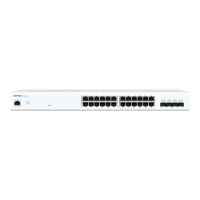
Diagrams illustrating switch models, ports, LEDs, and buttons for identification.
Information on the RJ45 COM port for CLI access and the LED Mode button.
Status LEDs for Power, Fault, PoE Max, LAN Mode, and PoE Mode.
Details on Link/Activity (LK/AT) and Speed LEDs for RJ45 Ethernet ports.
Description of Link/Activity and Speed LEDs for SFP/SFP+ Ethernet ports.
Precautions for rack stability, leveling, stabilizers, and component extension.
Safety notes for installation personnel, electrical, and component placement.
Step-by-step guide for attaching rack-mount ears to the switch chassis.
Guidelines for rack clearance, airflow, and restricted access installation locations.
Explanation of SFP/SFP+ ports, transceivers, DAC cables, and laser safety.
Instructions for installing and removing SFP/SFP+ optical modules.
Procedure for connecting to the switch CLI via serial console and required settings.
 General
| PoE Ports | 24 |
|---|---|
| Switching Capacity | 52 Gbps |
| MAC Address Table Size | 8K |
| Mounting | Rack-mountable |
| Power Supply | Internal |
| Storage Temperature | -40°C to 70°C (-40°F to 158°F) |
| Operating Humidity | 10% to 90% non-condensing |
| Jumbo Frame Support | 9 KB |
| Management | CLI, SNMP |
| Dimensions | 440 x 44 mm |
| Operating Temperature | 0°C |
| Ports | 24 x GE (RJ45) + 2 x GE SFP |


 To Next Page