Running Your M5
Now that you’ve connected the power 4. If the TV picture is wavy or fuzzy, adjust
supply, TV and tape recorder to your M5... it using the tuner.
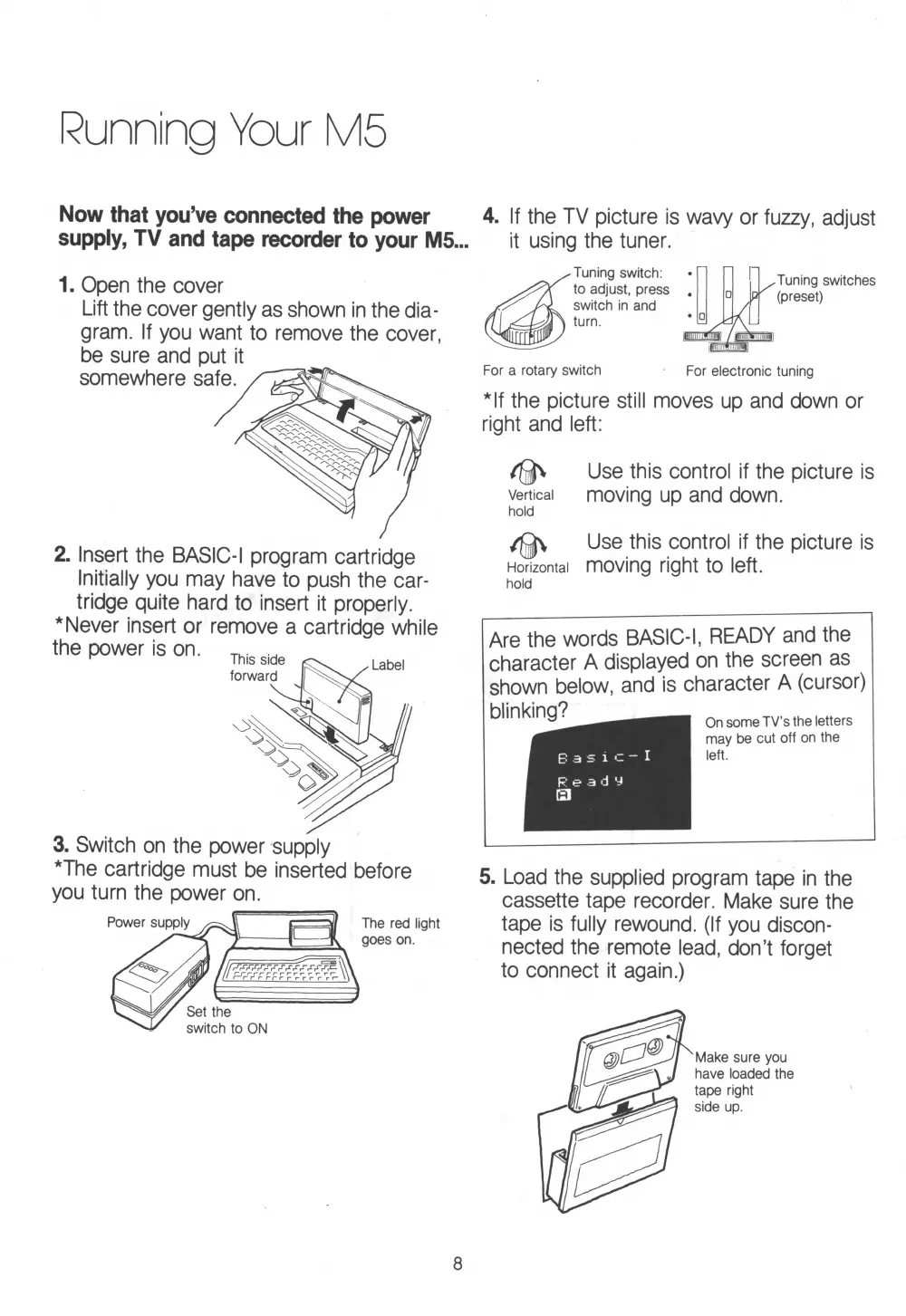
1. Open the cover
Lift the cover gently as shown in the dia
gram. If you want to remove the cover,
be sure and put it
2. Insert the BASIC-I program cartridge
Initially you may have to push the car
tridge quite hard to insert it properly.
* Never insert or remove a cartridge while
3. Switch on the power supply
*The cartridge must be inserted before
you turn the power on.
Power supply
Set the
switch to ON
The red light
goes on.
Tuning switch:
to adjust, press
switch in and
turn.
For a rotary switch For electronic tuning
*lf the picture still moves up and down or
right and left:
Tuning switches
k (preset)
Use this control if the picture is
Vertical moving up and down.
hold
Horizontal
hold
Use this control if the picture is
moving right to left.
Are the words BASIC-I, READY and the
character A displayed on the screen as
shown below, and is character A (cursor)
On some TV’s the letters
may be cut off on the
left.
5. Load the supplied program tape in the
cassette tape recorder. Make sure the
tape is fully rewound. (If you discon
nected the remote lead, don’t forget
to connect it again.)
blinking?
B as ic-
Ready
El
8


 To Next Page