27/04/04 © Söring Users manual RF-units
1
not valid for MBC600
-26-
19 Connection for potential equalization
Connection pins for potential equalization cable between RF equipment and potential
equalization bar in OR room. The yellow-green potential equalization cable supplied by the
manufacturer must be used.
20 Connecting socket for double pedal footswitch
This is the footswitch connector for operation of monopolar applications of Cutting and
Coagulation as well as for operation of bipolar function. A footswitch must be connected in
case a monopolar handpiece without a fingerswitch or the bipolar channel shall be used.
When the double pedal footswitch is connected, the bipolar field is active with priority. The
LED´s within the monopolar coagulation and cutting field are not switched on. If a mono-
polar handpiece without finger switches shall be used, pressing any key of the coagulation
field may activate the monopolar function fields. In this case the indicators of the bipolar
channel
1
extinguish and the monopolar function fields are active. To reactivate the bipolar
mode, press any key within the bipolar field (see operation facilities).
21 PROGram function
I. To store a program the following steps have to be taken:
-Switch the unit on, connect the handpieces and set the parameters as usual
-After all parameters are set as wanted change to the program function by pressing the
“PROG” button. Now the values disappear in the displays and the CUT display shows
“Pro”. Storage of these values can now be done bypressing one of ten program buttons.
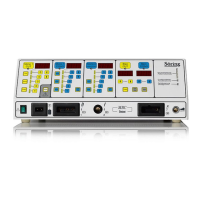
The buttons to be used are the 5 step buttons in the Mono CUT and Mono COAG field
indicated by the letters 1-10. The available programs will be displayed by illuminated
LED's.
To store all values the wanted program button must be pressed continuously for around
2.5 seconds until “Sto” will come up in the CUT display.
Now all pre-adjusted parameters are stored permanently and the unit returns automatically
after a short time back into the standard mode. The storage process deletes all prestored
parameters belonging to this program button. This storage process will not affect the
remaining 9 buttons. To store further programs please repeat the above steps and store
new values in the free storage.
II. Working in the program mode with prestored values
-Switch on the unit and connect all needed handpieces
-To choose a program press the “PROG” button to go from the standard mode into the
program mode. Now activate the wanted program by pressing one of the 10 program
buttons (already used storage's will be displayed by yellow LED).
-If the handpieces are connected the stored power parameters will appear in the display.
For handpieces which are not connected the display shows “---“. If the "PROG" button is
pressed a second time the stored values will be shown in the displays and can be queried
independent of the handpiece.
-Please keep in mind that after the selection of a program the values can not be changed,
except for a fine tune by the Up and Down buttons, and a change of the program.
III. Working with chosen program and adding new adjustments
-Switch on the unit and connect all needed handpieces.
-Choose a program and start to work with the activated program. As an indicator of the
program mode the relevant button in either the CUT or. COAG field is illuminated
-To change parameters within this program now the CUT1 button has to be pressed and
held. Simultaneously the "PROG" button has to be pressed.
According to this the unit switches into the basic state and all adjustments can be
changed.
-If several footswitch activated handpieces are adapted, an activation of the panel modules
is only possible via the arrow keys!
-To store these changes please follow as described under I.
IV. Erase program adjustments
- Switch on the unit and connect all needed handpieces


 To Next Page