EasyManua.ls Logo

Sorvall RT/T6000D - Page 200

Sorvall RT/T6000D
302 pages
Print Icon
To Next Page IconTo Next Page
To Previous Page IconTo Previous Page
Loading...
RT6000B
and
T6000B
Centrifuges
Serial
Numbers
Below
9101800
SORVALU
Centrifuges
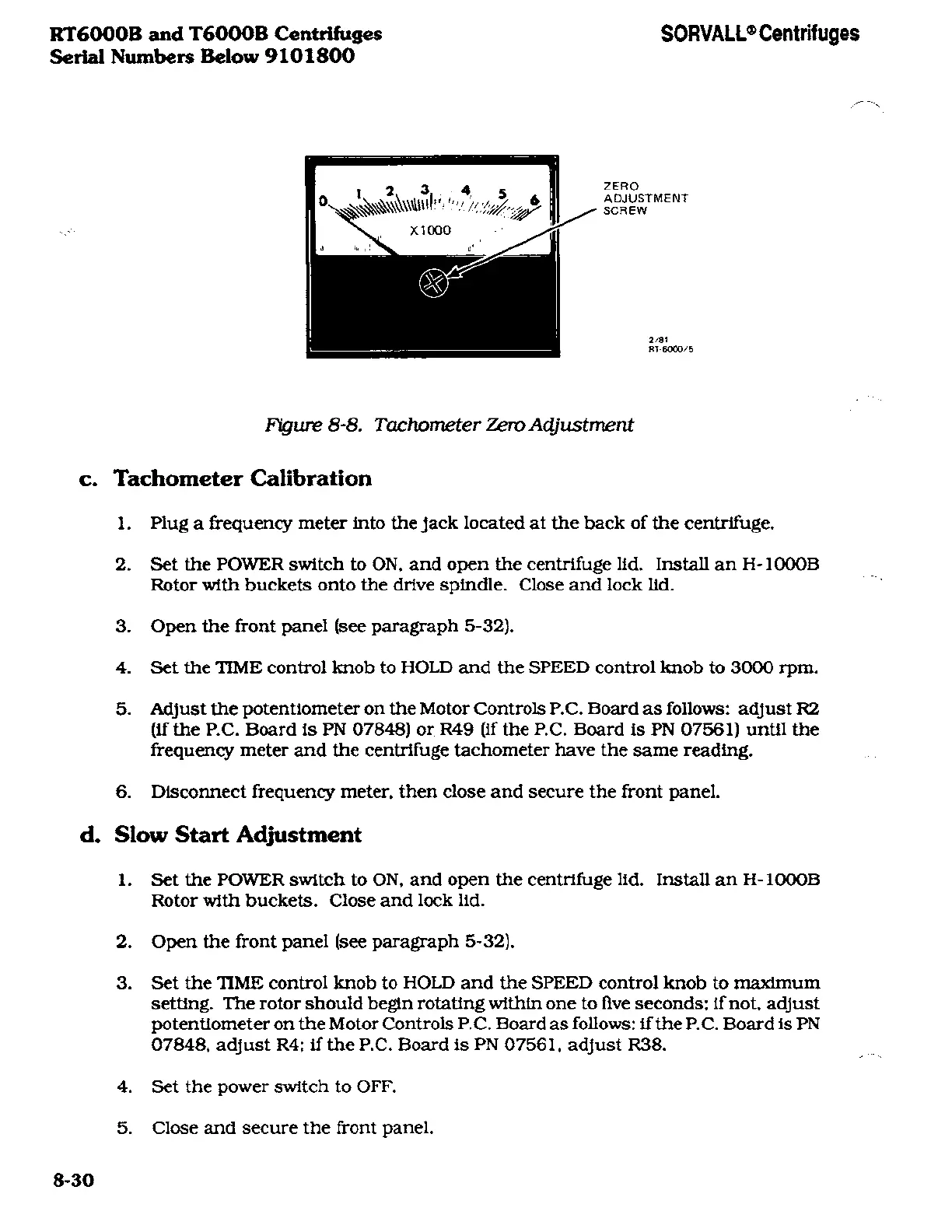
ZERO
ADJUSTMENT
SCREW
2/81
RT-6000/5
Figure
8-8.
Tachometer
Zero
Adjustment
c.
Tachometer Calibration
1.
Plug
a frequency meter
into the
jack
located at
the
back
of
the
centrifuge.
2.
Set
the
POWER
switch
to
ON,
and
open
the
centrifuge
lid. Install
an
H-
1000B
Rotor with
buckets
onto
the
drive
spindle.
Close
and lock
lid.
3. Open
the
front
panel (see
paragraph
5-32).
4.
Set
the TIME
control knob to
HOLD
and the
SPEED
control knob
to
3000
rpm.
5.
Adjust
the
potentiometer
on
the
Motor
Controls
P.C.
Board
as
follows:
adjust
R2
(if the
P.C.
Board
is
PN
07848)
or
R49
(if
the
P.C.
Board is
PN
07561)
until
the
frequency
meter and
the
centrifuge tachometer
have
the
same
reading.
6.
Disconnect
frequency meter,
then close
and
secure
the front
panel.
d.
Slow Start
Adjustment
1.
Set
the POWER
switch to
ON.
and
open
the
centrifuge lid. Install
an
H-1000B
Rotor
with
buckets.
Close
and lock
lid.
2.
Open
the front
panel (see
paragraph
5-32).
3.
Set
the TIME
control knob
to
HOLD
and
the SPEED
control
knob to
maximum
setting.
The
rotor should
begin rotating within
one to
five
seconds;
if
not.
adjust
potentiometer
on
the
Motor Controls
P.C.
Board
as
follows:
if
the
P.C.
Board
is
PN
07848.
adjust
R4;
if
the
P.C.
Board is
PN
07561.
adjust R38.
4.
Set the
power
switch
to OFF.
5.
Close
and
secure
the front
panel.
8-30

Related product manuals