EasyManua.ls Logo

Sorvall RT/T6000D - Page 27

Sorvall RT/T6000D
302 pages
Print Icon
To Next Page IconTo Next Page
To Previous Page IconTo Previous Page
Loading...
SORVALL®
Centrifuges
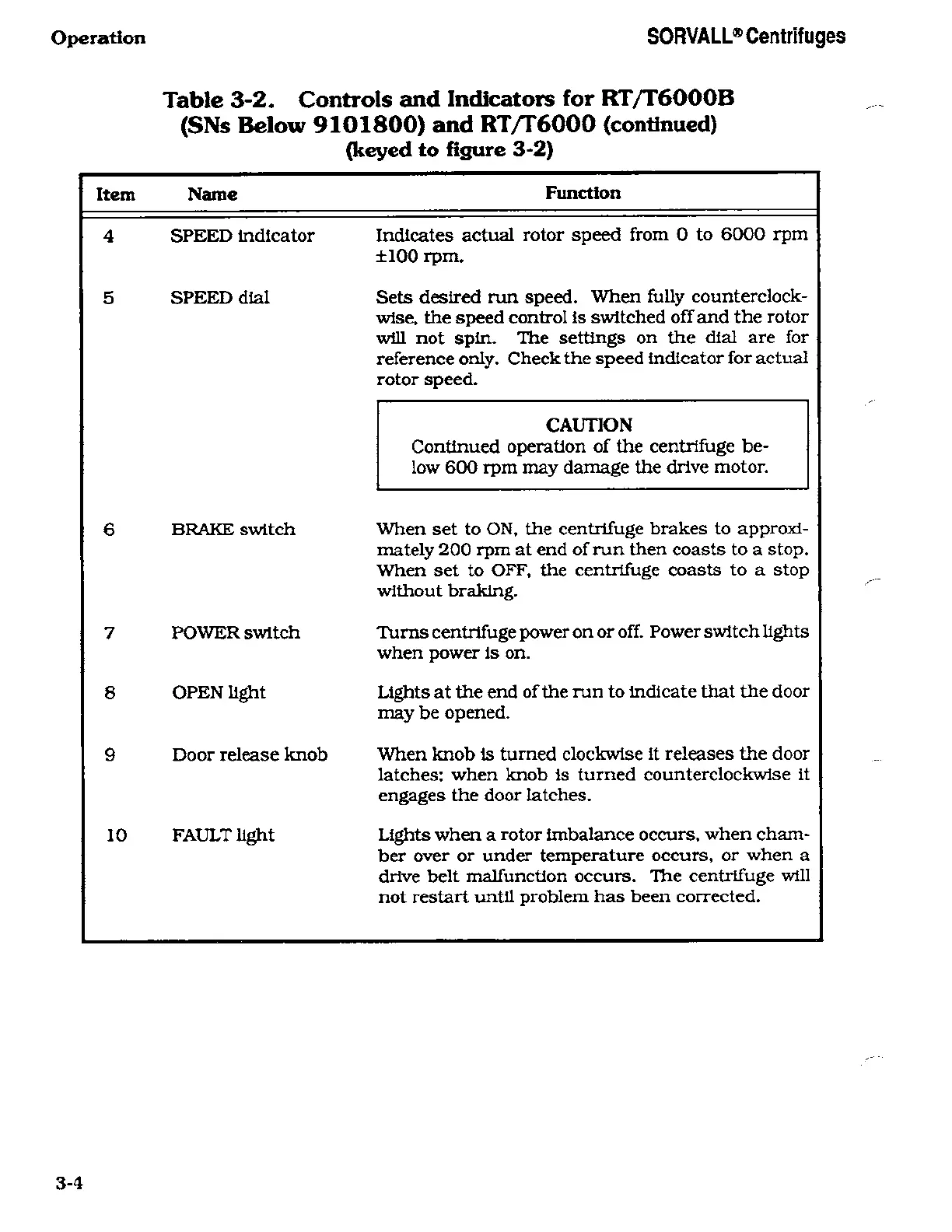
Table 3-2.
Controls
and Indicators
for
RT/T6000B
(SNs
Below
9101800)
and
RT/T6000
(continued)
(keyed
to
figure
3-2)
Item Name
Function
4
5
SPEED
indicator
SPEED
dial
6 BRAKE
switch
7
8
9
POWER
switch
OPEN
light
Door
release
knob
10 FAULT
light
Indicates
actual rotor
speed
from
0
to
6000
rpm
±100
rpm.
Sets desired
run
speed.
When
fully
counterclock¬
wise,
the
speed
control is switched
off
and
the
rotor
will
not
spin.
The
settings on
the dial
are
for
reference
only.
Check the
speed
indicator for
actual
rotor
speed.
CAUTION
Continued operation
of the
centrifuge
be¬
low 600
rpm
may
damage
the drive
motor.
When set
to
ON.
the
centrifuge
brakes to
approxi¬
mately
200
rpm
at
end of
run
then
coasts to
a
stop.
When
set
to OFF,
the
centrifuge coasts to
a stop
without
braking.
Turns
centrifuge
power
on or
off. Power switch lights
when
power
is
on.
Lights
at the end of
the
run
to
indicate that the
door
may
be
opened.
When knob
is
turned
clockwise
it
releases
the
door
latches; when
knob is
turned
counterclockwise
it
engages
the
door
latches.
Lights
when
a
rotor imbalance
occurs,
when cham¬
ber
over
or
under
temperature
occurs,
or
when
a
drive
belt
malfunction
occurs.
The
centrifuge
will
not restart until
problem
has been
corrected.

Related product manuals