EasyManua.ls Logo

Soul SL99 - User Manual

Default Icon
48 pages
Print Icon
To Next Page IconTo Next Page
Loading...
SL99
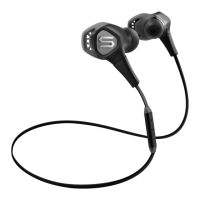
Hi-Denition Sound Isolation In-Ear Headphones
Auriculares Internos con Aislamiento
de Sonido de Alta Denición
Leistungsstarker In-Ear Kopfhörer mit Geräuschunterdrückung
Écouteurs Intra-Auriculaires Isolés à Son
de Haute Dénition
Auricolari ad alta denizione con
isolamento acustico
Высококачественная гарнитура
со звукоизоляционными
наушниками-вкладышами
Auriculares intra-auriculares de alta
denição com isolamento de som
Hoge denitie geluid isolatie in het oor koptelefoon
sluchátka do uší s vysokým rozlišením a izolací zvuku
Hi-Denition ljudisolering
In-Ear hörlurar
Kiváló minőségű hangszigetelés
Fülbe helyezhető fejhallgató
Høydenert lydisolering øreplugger
Najwyższej jakości izolacja
więkowa Słuchawki douszne
高清隔音型入耳式耳机
高遮性イニイヤ型ヘドホ

Questions and Answers

  • T
    Tiffany RoyAug 9, 2025
    What to do if my Soul SL99 Headphone has no sound?
    • A
      Anthony Mcmillan DVMAug 9, 2025
      If your Soul Headphone has no sound, first ensure the plug is fully inserted. Then, check the volume level and increase it if needed. Also, confirm that the device is powered on. If you're using an in-line controller, press the center button to take it off Pause.
  • G
    garciajennaAug 23, 2025
    Why is the volume so low on my Soul SL99?
    • E
      Eddie HicksAug 23, 2025
      If the volume level on your Soul Headphone is low, make sure the earphones create a proper seal in your ear. Try replacing the ear tips with a different size until you achieve a good seal. Additionally, increase the volume level on your device.

Summary

Safety Information

Warning: Noise Induced Hearing Loss

Explains Noise Induced Hearing Loss (NIHL) and decibel levels.

Caution: Driving Safety

Warns against using headphones while driving or operating machinery.

Safety Instructions

General instructions for using headphones safely.

Box Contents

Product Overview and Usage

At A Glance

Identifies the main parts of the in-ear headphones.

Proper Ear Tip Selection

Details how to select and fit ear tips for optimal sound and comfort.

Using Your Headphones

Step-by-step guide on how to wear and use the headphones.

Caution: Hearing Damage Risk

Warns against loud volumes causing permanent hearing damage.

In-Line Remote Control

Phone Functions

Details how to answer, reject, and manage calls using the remote.

Music;Movie Functions

Explains how to control playback, volume, and track skipping.

Advanced Remote Functions

FFW;REW and Scan

Instructions for fast-forwarding, rewinding, and scanning audio or video.

Compatibility and Disconnection

In-Line Controller Compatibility

Lists compatible Apple and other devices for the in-line controller.

Disconnecting Headphones

Instructions on how to properly disconnect and store the headphones.

Caution: Unplugging

Warns against pulling cables to unplug, which can cause damage.

Troubleshooting Guide

No Sound Issues

Steps to resolve issues when no audio is heard.

Low Volume Issues

Steps to address low audio output.

One-Sided Volume Issues

Solutions for audio only playing in one earbud.

Soul SL99 Specifications

General IconGeneral
Driver Diameter40 mm
Frequency Response20Hz - 20kHz
Sensitivity110dB
Connection3.5mm
Cable Length1.2m
Impedance32Ω

Related product manuals