Need help?
Do you have a question about the Sound Devices MixPre-3 and is the answer not in the manual?
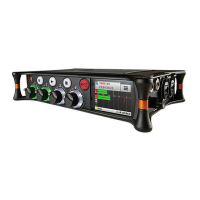
Details the controls, screen, and buttons on the MixPre-3's front panel.
Describes the I/O connections and power switch on the left side.
Details I/O connections including headphone, aux/mic, and HDMI TC inputs.
Covers the SD card slot and battery mounts on the rear of the device.
Guides users on how to navigate the main menu and its sub-menus for settings.
Guides on isolating or silencing specific audio tracks for headphone listening.
Outlines the methods for powering the device, including battery and external sources.
Explains how to connect and use external power sources via USB-C.
Details how to install and use AA or L-Mount batteries for portable operation.
Describes the front panel faders, input activity LEDs, and trim/pan controls.
Explains how to open individual channel settings for source, filters, and phantom power.
Guides on selecting the audio source (MIC, LINE, USB, AUX) for each input channel.
Covers setting input gain using trim and fader for optimal signal levels.
Describes how to activate 48V phantom power for condenser microphones.
Instructions for inserting and formatting SD cards for recording audio files.
Explains the function of the record, stop, and play/pause buttons.
Details how to select which tracks (ISO, Mix) are recorded.
Details how to establish a Bluetooth connection between Wingman and the MixPre.
 General
| Type | Portable Audio Recorder |
|---|---|
| Number of Inputs | 3 |
| Number of Channels | 5 |
| Number of Outputs | 2 |
| Microphone Preamps | 3 |
| Maximum Input Gain | 75 dB |
| Sample Rate | 192 kHz |
| Bit Depth | 24-bit |
| A/D Resolution | 24-bit |
| Maximum Channels of Simultaneous Recording | 3 |
| Phantom Power | 48V |
| Display | Color LCD |
| Internal Storage | No |
| Memory Card Support | SD/SDHC/SDXC |
| USB Audio Interface | Yes |
| Analog Inputs | 3 x XLR/TRS Combo |
| Headphone Output | 1 x 1/8" / 3.5 mm TRS |
| Power Source | Internal battery or USB power |
| Battery Life | Up to 6 hours |

 To Next Page