Need help?
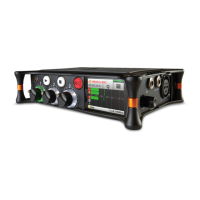
Do you have a question about the Sound Devices MixPre-3M and is the answer not in the manual?
Legal notices, trademarks, and the guide's revision details.
Step-by-step guide for initial setup and recording.
Overview of device panels, screens, and navigation.
Covers recording, playback, USB audio, and remote control functions.
Managing settings, presets, and product specifications.
Detailed steps for initial recording setup and media formatting.
Welcome and description of features tailored for musicians.
Explains various power sources and battery status indicators.
Details controls and connections on the front and left panels.
Details controls and connections on the right and back panels.
Overview of the touch screen interface and interactive areas.
How to navigate the main menu and its various sub-sections.
Steps to access channel screens and overview of available settings.
Customizing track names and routing audio sources.
Enabling monitoring, setting gain levels, and using solo/mute.
Routing stereo output, adjusting gain, and muting.
Using the headphone output and creating custom presets.
Understanding LED indicators and channel metering displays.
Interpreting the meter view and track status colors.
Understanding project files, timeline, and automatic saving.
Steps for creating projects and importing existing audio files.
Options for rendering mixes and exporting project files.
Guide to formatting SD cards for reliable recording.
Using transport controls and arming tracks for recording.
Using cue points to define recording start/end points.
Performing punch-ins and bouncing tracks for overdubbing.
Adjusting metronome settings for timing and performance.
Mapping internal tracks to USB audio streams for output.
Setting up zero-latency monitoring and entering USB file transfer mode.
Utilizing USB keyboards for device control and shortcuts.
Storing and recalling device settings using presets.
Configuring various system parameters like USB, tone, and brightness.
Pairing the app with the recorder and interpreting connection indicators.
How to navigate between Transport and Track views in the app.
Establishing a connection with the MixPre and identifying the correct device.
Steps for connecting and setting up external USB controllers.
Detailed mapping for the Akai MidiMix controller in music projects.
Detailed mapping for the Korg NanoKontrol 2 controller in music projects.
Detailed mapping for the Korg NanoKontrol Studio controller.
Detailed mapping for the Novation LaunchControl XL controller.
Comprehensive technical specifications for audio inputs.
Technical details for audio outputs, recorder, USB, and touch screen.
Technical details for remote control, power, environment, and dimensions.
Legal terms governing the use of the software product.
FCC and ISED compliance statements and interference guidelines.
 General
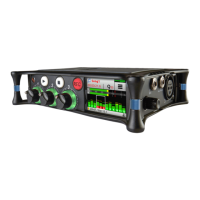
| Brand | Sound Devices |
|---|---|
| Model | MixPre-3M |
| Category | Recording Equipment |
| Language | English |

 To Next Page