03 EN
• Auto pairing: Each time you power on your Soundcore earbuds, they will
automatically connect to your last successfully connected device if available
within the Bluetooth range.
• Mono mode: When Bluetooth is connected, you can use either one of the
earbuds by placing the other one into the charging case and closing it.
• When powered on and connected, if either one of the earbuds is out of
battery and powered off, you can keep using the other one.
• Stereo mode to Mono mode: When you are on a call, place either one of the
earbuds into the charging case, and the microphone in the other earbud will
be activated.
• Mono mode to Stereo mode: The unused earbud will be activated when taken
out of the charging case. The ongoing phone call and music playback will not
be affected.
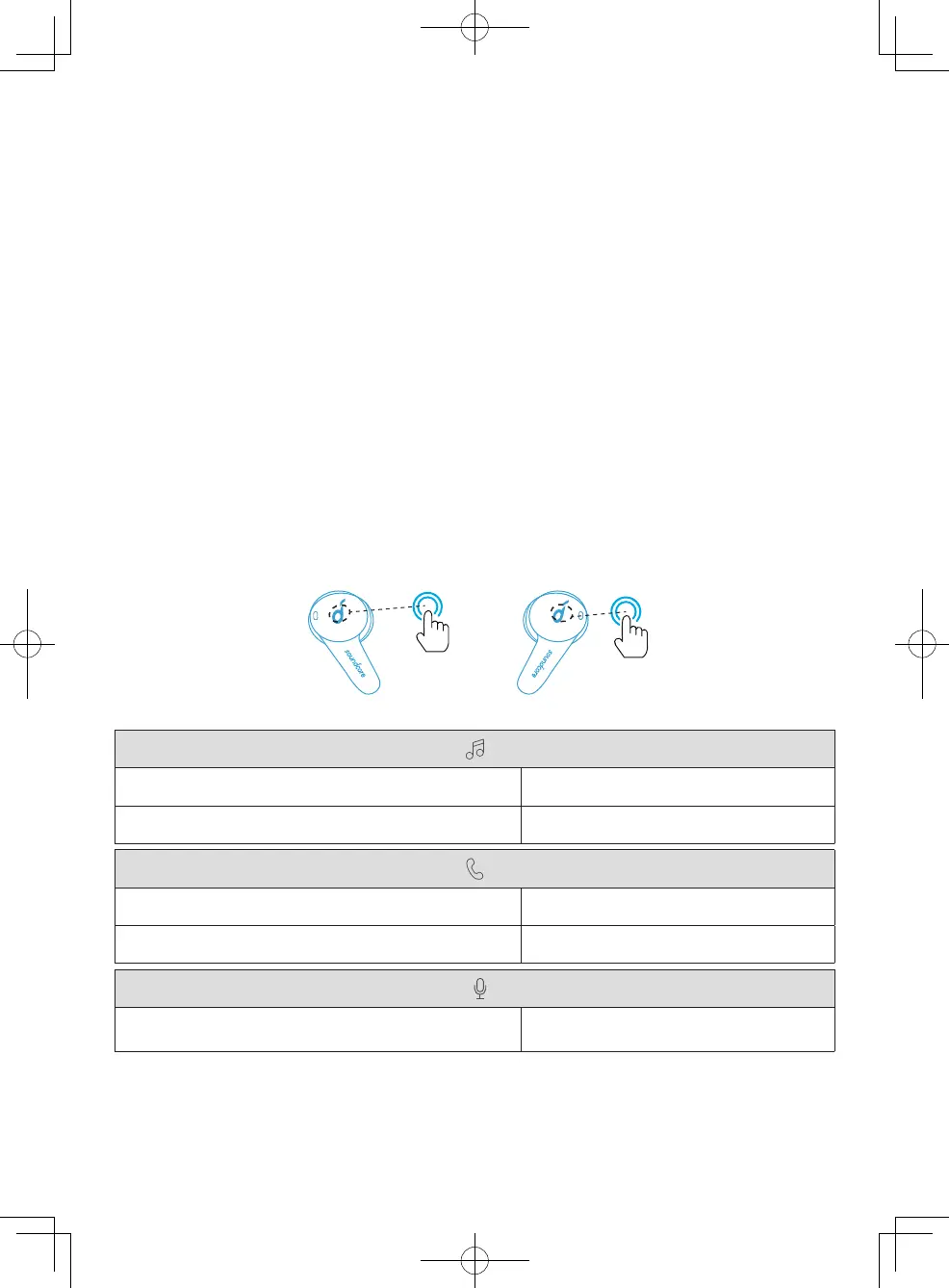
Controls
Stereo Mode
Play/Pause Tap twice (R)
Next track Tap twice (L)
Answer a call Tap twice (R/L)
End/Reject a call Press and hold for 2 seconds (R/L)
Activate Siri or other voice assistant software Press and hold for 2 seconds (R/L)



 To Next Page