02 EN
Powering On/Off
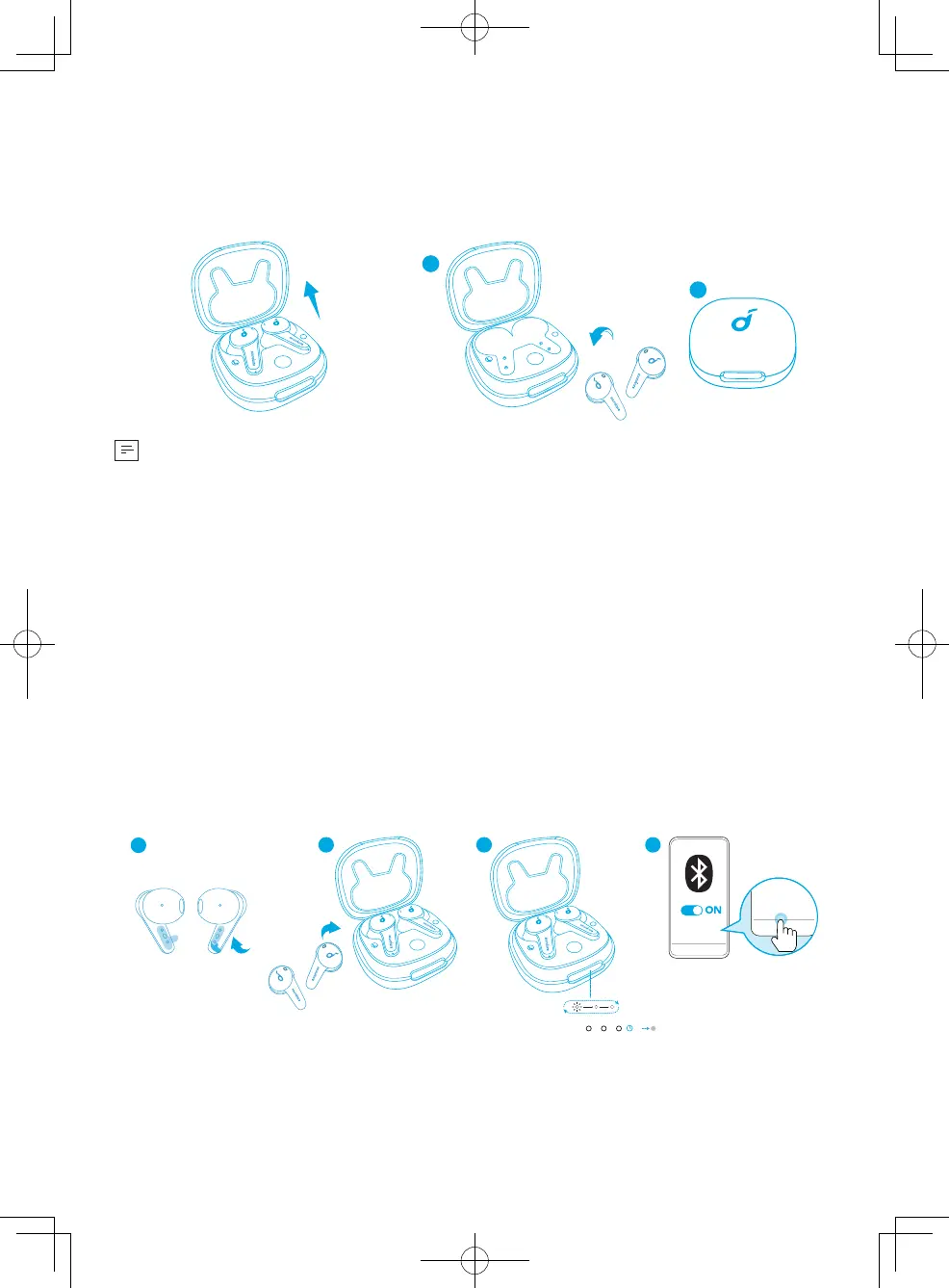
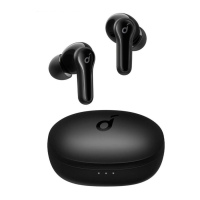
Open the charging case, and the earbuds will automatically power on.
To power off, place the earbuds in the charging case and close it.
ON
R
2
1
OFF
R
• The earbuds will automatically power off after 30 minutes if no device is
connected.
Bluetooth Pairing
1. Remove the sticker on the earbuds before first use.
2. Place the earbuds in the charging case and close it.
3. Open the charging case (no need to take out the earbuds), and the earbuds will
automatically enter Bluetooth pairing mode.
• The 3 LED indicators on the charging case will flash white in sequence
continuously.
4. Select "Soundcore Life Note 3S" on your device's Bluetooth list to connect.
• When successfully connected, the 3 LED indicators will turn white for 3
seconds and then turn off.
4
Soundcore
Life Note 3S
Soundcore
Life Note 3S
3
PAIRING
CONNECTED
3s
R
1
L
R
2
R
• Pairing with another device: Place the earbuds in the charging case and leave
the case open. To enter Bluetooth pairing mode, press and hold the button
on the case for 3 seconds until the 3 LED indicators flash white in sequence
continuously.



 To Next Page