05 English English 06
EN EN
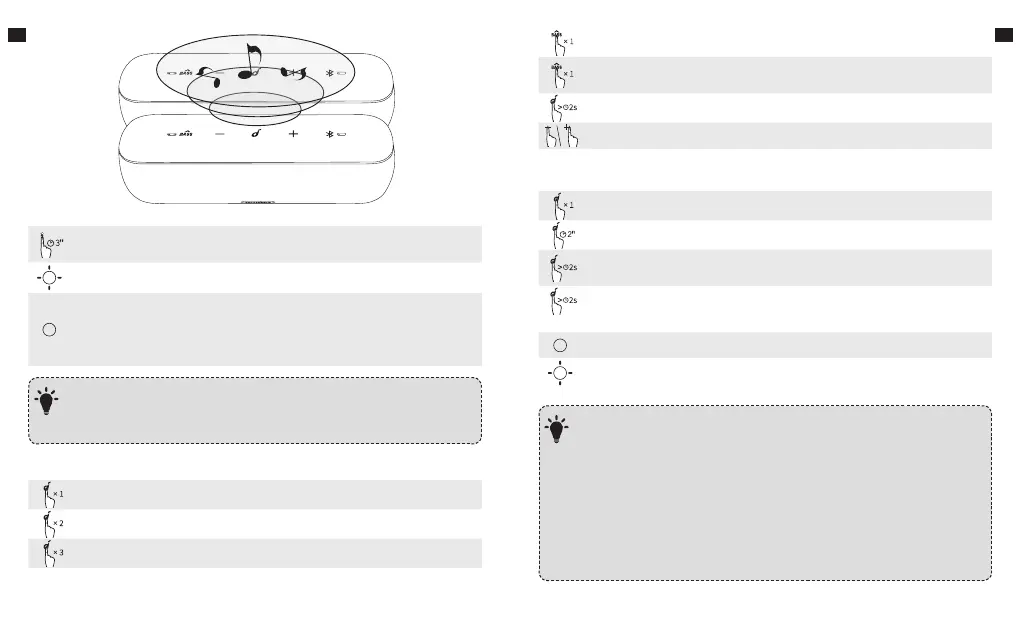
Enter True Wireless Stereo Group Mode / Disconnect True Wireless
Stereo
Slow Flashing White True Wireless Stereo Group Mode
Solid White
Connected to True Wireless Stereo
Note: When True Wireless Stereo group is
successful, the Bluetooth indicator on both the
main and secondary speaker will turn solid white.
With True Wireless Stereo technology, you can pair your Soundcore Motion+
with another Soundcore Motion+ to explore the best sound eects with le
and right sound channels separated on both speakers.
T
Music
Play / Pause
Play Next Song
Play Previous Song
Press to turn Bass on
Press once to activate bass
Note: Press again to switch back to Normal Equalizer.
Activate Siri / Other Voice Control Soware
Volume Up / Down
Mobile phone
Answer Call / End Call
Reject Call / Switch between a call on hold and an active call
End current call and answer incoming call / End current call and switch
to call on hold
Switch audio source between Speaker and Phone
Solid Blue On a Call
Flashing Blue Incoming Call
When turned on, Soundcore Motion+ will automatically connect to the
last connected device if available. If not, press the Bluetooth button to
activate pairing mode.
To pair a dierent device, press the Bluetooth button to re-enter pairing
mode. Then repeat the pairing steps.
Having connection problems? Remove Soundcore Motion+ from your
device’s Bluetooth history and ensure it’s less than 3 feet away. Then try
pairing again. To get the best sound quality, make sure there is a clear
line of sight between the connected device and your speaker.
T









 To Next Page