EN 03
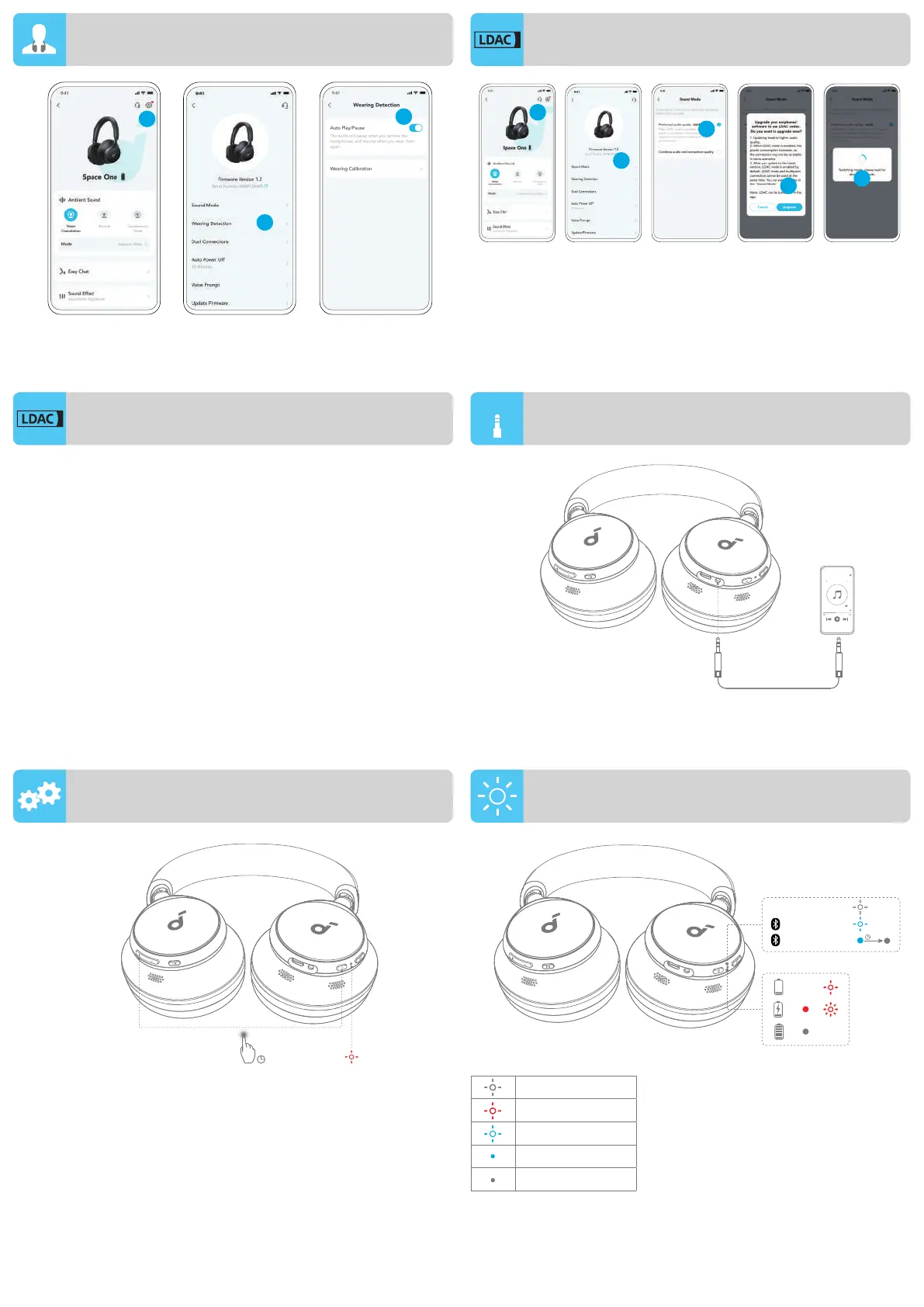
WEARING DETECTION
3
1
5
4
2
Enable LDAC in the soundcore app for higher-quality audio.
*Only available on devices powered by Android 8.0 or later.
LDAC
LDAC WIRED LISTENING
RESET LED LIGHT GUIDE
• Use devices powered by Android 8.0 or later to experience
LDAC quality sound.
• LDAC provides higher quality sound, increases power
consumption, and reduces playtime.
• Enable LDAC in a low-interference environment to ensure a
stable Bluetooth connection.
1. Go to settings in the soundcore app.
2. Click on "Sound Mode".
3. Select "Preferred audio quality" to switch to LDAC codec.
4. You will be notified that the headphones do not support LDAC
when connected to two devices. Select "Turn on" to continue.
5. It takes about 10 seconds to switch audio codecs. You may be
requested to update the headphones' firmware if available.
Play audio on an external device by plugging in a 3.5mm AUX
cable. Wired listening will automatically turn off Bluetooth mode.
You might need to reset your headphones if you experience
connectivity or function issues.
Delete the pairing history from your Bluetooth device first. Press
and hold the volume up and power button simultaneously for 5
seconds until the LED flashes red three times.
Flashing white
Flashing red
Flashing blue
Steady blue
Light off
AUX
AUX
3s
PAIRING
ON/OFF
CONNECTED
×3
<10%



 To Next Page