EasyManua.ls Logo

SoundCraft Vi7000 - User Manual

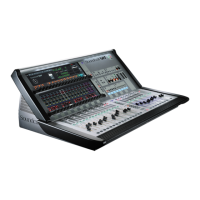
SoundCraft Vi7000
225 pages
Print Icon
To Next Page IconTo Next Page
Loading...
®
User Guide v1.6

Table of Contents

Question and Answer IconNeed help?

Do you have a question about the SoundCraft Vi7000 and is the answer not in the manual?

Summary

IMPORTANT INFORMATION

INTRODUCTION

SAFETY NOTICES

Critical safety information and warnings for product operation. Please read carefully before use.

PRODUCT WARRANTY

Details the warranty terms and conditions for the product. Covers installation and authorized repairs.

SPECIFICATIONS

HARDWARE OVERVIEW

General overview of the console's hardware components and system architecture.

OPERATIONS OVERVIEW

CONVENTIONS & COLOURS

Explains manual conventions, bracket usage, and FaderGlow colour coding.

VISTONICS

Details the Vistonics II touch screen technology and its interface elements.

CONSOLE BAYS

Describes the different bays of the console and their respective functions and layouts.

FADERGLOW

Explains the FaderGlow feature for visual feedback on fader assignments and colours.

BUTTONS OVERVIEW

Overview of the various button groups and individual buttons on the console.

ENCODERS

Describes the function and operation of the console's encoders, including VST and panel-mounted types.

GANGS

Explains the Gang feature for streamlining operations across multiple channels.

LABELLING

Details the console's labelling system for channels, outputs, and parameters.

INPUT CHANNEL

FADER PAGES

Explains how to navigate and manage fader pages (layers) for input channels.

CHANNEL STRIP

Detailed breakdown of the input channel strip controls and indicators.

ENCODER MODE

Describes how to assign functions to the input channel encoders using the Encoder Mode buttons.

VST CONTROL

Explains how to use VST controls for assigning bus contributions and panning to encoders.

INPUT BLOCK

Details the input section of the Vistonics touch screen for source selection and gain staging.

EQ BLOCK

Explains the parametric EQ section for input channels, including frequency and gain controls.

DYNAMICS

Covers the Gate, DeEsser, Compressor, and Limiter sections for input channel dynamics processing.

BUSSES

Explains how to configure Aux and Group contributions within the input channel's buss section.

OUTPUT

Details output functions including panning, insert points, and direct out parameters.

BSS DPR 901 ii DEQ

OUTPUTS

LCR MASTERS

Details the Left, Centre, Right (LCR) mix bus masters, their faders, and processing.

BUS CONFIGURATION

Explains how to configure console busses and map bus masters to input channel strips.

BUS MASTER CONTROL

Controls bus masters via VST encoders and master bay channel strips.

GRAPHIC EQ

Details the BSS Graphic Equalizers (GEQ) and their control modes.

MATRIX

CONSOLE MATRIX SYSTEM

Explains the console's configurable matrix system for creating custom mixes.

MUTE & VCA GROUPS

MUTE GROUPS

Explains how to set up and operate mute groups for muting channels.

VCA GROUPS

Details how to configure and use VCA groups for controlling multiple channels with one fader.

AUX VCA GROUPS

Explains extended VCA functionality for controlling Aux sends, especially for monitor engineers.

MONITORING

MONITORING CONTROLS

Describes the physical monitoring controls on the console, including solo, mute, and level adjustments.

MONITORING SETUP

Details the console's monitoring setup screen for source assignments and delay.

MON SETUP

Explains the Monitor Setup sub-page for patching and naming user sources.

SOLO SYSTEM

SOLO LOGIC

Details the operation logic of the solo system, including input priority and autocancel modes.

METERING

INPUT METERING

Describes the input channel metering, including level and gain reduction meters.

BUS METERING

Details metering for bus masters, mix masters, and monitor sections.

EDIT & LIBRARY

COPY, PASTE, UNDO

Explains how to copy, paste, and undo console settings and processing blocks.

LIBRARY BASICS

Introduces the console's library functionality for storing and retrieving settings.

LIBRARY FILE SYSTEM

Describes the folder structure and organization of the console's library system.

LIBRARY FILE SCREEN

Details the library file screen interface for navigating and managing library items.

SNAPSHOTS, CUELISTS, FILTERS

SNAPSHOT CONTROLS

Describes the controls for managing snapshots, including setup, storage, and recall.

CUELIST CONTROL

Explains how to manage cues in the cuelist, including selection, deletion, and duplication.

RECALL FILTERING

Explains snapshot filtering methods like Global Filtering and Snapshot Scope.

TALKBACK & OSCILLATOR

TALKBACK & OSC CONTROLS

Describes talkback and oscillator controls, including setup, connectors, and level adjustments.

OSCILLATOR SETUP

Details the oscillator setup, including waveform selection and bus assignments.

TALKBACK SETUP

Explains talkback source, external output, and preset assignments.

TALKBACK RETURN

Covers talkback return functionality for routing audio to the monitor circuit.

MENU

MAIN MENU

Details the main menu tab, including software version, brightness, and desk lock.

SHOW MENU

Explains how to manage shows, including loading, saving, copying, and exporting.

SHOW DATA

Details what settings are recorded within a Show and Snapshot.

GPIO MENU

Describes how to configure General Purpose Input/Output (GPIO) channels.

SYNC MENU

Details the digital audio clock configuration for the console.

TIELINES MENU

Explains how to set up direct connections (Tie Lines) between inputs and outputs.

FX MENU

Describes how to configure the eight internal Lexicon FX processors.

MIDI MENU

Details the general MIDI setup for the console, including devices and timecode.

LOG MENU

Displays error messages and system logs.

SETTINGS MENU

Covers miscellaneous settings like date/time, metering, EQ, and DSP configuration.

SYSTEM MENU

Details system monitoring and HiQnet setup.

FX

USING THE FX

Explains how to patch and use the Lexicon FX processors as sends, returns, or inserts.

FX ALGORITHMS

Describes the different FX types (Reverb, Delay, Misc) and how to select algorithms.

REVERBS

Explains the various reverb algorithms and their parameters.

DELAYS

Details the different delay algorithms and their parameters.

MISC FX

Covers miscellaneous FX like Chorus, Flanger, Phaser, and Rotary.

VM² WIRELESS SYSTEM MONITORING

HiQnet CONFIGURATION

Explains the HiQnet system configuration for network setup.

VM² STATUS DISPLAYS

Describes where VM² wireless system status is displayed on the console.

Dante User Guide

Configuring The Dante Card

Explains how to configure the Dante card for network operation, channel count, and sync.

Using Dante

Covers basic setup and use of Vi Dante cards, including network and device views.

ViSi Connect Brochure

Stageboxes

Describes the Compact Stagebox and Vi Stagebox models and their connectivity.

Option Cards (Local Rack;Compact Stagebox)

Details various optional interface cards for Local Rack and Compact Stagebox.

Option Cards (Vi Stagebox only)

Lists optional interface cards specifically for the Vi Stagebox.

ViSi Remote

Information on the remote control iPad app for Soundcraft consoles.

Summary

IMPORTANT INFORMATION

INTRODUCTION

SAFETY NOTICES

Critical safety information and warnings for product operation. Please read carefully before use.

PRODUCT WARRANTY

Details the warranty terms and conditions for the product. Covers installation and authorized repairs.

SPECIFICATIONS

HARDWARE OVERVIEW

General overview of the console's hardware components and system architecture.

OPERATIONS OVERVIEW

CONVENTIONS & COLOURS

Explains manual conventions, bracket usage, and FaderGlow colour coding.

VISTONICS

Details the Vistonics II touch screen technology and its interface elements.

CONSOLE BAYS

Describes the different bays of the console and their respective functions and layouts.

FADERGLOW

Explains the FaderGlow feature for visual feedback on fader assignments and colours.

BUTTONS OVERVIEW

Overview of the various button groups and individual buttons on the console.

ENCODERS

Describes the function and operation of the console's encoders, including VST and panel-mounted types.

GANGS

Explains the Gang feature for streamlining operations across multiple channels.

LABELLING

Details the console's labelling system for channels, outputs, and parameters.

INPUT CHANNEL

FADER PAGES

Explains how to navigate and manage fader pages (layers) for input channels.

CHANNEL STRIP

Detailed breakdown of the input channel strip controls and indicators.

ENCODER MODE

Describes how to assign functions to the input channel encoders using the Encoder Mode buttons.

VST CONTROL

Explains how to use VST controls for assigning bus contributions and panning to encoders.

INPUT BLOCK

Details the input section of the Vistonics touch screen for source selection and gain staging.

EQ BLOCK

Explains the parametric EQ section for input channels, including frequency and gain controls.

DYNAMICS

Covers the Gate, DeEsser, Compressor, and Limiter sections for input channel dynamics processing.

BUSSES

Explains how to configure Aux and Group contributions within the input channel's buss section.

OUTPUT

Details output functions including panning, insert points, and direct out parameters.

BSS DPR 901 ii DEQ

OUTPUTS

LCR MASTERS

Details the Left, Centre, Right (LCR) mix bus masters, their faders, and processing.

BUS CONFIGURATION

Explains how to configure console busses and map bus masters to input channel strips.

BUS MASTER CONTROL

Controls bus masters via VST encoders and master bay channel strips.

GRAPHIC EQ

Details the BSS Graphic Equalizers (GEQ) and their control modes.

MATRIX

CONSOLE MATRIX SYSTEM

Explains the console's configurable matrix system for creating custom mixes.

MUTE & VCA GROUPS

MUTE GROUPS

Explains how to set up and operate mute groups for muting channels.

VCA GROUPS

Details how to configure and use VCA groups for controlling multiple channels with one fader.

AUX VCA GROUPS

Explains extended VCA functionality for controlling Aux sends, especially for monitor engineers.

MONITORING

MONITORING CONTROLS

Describes the physical monitoring controls on the console, including solo, mute, and level adjustments.

MONITORING SETUP

Details the console's monitoring setup screen for source assignments and delay.

MON SETUP

Explains the Monitor Setup sub-page for patching and naming user sources.

SOLO SYSTEM

SOLO LOGIC

Details the operation logic of the solo system, including input priority and autocancel modes.

METERING

INPUT METERING

Describes the input channel metering, including level and gain reduction meters.

BUS METERING

Details metering for bus masters, mix masters, and monitor sections.

EDIT & LIBRARY

COPY, PASTE, UNDO

Explains how to copy, paste, and undo console settings and processing blocks.

LIBRARY BASICS

Introduces the console's library functionality for storing and retrieving settings.

LIBRARY FILE SYSTEM

Describes the folder structure and organization of the console's library system.

LIBRARY FILE SCREEN

Details the library file screen interface for navigating and managing library items.

SNAPSHOTS, CUELISTS, FILTERS

SNAPSHOT CONTROLS

Describes the controls for managing snapshots, including setup, storage, and recall.

CUELIST CONTROL

Explains how to manage cues in the cuelist, including selection, deletion, and duplication.

RECALL FILTERING

Explains snapshot filtering methods like Global Filtering and Snapshot Scope.

TALKBACK & OSCILLATOR

TALKBACK & OSC CONTROLS

Describes talkback and oscillator controls, including setup, connectors, and level adjustments.

OSCILLATOR SETUP

Details the oscillator setup, including waveform selection and bus assignments.

TALKBACK SETUP

Explains talkback source, external output, and preset assignments.

TALKBACK RETURN

Covers talkback return functionality for routing audio to the monitor circuit.

MENU

MAIN MENU

Details the main menu tab, including software version, brightness, and desk lock.

SHOW MENU

Explains how to manage shows, including loading, saving, copying, and exporting.

SHOW DATA

Details what settings are recorded within a Show and Snapshot.

GPIO MENU

Describes how to configure General Purpose Input/Output (GPIO) channels.

SYNC MENU

Details the digital audio clock configuration for the console.

TIELINES MENU

Explains how to set up direct connections (Tie Lines) between inputs and outputs.

FX MENU

Describes how to configure the eight internal Lexicon FX processors.

MIDI MENU

Details the general MIDI setup for the console, including devices and timecode.

LOG MENU

Displays error messages and system logs.

SETTINGS MENU

Covers miscellaneous settings like date/time, metering, EQ, and DSP configuration.

SYSTEM MENU

Details system monitoring and HiQnet setup.

FX

USING THE FX

Explains how to patch and use the Lexicon FX processors as sends, returns, or inserts.

FX ALGORITHMS

Describes the different FX types (Reverb, Delay, Misc) and how to select algorithms.

REVERBS

Explains the various reverb algorithms and their parameters.

DELAYS

Details the different delay algorithms and their parameters.

MISC FX

Covers miscellaneous FX like Chorus, Flanger, Phaser, and Rotary.

VM² WIRELESS SYSTEM MONITORING

HiQnet CONFIGURATION

Explains the HiQnet system configuration for network setup.

VM² STATUS DISPLAYS

Describes where VM² wireless system status is displayed on the console.

Dante User Guide

Configuring The Dante Card

Explains how to configure the Dante card for network operation, channel count, and sync.

Using Dante

Covers basic setup and use of Vi Dante cards, including network and device views.

ViSi Connect Brochure

Stageboxes

Describes the Compact Stagebox and Vi Stagebox models and their connectivity.

Option Cards (Local Rack;Compact Stagebox)

Details various optional interface cards for Local Rack and Compact Stagebox.

Option Cards (Vi Stagebox only)

Lists optional interface cards specifically for the Vi Stagebox.

ViSi Remote

Information on the remote control iPad app for Soundcraft consoles.

SoundCraft Vi7000 Specifications

General IconGeneral
BrandSoundCraft
ModelVi7000
CategoryMusic Mixer
LanguageEnglish

Related product manuals