EasyManua.ls Logo

SoundLogic XT HP-135 - User Manual

SoundLogic XT HP-135
9 pages
Print Icon
To Next Page IconTo Next Page
Loading...
1
HP-135
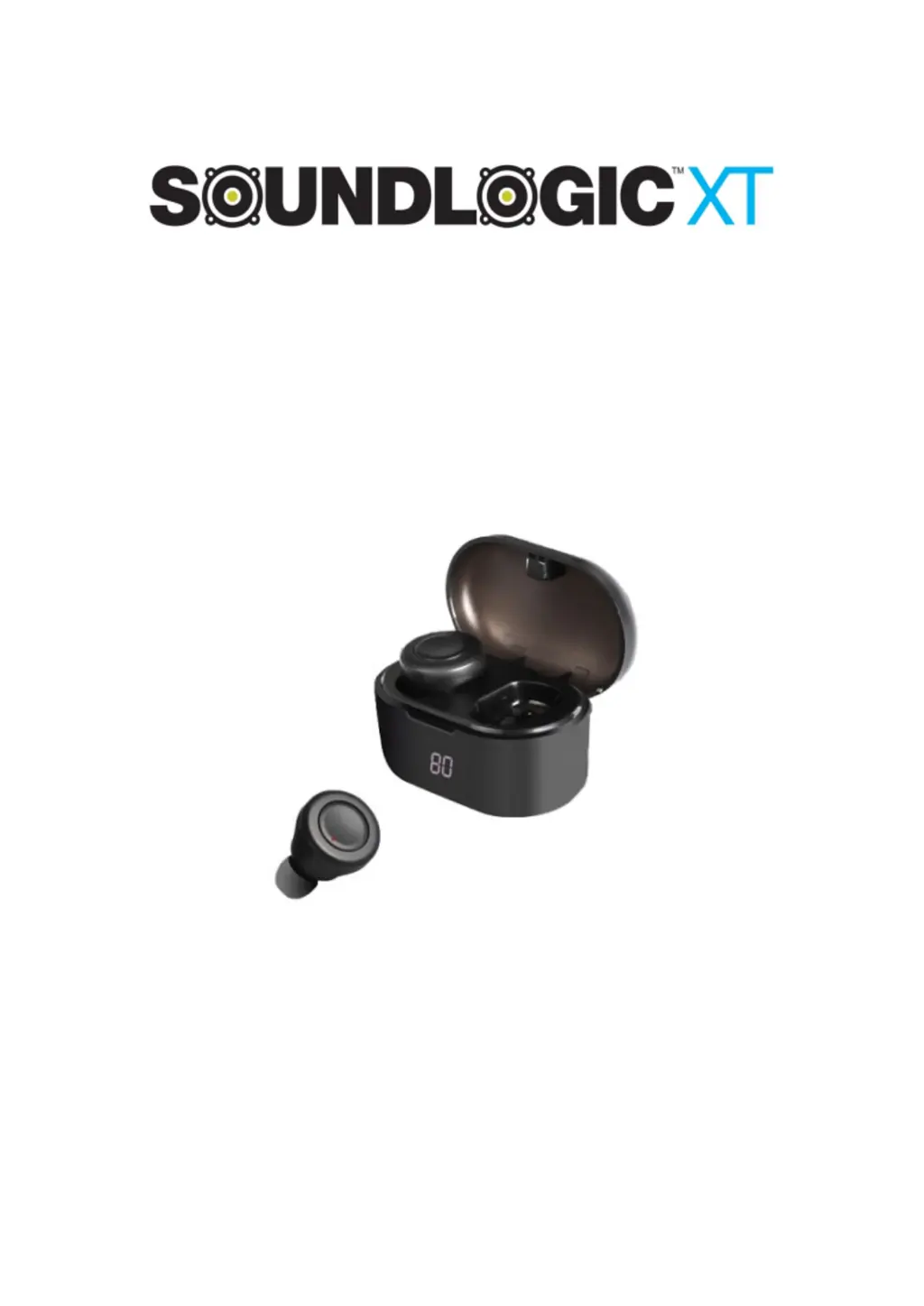
TRUE WIRELESS DIGI-BUDS
RECHARGABLE STEREO EARBUDS
WIT H DIGITAL DISPLAY STORAGE CASE
INSTRUCTION MANUAL
PLEASE READ ALL INSTRUCTIONS CAREFULLY
AND RETAIN FOR FUTURE USE

Questions and Answers

  • K
    Kimberly GrantAug 5, 2025
    How to fix no sound on SoundLogic XT Headphone?
    • Q
      qmccarthyAug 5, 2025
      If you're not getting any sound from your SoundLogic XT Headphone, here are a few things to try: * Ensure the earbuds are powered on and the battery is charged. * Increase the volume on both your mobile device and the music source. * Move your mobile device closer to the earbuds, ensuring there are no obstructions or sources of interference. * Try using a different music source or connecting a different mobile device.
  • M
    morenobettyAug 11, 2025
    What to do if SoundLogic XT HP-135 Headphone has poor sound quality?
    • H
      heatherwatsonAug 11, 2025
      Experiencing poor sound quality with your SoundLogic XT Headphone? Try these steps: * Use a different music source to rule out issues with the file itself. * Connect a different mobile device to see if the problem persists. * Move your mobile device closer to the earbuds, away from potential interference.
  • P
    pughmichaelAug 17, 2025
    Why is my SoundLogic XT HP-135 Headphone battery not charging?
    • C
      Chelsey ClarkAug 17, 2025
      If your SoundLogic XT Headphone battery isn't charging, ensure that the USB charging cable is securely connected at both ends. If the issue continues, try using an alternative charging source.
  • B
    Brian BallAug 23, 2025
    What to do if Google Assistant is not responding on SoundLogic XT Headphone?
    • J
      Julie HillAug 25, 2025
      If Google Assistant isn't responding on your SoundLogic XT Headphone, please note that this feature is only available for Android devices. Ensure that Google Assistant is downloaded and set as the default voice assistant on your mobile device. Also, verify that your Android device is paired with the earbuds via Bluetooth and that you are in a country where Google Assistant is supported.
  • G
    gpowellAug 29, 2025
    How to stop loud dial tone noise when activating Google Assistant on SoundLogic XT HP-135 Headphone?
    • M
      Mrs. Stephanie Moore DDSAug 29, 2025
      If you hear a loud dial tone when activating Google Assistant on your SoundLogic XT Headphone, ensure you have the latest version of the Google Assistant app. On your Android device, go to Settings > Apps > Google App > Disable, then Enable it again. If you've uninstalled the Google App, uninstall and reinstall it.

Summary

Getting Started and Safety

Safety Instructions

Essential safety guidelines to prevent damage or injury when using the product.

Product Identification and Charging

Description of Parts

Details the various components of the Digi-Buds and their charging case.

Charging Instructions

Step-by-step process for charging the earbuds and the storage case.

Core Earbud Functions

Turning Earbuds On;Off

Procedures for powering the earbuds on and off.

Pairing Earbuds

Instructions for connecting the earbuds to a Bluetooth device.

Making Calls

How to manage phone calls using the earbuds.

Listening to Music

Steps for wirelessly streaming music from a connected device.

Voice Assistant Operation

Guide on activating and using voice assistants like Siri or Google Assistant.

Troubleshooting and Maintenance

Troubleshooting

Solutions for common issues encountered with the earbuds.

Care and Maintenance

Recommendations for proper care to ensure product longevity.

Technical Information and Compliance

Specifications

Technical details including Bluetooth version, battery, and dimensions.

FCC Instructions

Regulatory information and compliance statements regarding FCC rules.

SoundLogic XT HP-135 Specifications

General IconGeneral
ConnectivityWired
TypeOver-Ear
Driver Size40mm
Frequency Response20Hz - 20kHz
Impedance32 Ohms
Cable Length1.2m
Connector3.5mm
FoldableYes
Ear Cushion MaterialLeatherette

Related product manuals