DAB270 / English Instruction Manual
1
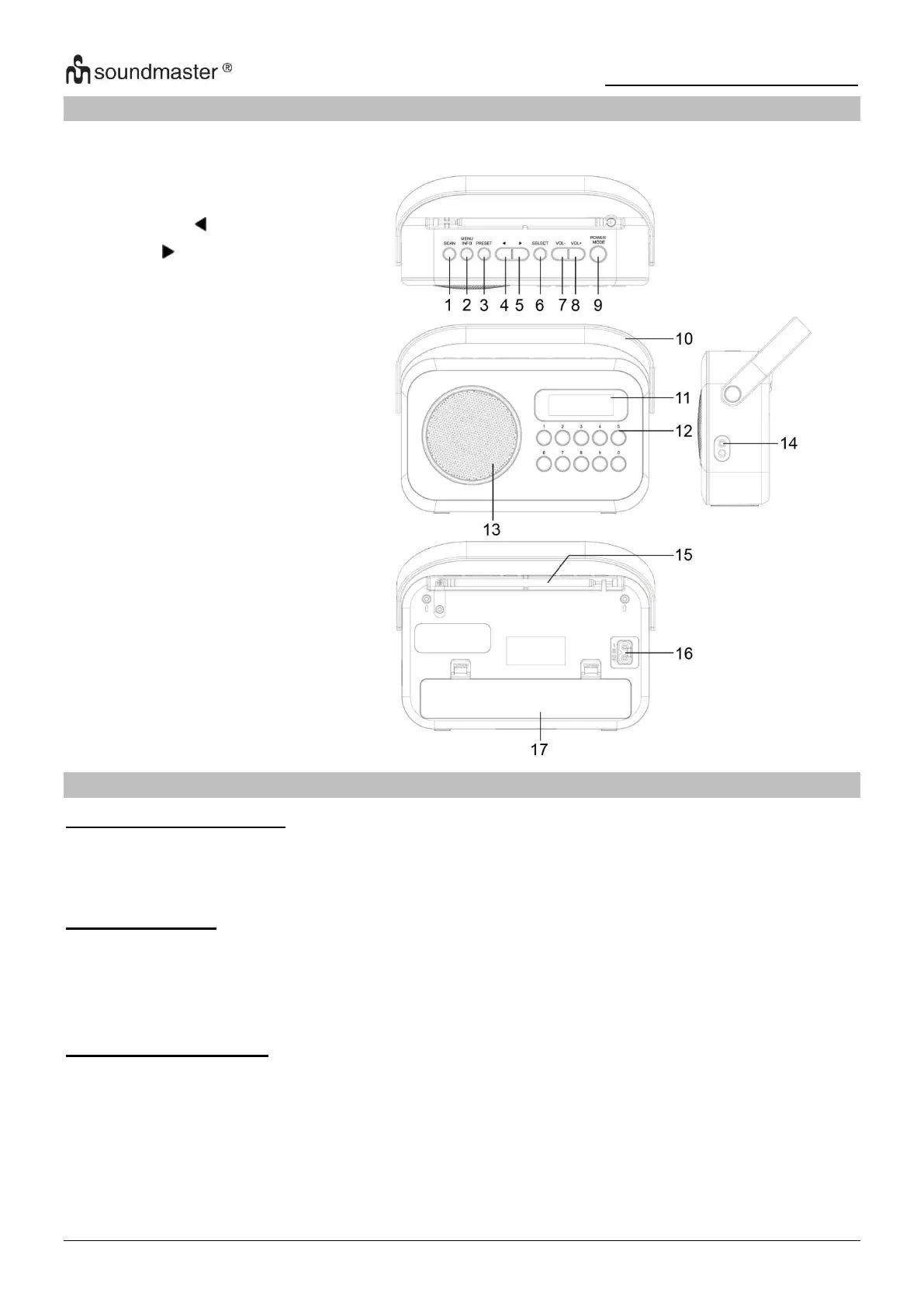
LOCATION OF CONTROLS
INSTALLATION
CONTENT OF DELIVERY
POWER SUPPLY
➢ Ensure that the voltage is the same as that indicated on the main unit identification plate.
➢ Connect the supplied AC cable to a properly installed safety power socket and the plug of the
cable into the AC IN socket at the back side of the unit.
BATTERY OPERATION
1. Open the lid of the battery compartment (17) at the back side of the unit.
2. Insert 3 batteries of type LR14 (“C” size, UM-2) 1.5 V. Please ensure that the polarity is
correct (see indicated in the battery compartment).
3. Close the battery lid.













 To Next Page