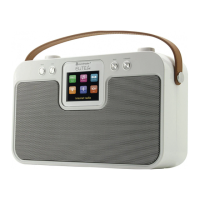
DAB600 / English Instruction Manual
6
SETTING AND USING THE SLEEP FUNCTION
This function will switch off the main unit automatically after a preset time interval.
1. With the music of choice playing, press the “MENU” (14) button and the press the “TUNING” ◄ or ► (5 or 6)
buttons until ‘System’ is displayed. Press the “SELECT” (7) button to accept.
2. Use the “TUNING” ◄ or ► (5 or 6) buttons until ‘Sleep’ is shown in the display and press the “SELECT” (7)
button to accept.
3. The display will now show ‘Set sleep time?’ and the current sleep status.
4. Use the “TUNING” ◄ or ► (5 or 6) buttons to select the time. When the sleep interval of choice is shown,
press the “SELECT” (7) button to set.
5. The sleep timer is now activated
6. To cancel the sleep timer, press the “MENU” (14) button and follow the directions above until ‘Sleep off’
appears in the display.
7. To check the sleep timer status, follow steps 1 & 2 above and the sleep interval remaining will be displayed.
OTHER FEATURES
USING HEADPHONES (not included)
Plug in the headphones at the point marked ‘ ’ on the back of the radio and adjust the listening volume to
your chosen level. Excessive sound pressure from earphones and headphones can cause hearing loss. The
speakers will not operate when earphones are fitted.
SETING THE DISPLAY BACKLIGHT LEVEL (in operational mode only)
The light level for the display can be selected in operational modes (high, medium or low).
1. With the radio in operational mode, press the “MENU” (14) button and the press the “TUNING” ◄ or ► (5 or 6)
buttons until ‘System’ is displayed. Press the “SELECT” (7) button to accept.
2. Use the “TUNING” ◄ or ► (5 or 6) buttons until ‘Backlight’ is shown in the display and press the “SELECT” (7)
button to accept.
3. Use the “TUNING” ◄ or ► (5 or 6) buttons until the backlight level of choice is displayed and then press the
“SELECT” (7) to confirm.
Pressing any button on the unit will switch the backlight to the highest setting for five seconds.
RESET
1. If moving the radio to another location in the country the pre-tuned and stored DAB stations may no longer be
available and it will be necessary to reset the radio back to the factory settings.
2. With the unit switched on, press the “MENU” (14) button and the press the “TUNING” ◄ or ► (5 or 6) buttons
until ‘System’ is displayed. Press the “SELECT” (7) button to accept.
3. Use the TUNING ◄ or ► (5 or 6) buttons until ‘Factory reset’ is shown in the display and press the “SELECT”
(7) button to accept.
4. The display will now show ‘Factory Reset? <No> Yes’. Use the “TUNING” ◄ or ► (5 or 6) buttons until <Yes>
is shown and then press the “SELECT” (7) button to confirm. The radio will display “Restarting….” and will
then go into standby mode.
Note
All stored programmed stations will be lost during reset.
TECHNICAL SPECIFICATIONS
AC adapter input 100 – 240V~ 50/60Hz, 0.3A
AC adapter output 6V 1.5A
Power consumption 9W
Power consumption (standby) 0.4W
Battery DC 6V (1.5V x 4 AA)
Output Power Audio output 2 x 2W RMS
Frequency Range DAB 174-240MHz
FM 87.5-108MHz
Importer
Wörlein GmbH Tel.: +49 9103 71 67 0
Gewerbestrasse 12 Fax.: +49 9103 71 67 12
D 90556 Cadolzburg Email: service@woerlein.com
Germany Web: www.woerlein.com
Technische Änderungen und Druckfehler vorbehalten
Copyright by Woerlein GmbH, 90556 Cadolzburg, www.woerlein.com
Vervielfältigung nur mit ausdrücklicher Genehmigung der Woerlein GmbH














 To Previous Page