DAB650SI / English Instruction Manual
3
POWER CONTROL
Using AC power
Connect the adaptor cable to the DC socket (Micro USB) then plug adaptor to the wall socket.
· Slide the power switch to “ON” position then press the STANDBY button.
· The display will light and the unit will switch on.
To turn the unit in STANDBY mode:
· Press the STANDBY button. The clock will continue to run whilst mains power is
connected.
Using battery power
Charging the battery.
· Slide the power switch to “ON” position.
Connect the adaptor cable to the DC socket (Micro USB) then plug adaptor to the wall socket.
Switch on the radio
· Slide the power switch to “ON” position then press the STANDBY button.
· The display will light and the unit will switch on.
Switch off the radio
To turn the unit in STANDBY mode:
· Press the STANDBY button and the display will be switch off completely.
Note: The clock will not continue to run when using DC power.
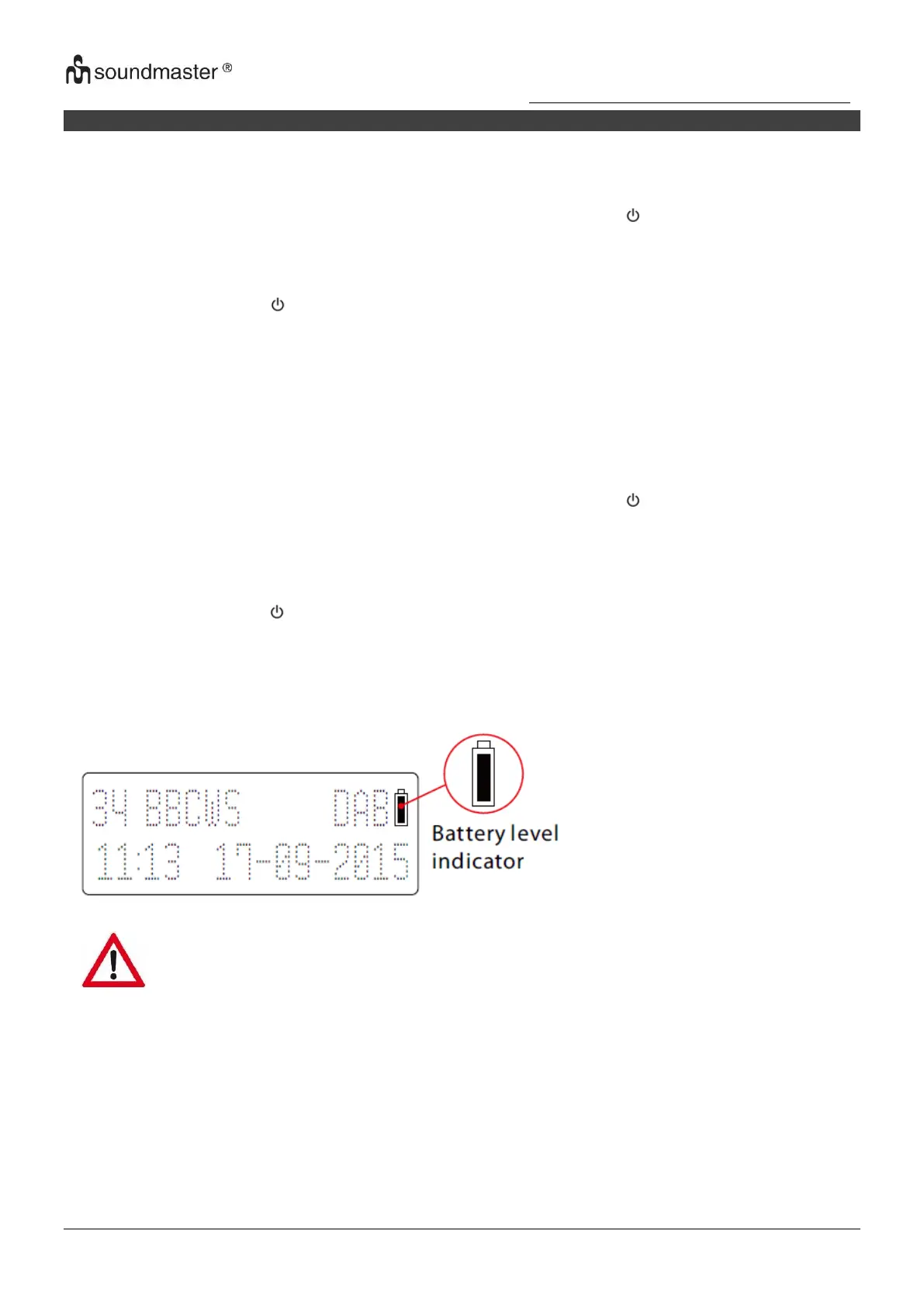
Battery power indication will be appear on LCD display.
ENERGY SAVING/ ERP2 REGULATION
This device is equipped with an AUTOMATIC SWITCH OFF / STANDBY SYSTEM for energy-
saving requirements. This is regulated by an EU-standard and is NOT A MALFUNCTION.














 To Next Page