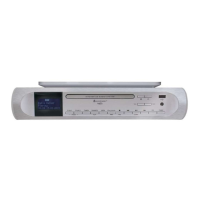
ICD2020 / English Instruction Manual
12
Once your radio is registered with the portal, you can immediately use the Internet radio
favourites and added stations features.
Presets
To store an Internet radio preset, press and hold the “PROGRAM” key on Remote Control until
the display shows the “Save preset” screen. Select one of the 20 presets to save the current
station and press “OK” to confirm or press 0 to 9 on the Remote Control to store the current
playing station into the preset directly.
To select a preset, press briefly the “PRESET” button or “PROGRAM” on Remote Control, then
select one of the listed preset stations and press “OK” to confirm. Or press 0 to 9 on the
Remote Control to directly recall the presets.
You can store / recall up to 20 of your favourite stations to the memory. This will enable you to
access your favourite stations by using the numbers of the Remote Control or the list of preset
stations in UNDOK app.
Now playing information
While the stream is playing, the screen shows its name and description. To view further
information, press “INFO” button on the radio or Remote Control. Each time you press “INFO”
button, another set of information is displayed, cycle through name/description, genre/location,
reliability, codec/sampling rate, playback buffer and today’s date.
SPOTIFY
Unconditionally usable only with premium account.
Listen out loud with Spotify Connect
1. Connect your ICD2020 to your wifi network.
2. Open up the Spotify app on your phone, tablet or laptop using the same wifi network.
3. Play a song and select Devices available.
4. Select your ICD2020 and start listening.
The Spotify Software is subject to third party licenses found here:
https://www.spotify.com/connect/third-party-licenses


 To Next Page