EasyManua.ls Logo

SOUNDMASTER IR43DAB - User Manual

SOUNDMASTER IR43DAB
42 pages
Print Icon
To Next Page IconTo Next Page
Loading...
IR43DAB / English Manual
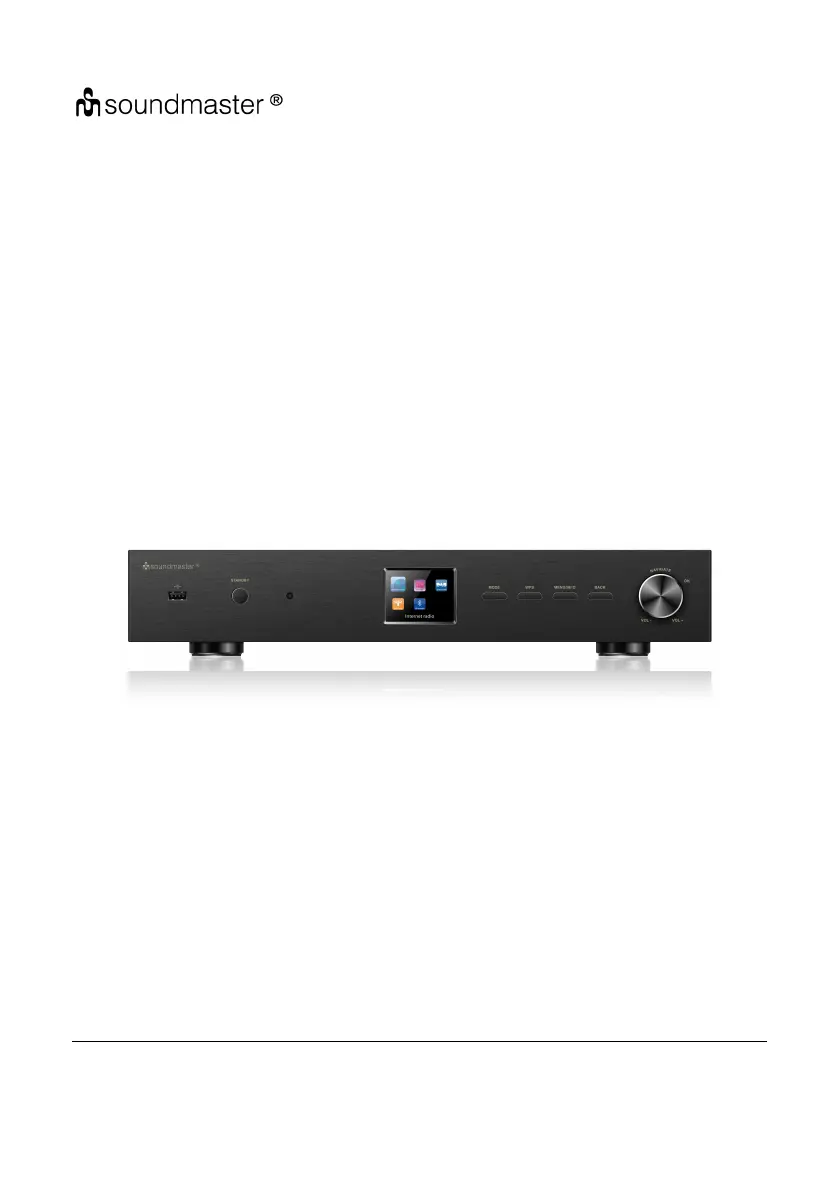
19inch Tuner
IR43DAB
User Manual
Thank you very much for buying the Tuner. In order to let you freely operate the product and
fully enjoy the overbalancing happiness it brings you, we have introduced each function of the
player in detail in this user manual. Please carefully read this user manual before use and keep
for future reference.

Questions and Answers

  • K
    kristophergriffinSep 23, 2025
    What to do for all other undetermined cases on my SOUNDMASTER Tuner?
    • J
      Jack WaltersSep 23, 2025
      If you encounter any other undetermined issues with your IR43DAB SOUNDMASTER Tuner, it may be due to the device processing a large amount of data, which can cause system freezes or malfunctions. Reboot the device if necessary. Strong electromagnetic interference may also disturb the product's normal function; reset the product according to the instruction manual, or try using it in a different location. The device may also malfunction in areas with strong radio interference; it will work properly again once the interference is gone.
  • D
    David GarciaAug 25, 2025
    How to fix SOUNDMASTER IR43DAB when it does not switch on?
    • C
      christophercortezAug 25, 2025
      If your SOUNDMASTER Tuner isn't turning on, verify that the power adapter is correctly connected.
  • C
    Christopher Johnston DDSAug 25, 2025
    What to do if SOUNDMASTER Tuner alarm does not work?
    • A
      alexlawrenceAug 26, 2025
      If the alarm on your SOUNDMASTER Tuner isn't working: 1. Ensure that the alarm is switched on. 2. If the alarm source is set to a station but there's no network connection, either change the alarm source or reconfigure the network connection. This issue may also be related to the volume setting; in that case, refer to the solutions for 'No sound' to resolve the problem.
  • M
    Maria RobertsonAug 27, 2025
    Why is my SOUNDMASTER IR43DAB Tuner not finding any stations?
    • S
      shelby04Aug 27, 2025
      If your SOUNDMASTER Tuner isn't finding any stations: 1. Check the network, access point, and firewall. 2. The station may be temporarily unavailable; try again later or select another station. The station's link may have changed, or the station may no longer be transmitting. Contact the provider for more information. 3. If you manually added a station, ensure the link is correct and re-enter it.
  • D
    Dr. Robert CarterAug 27, 2025
    How to fix SOUNDMASTER IR43DAB Tuner when WiFi connection cannot be established?
    • V
      victoria25Aug 27, 2025
      If you're having trouble establishing a WiFi connection with your SOUNDMASTER Tuner: 1. Make sure the WLAN network is available on your router. 2. Try placing the device closer to the router. 3. Verify that you're using the correct password.
  • E
    Elizabeth WongSep 14, 2025
    How to troubleshoot a SOUNDMASTER Tuner with no wired connection?
    • A
      Ashley DaySep 14, 2025
      If your SOUNDMASTER Tuner's wired connection isn't working, verify the LAN network is available on the access point. Try reconnecting or replacing the LAN cable.
  • J
    Joshua DanielsSep 12, 2025
    What to do if my SOUNDMASTER Tuner is not finding any stations?
    • B
      bhamiltonSep 12, 2025
      If your SOUNDMASTER Tuner isn't finding any stations, check the network, access point, and firewall settings. The station might be temporarily unavailable, so try again later or select another station. The station's link might have changed, or the station might no longer be transmitting; contact the provider for information. If you manually added the station, ensure the link is correct and re-enter it.
  • C
    Charlotte Crawford DVMSep 13, 2025
    Why is my SOUNDMASTER Tuner not detecting my USB drive?
    • J
      Jacqueline JonesSep 13, 2025
      If your SOUNDMASTER Tuner isn't detecting the USB driver or MP3 player, first check if the USB driver or MP3 player is properly plugged in. Some USB hard disks require an external power supply, so ensure it's connected. Note that not all MP3 players can be read directly by the device; try using a USB drive instead.
  • D
    Dawn GonzalesSep 5, 2025
    What to do if SOUNDMASTER IR43DAB Tuner normal function of the product may be disturbed by strong Electro-Magnetic Interference?
    • D
      Diana ShahSep 5, 2025
      If strong electromagnetic interference is disturbing the normal function of your SOUNDMASTER Tuner: * Reset the product to resume normal operation by following the instruction manual. * If the function doesn't resume, use the product in another location.
  • C
    Caroline DurhamSep 2, 2025
    Why does my SOUNDMASTER IR43DAB have hiss in FM mode?
    • H
      Hunter NguyenSep 2, 2025
      If you're experiencing a hiss in FM mode on your SOUNDMASTER Tuner: 1. Check or move the FM antenna. 2. Try moving the radio to a different location.

SOUNDMASTER IR43DAB Specifications

General IconGeneral
Power SupplyMains
Internet RadioYes
Presets20
BluetoothYes
USBYes
Headphone JackYes
EthernetNo
Wi-FiYes
DLNANo
UPnPNo
Alarm ClockYes
Remote ControlYes
Frequency RangeDAB: 174-240 MHz, FM: 87.5-108 MHz
DisplayLCD
FeaturesDAB+/FM Radio