EasyManua.ls Logo

SOUNDMASTER MCD1820 - Page 17

SOUNDMASTER MCD1820
Print Icon
To Next Page IconTo Next Page
To Previous Page IconTo Previous Page
Loading...
MCD1820 / English Instruction Manual
1
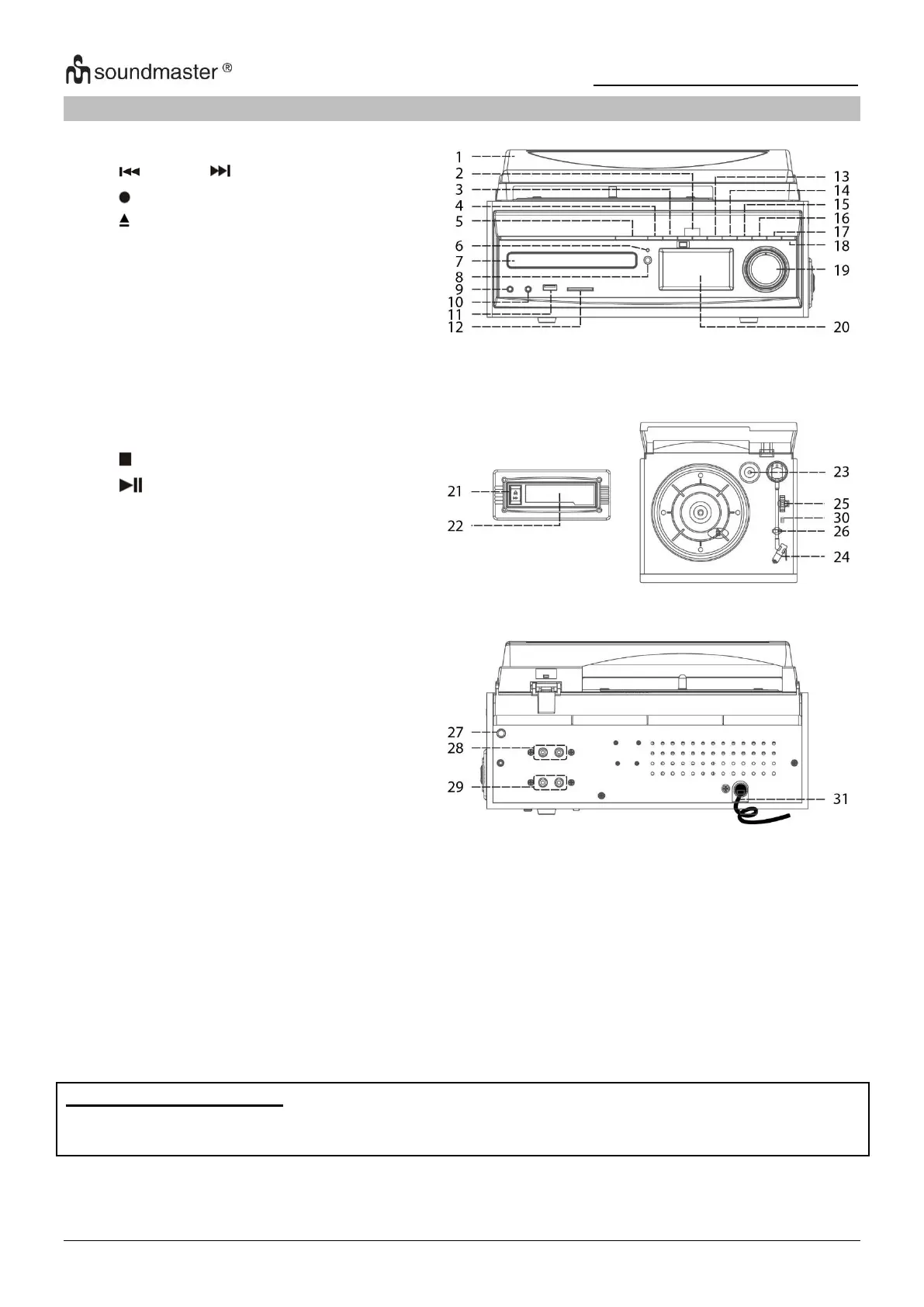
LOCATION OF CONTROLS
1
Dust cover
2
TUNE
3
REC
4
Open/close
5
ON / STANDBY
6
Standby LED indicator
7
CD door
8
Remote sensor
9
3.5mm headphone jack
10
3.5 Aux-In jack
11
USB socket
12
SD/MMC card slot
13
/ Enter
14
Play/Pause
15
FOLDER / PRESET
16
MEM / MENU
17
EQ
18
FUNCTION
19
Volume up/down
20
LCD display
21
Tape forward / Eject
22
Cassette door cover
23
Spindle adaptor
24
Cartridge holder
25
Turntable speed selector
26
Pick up holder
27
FM/DAB antenna
28
Line out socket (L/R)
29
Speaker socket (L/R)
30
Auto stop switch
31
AC power cord
Caution:
Usage of controls or adjustments or performance of procedures other than those specified herein
may result in hazardous radiation exposure.
This unit should not be adjusted or repaired by anyone except qualified service personnel.
ERP power management
The unit will turn off automatically after 15 minutes in standby mode if there is no audio
signal. To turn on the unit again press the ā€œON / STANDBYā€ button.

Related product manuals