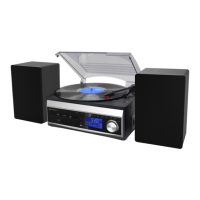
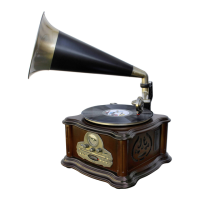
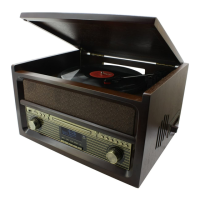
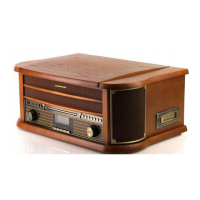
MCD1820 / English Instruction Manual
5
a) Scan setting:
Select the desired option for automatic station search.
- All stations: Search for all stations that can be received. In this case, station search also
stops for weak stations.
- Strong stations only: Only clear stations are searched.
b) Audio setting:
Select the MONO or STEREO for FM reception.
c) System:
See under “SYSTEM SETTINGS”.
CD
⚫ Getting start
1. Press “FUNCTION” button to select “CD” mode.
2. Press “ ” button to open the CD door.
3. Place a CD with the printed side facing up inside the tray & then close the CD door.
4. After reading, the playback starts automatically.
⚫ Play / Pause mode
1. Press the “ ” button to start playback, the first track will start playback.
2. To interrupt, press the “ ” button once, and the playing time will be flashing on the LCD
display. Press again to resume normal playback.
⚫ Stop mode
If “ /ENTER” button is pressed during play or pause mode, system will go to stop mode.
⚫ Skip mode (skip up / skip down )
1. During play or pause mode, if “ TUNE +” button is pressed, the unit will go to next track
and display the track no. and then remain the play or pause mode.
2. During play or pause mode, if “ TUNE –“ is pressed, the unit will go back to the beginning
of the track, original track no. is display and remain the play or pause mode.
3. After step 2, press “ TUNE –“ again will go to the previous track and remain the play or
pause mode.
⚫ For MP3 disc
1. After focus search is performing, the total number of track and album will be shown on the
LCD display.
2. Press “FOLDER / PRESET” on the unit or “FOLDER / PRESET / ” on the remote control
to select the album number.
3. Press “ TUNE –“ or “ TUNE +” button to select the track number.
4. When the desired track and album is being selected, press the “ ” button to start
playback.
Remark:
MP3 track format requirement:
- MP3 bit rate: 32 kbps~256 kbps.
- The performance of playing MP3 disc is various from the quality of recording disc and the
method of recording. Furthermore, the searching lead-time for MP3-CD is longer than


 To Next Page
 Loading...