M_NR540
8
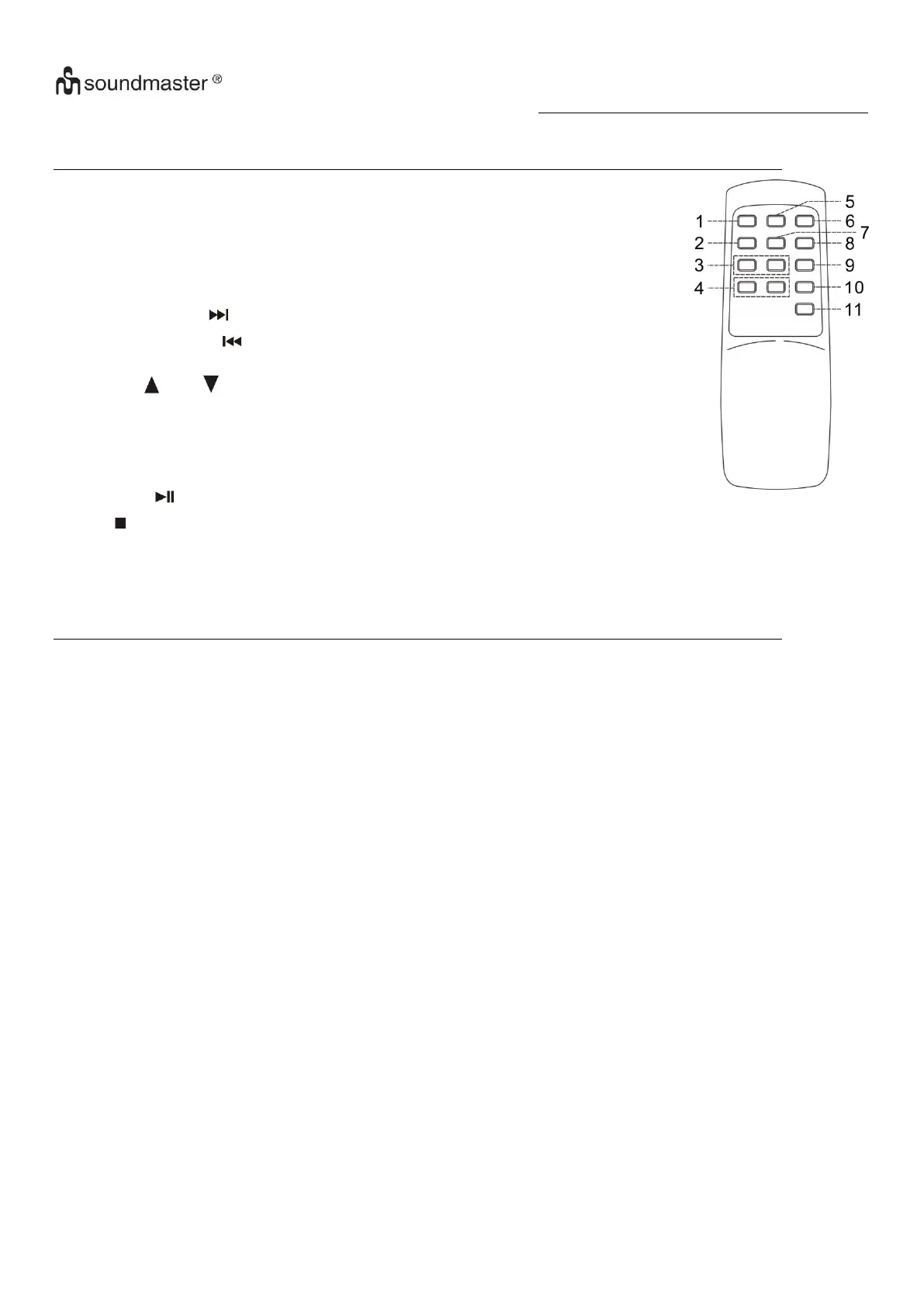
Remote control transmitter
Control functions
Battery installation (battery not provided)
The infra-red transmitter requires 2 pc AAA size batteries for operation
Press to open/close the CD tray
In CD/USB mode, press to active repeat/random function
Press once to skip to next track, press & hold for search forward
Press once to skip to previous track, press & hold for search
backward
In MP3 mode, press to select folder up or down
In CD/USB stop mode, press to select encoding bitrate
In CD or phono mode, press to active recording function
In CD/USB mode, press to active programming function
In CD/USB mode, press once to start playback. Press again to enter pause mode
In CD/USB mode, press to stop playback or cancel the stored program.
In CD/USB mode, press to select the CD/USB function.
In encoding mode: press to active track separation function
Specification
UKW/FM: 87-108 MHz
MW/AM: 520-1620 KHz
Power Supply: AC230V~50Hz
Power consumption: 33W
Remark: Due to ErP stage two requirements and protect the environment. The unit will
switch to standby mode automatically once no any music playing over 15 minutes.



 To Next Page