10
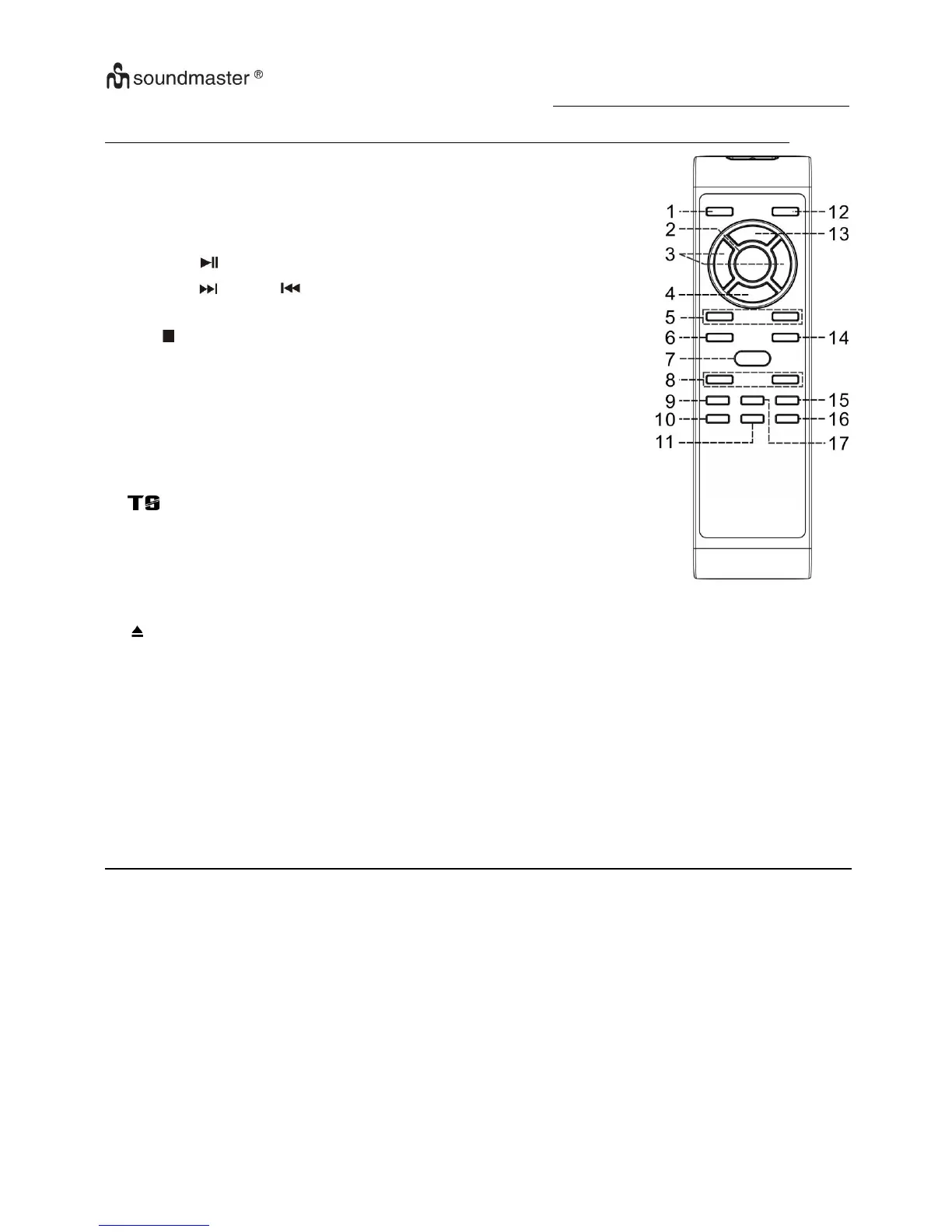
Remote control transmitter
Control functions
Battery installation (battery not provided)
The infra-red transmitter require 2 pc “AAA” size batteries for operation
Button description
Press to power on / standby the system
In CD/USB mode: press to start playback/pause mode
Press to select previous/next tracks at CD/USB mode
Press to step up/down of radio frequency at tuner mode
In CD/USB mode: press to stop the playback
In Tuner mode: select stereo/mono mode
In Tuner mode: press to select preset memory up/down
In USB mode: press to select folder up/down
In FM/DAB mode, press to search the station
Press to active encoding/mp3 file copy function
Press to adjust volume level up/ down
In encoding mode: press to active track separation
function
In power on mode: press to active sleep function
In standby mode: press and hold to enter timer set up
mode and press once to active/de-active timer function
In CD mode: press to active random/repeat function
Select the function between CD/Tuner/USB/SD/Aux
In USB mode: press to delete the file in the USB/SD memory
In MP3 playback mode: press to active ID3 function
In DAB/FM mode, press to see the broadcast information
Press to select difference EQ mode for enjoyment
Press to cut the sound temporarily
In standby mode: press & hold to adjust clock
In CD/USD/SD/Tuner mode: press to preset memory
Specification
UKW/FM: 87.5-108 MHz
DAB+ Band III: 174 – 240 MHz
Power Supply: AC230V~50Hz
Power consumption: 33W
Remark: Due to ErP stage two requirements and protect the environment. The unit will
switch to standby mode automatically once no any music playing over 15 minutes.








 To Previous Page