PAL - Select this if the connected TV is PAL system.It will change the
video signal of a NTSC disc and output in PAL format.
NTSC-Select this if the connected TV is NTSC system.It will change
the video signal of a PAL disc and output in NTSC format.
Auto:Chang the video signal output automatic according to the
playing disk format.
Audio:Selects a language for audio (if available).
Subtitle:Selects a language for subtitle (if available).
Disc Menu:Selects a language for disc menu (if available).
Parental
Some DVDs may have a parental level assigned to the complete disc
or to certain scenes on the disc.This feature lets you set a playback
limitation level.The rating levels are from 1 to 8 and are country
dependent. You can prohibit the playing of certain discs that are not
suitable for your children or have certain discs played with alternative
scenes.
Default:Back to the factory setting.
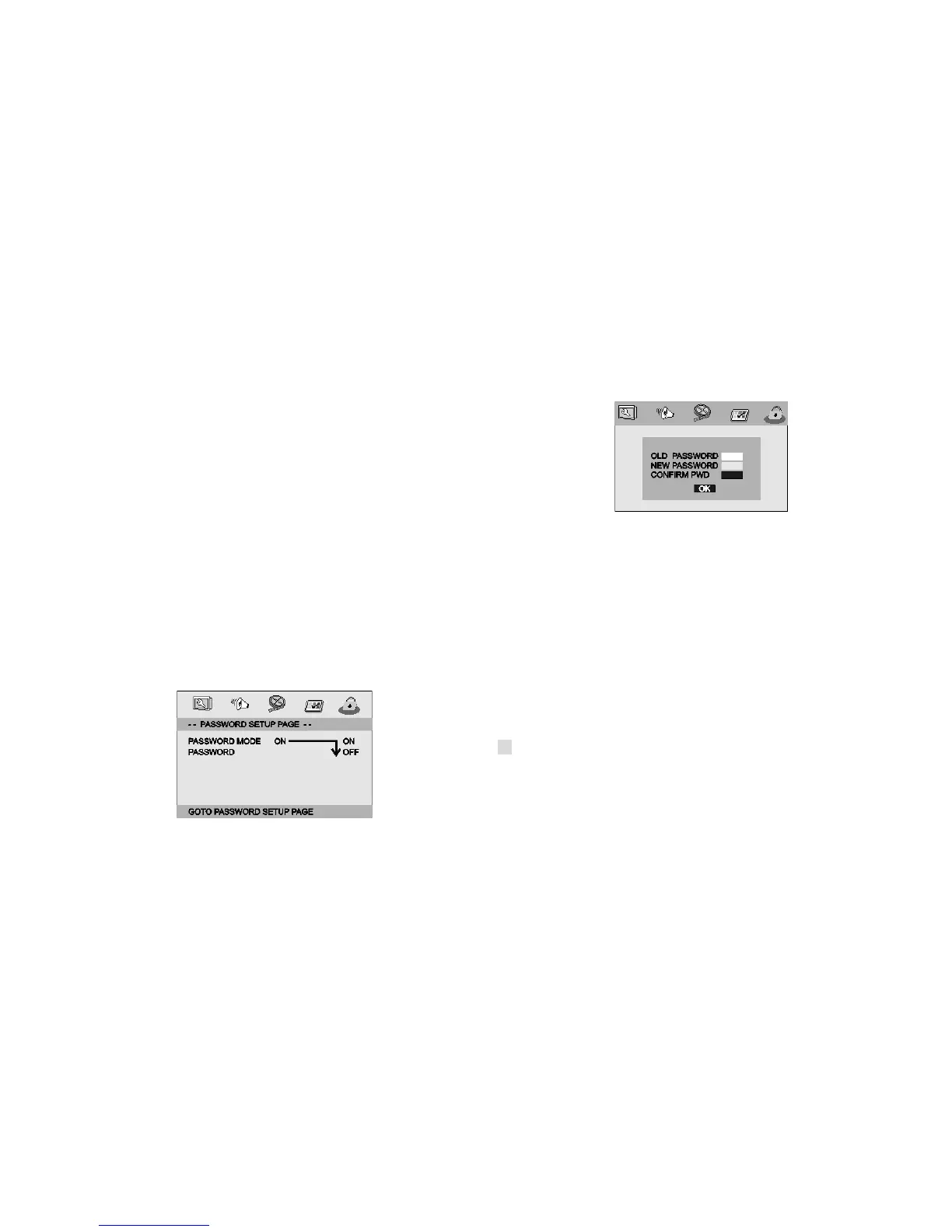
Password Setup Page
Password Setup Page
Password mode: Set password mode on/off. If set to off, change
parental level will not check password.
Password: select the menu password change page.
OLD PASSWORD: Enter the OLD password, (Factory setting is 1369),
and the cursor will jump automatically to
NEW PASSWORD
.
NEW PASSWORD: Enter the NEW password. Enter 4 digits from the
remote control unit numeric buttons, and the
cursor will automatically jump to CONFIRM PASSWORD.
CONFIRM PASSWORD: Confirm the NEW password by entering it again.
If the confirmation is incorrect, the cursor
will stay in this column. After entering, the correct new password again, the
cursor will jump automatically to OK.
Note: If the password has been changed, the parentaland disc lock code
will also be changed.
The default password(1369)is always active even the password has been
changed.



 To Next Page