PL550BR / English Instruction Manual
1
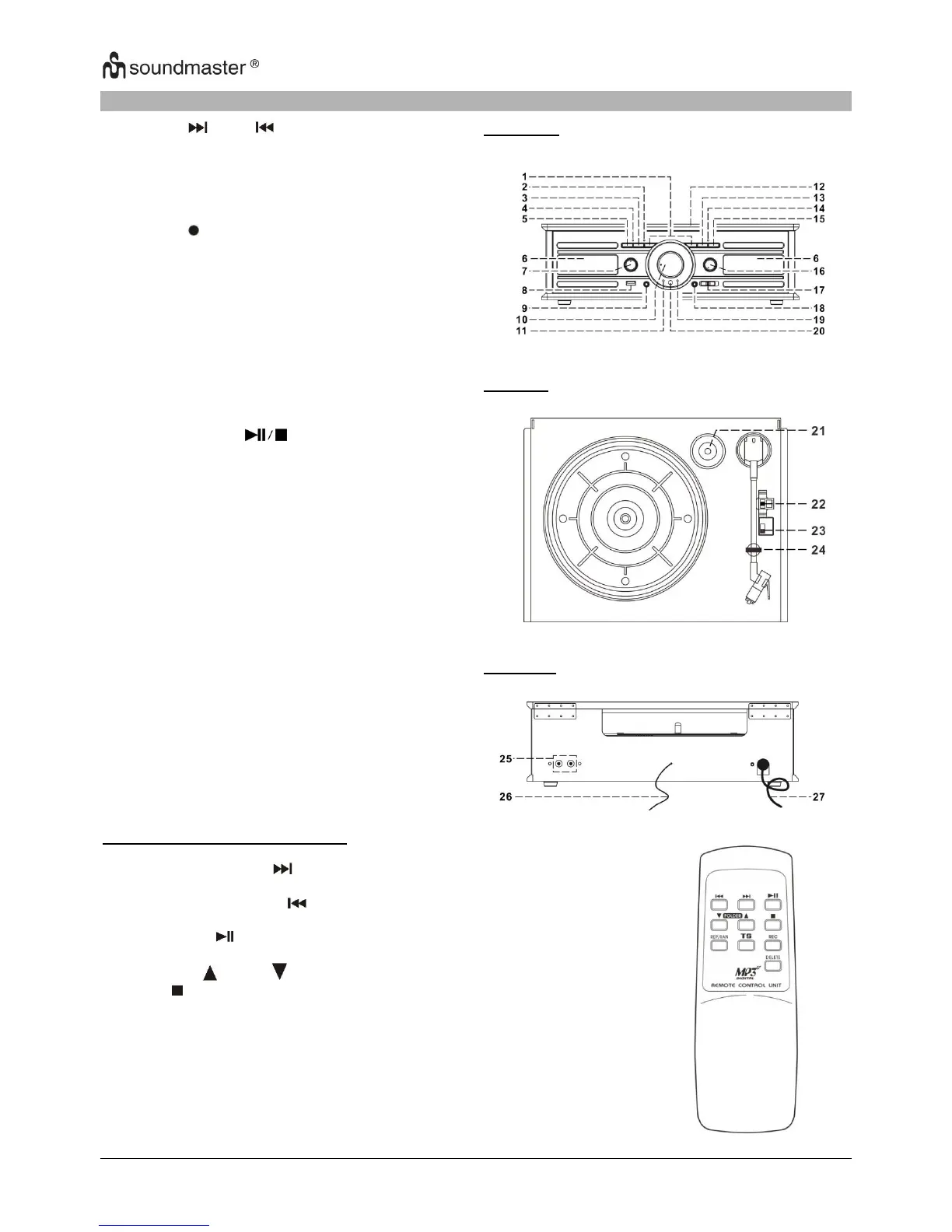
LOCATION OF CONTROLS
2) Repeat/Random LED indicator
13) Play/Pause/Stop Button
16) Power On/Off-Volume knob
19) FM Stereo LED Indicator
22) Turntable Speed Selector
23) Auto Stop On/Off Switch
Remote Control Button description
Press once to skip to next track,
press & hold for search forward
Press once to skip to previous track,
press & hold for search backward
Press once to start to playback.
Press again to enter pause mode
Press to select folder up or down
Press to active Repeat/Random
function
Press to divide the recording track
at turntable one by one during
Press to active recording function
Press and hold to delete current
track












 To Next Page