EasyManua.ls Logo

SOUNDMASTER PL979 - Rear View Connections; Remote Control Layout

SOUNDMASTER PL979
12 pages
Print Icon
To Next Page IconTo Next Page
To Previous Page IconTo Previous Page
Loading...
PL979 / English Instruction Manual
2
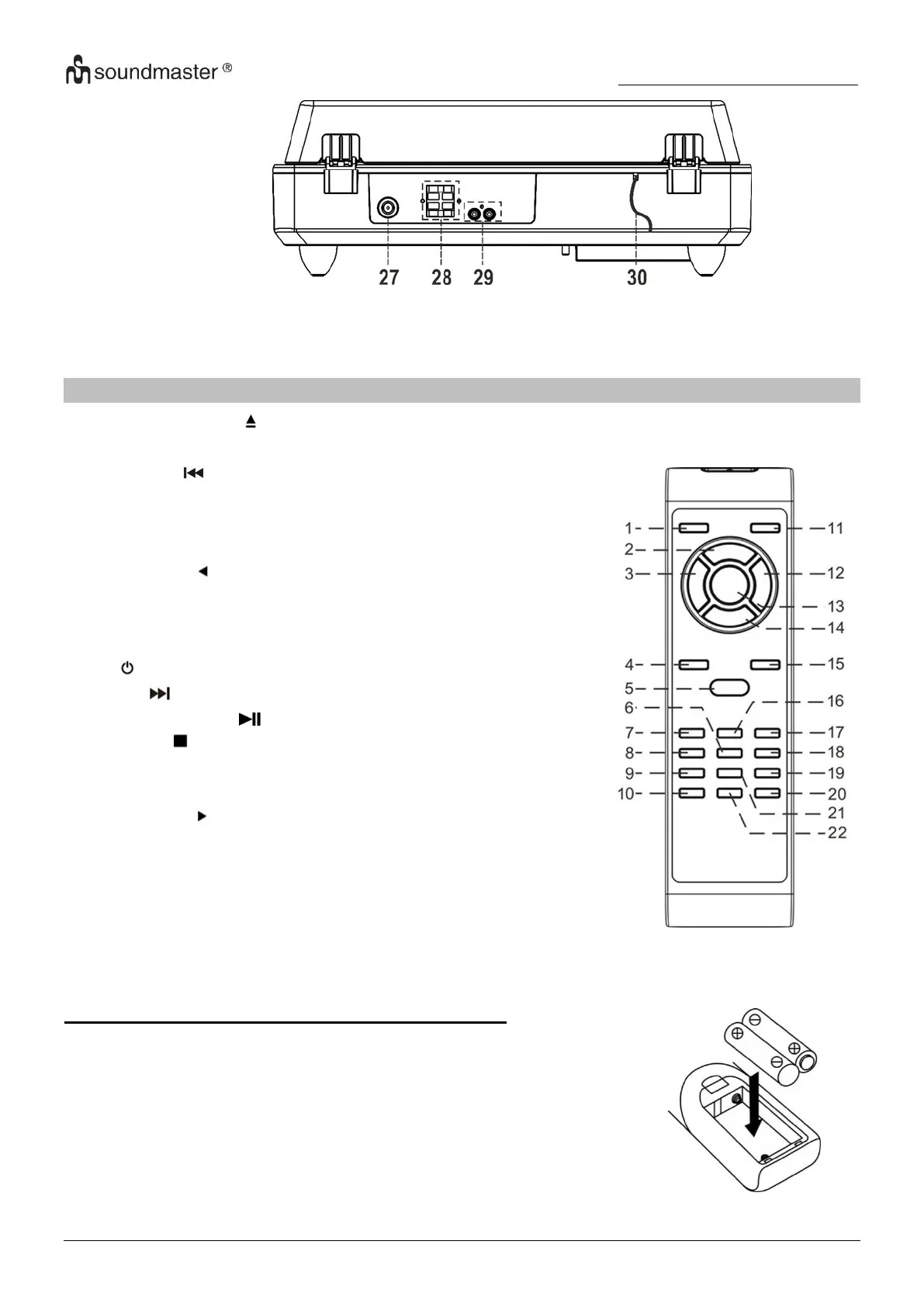
REAR VIEW
REMOTE CONTROL
1
OPEN/CLOSE
2
RECORD
3
DOWN / Track backwards
4
VOLUME -
5
MODE Function
6
MENU
7
SELECT button
8
P.MODE button
9
SCAN button
10
INFO button
11
POWER ON/OFF
12
UP / Track forwards
13
PLAY/PAUSE / ENTER button
14
STOP button
15
VOLUME +
16
EQ button
17
SELECT button
18
FOLDER button
19
PRESET button
20
DELETE button
21
PROGRAM button
22
MUTE button
BATTERY INSTALLATION OF REMOTE CONTROL
The battery compartment is located on the back of the remote control.
1. Remove the battery compartment door by pressing in on the tab
and lifting it off.
2. Insert two (2) AAA size batteries (not included) into the battery
compartment following the polarity markings inside the battery
compartment.
3. Replace the battery compartment door.

27
Antenna socket
29
Line-Out socket
28
Speaker terminal
30
AC cord

Related product manuals